Adobe Firefly vs Canva Magic Media: The Ultimate AI Design Showdown
The world of digital design has been fundamentally reshaped by the introduction of generative AI, offering unprecedented speed and creative possibility to both professional designers and casual users. At the forefront of this revolution are two distinct, yet equally powerful, platforms: Adobe Firefly vs Canva Magic Media. While both leverage artificial intelligence to transform text prompts into visual assets, their underlying philosophies, target audiences, and commercial implications are vastly different.
Adobe Firefly, deeply integrated into the Creative Cloud ecosystem, is positioned as the professional, commercially safe, and artist-centric tool. It is built on a foundation of ethical data and offers indemnity, making it the choice for large enterprises and individual designers who prioritize legal safety and high-fidelity output. Canva Magic Media, conversely, is the accessible, rapid-fire tool designed for the social media manager, the small business owner, and the everyday user. It is a feature within the broader Canva platform, focused on speed, simplicity, and seamless integration into template-driven workflows.
This comprehensive 2500-word analysis will dissect the core differences between these two giants, examining everything from their training data and commercial safety to their integration within their respective design suites. By the end, you will have a clear understanding of which platform—Adobe Firefly vs Canva Magic Media—is the superior choice for your specific creative and commercial needs.
The Foundation: Training Data, Ethics, and Commercial Safety
The most critical distinction between Adobe Firefly and Canva Magic Media lies in the data used to train their models and the resulting commercial assurances they provide. This is not a technical detail; it is a legal and ethical consideration that can determine whether a generated image is safe for commercial use.
Adobe Firefly: The Indemnified Professional
Adobe has staked its reputation on making Firefly commercially safe and ethically sound.
- Training Data: Firefly is trained primarily on a curated dataset that includes Adobe Stock content, openly licensed work, and public domain content where copyright has expired 1. This deliberate exclusion of general web-scraped data minimizes the risk of generating images that infringe on existing copyrights.
- Commercial Indemnity: For Creative Cloud subscribers, Adobe offers commercial indemnity for content generated by Firefly. This means Adobe will legally back the user if a third party claims copyright infringement on an image generated by Firefly. This is a massive advantage for agencies, large corporations, and professional designers who cannot afford legal risk.
- Ethical Stance: Adobe has been a vocal proponent of content authenticity, implementing Content Credentials (metadata tags) that clearly mark Firefly-generated images as AI-created, promoting transparency and trust.
Canva Magic Media: The Accessible Generalist
Canva's approach prioritizes accessibility and speed, which comes with a different set of commercial considerations.
- Training Data: Canva's Magic Media (which uses a mix of proprietary and third-party models like Stable Diffusion) is trained on a broader, less transparent dataset. While Canva asserts that its content is safe for commercial use, the specific source of the training data is not as clearly defined or curated as Adobe's.
- Commercial Licensing: Canva's licensing terms allow for commercial use of images generated with Magic Media, but they do not offer the same level of legal indemnity as Adobe. The responsibility for ensuring the image does not infringe on third-party rights largely falls on the user. This is generally acceptable for small-scale social media use but poses a higher risk for large-scale commercial campaigns.
- Focus on Speed: The focus is on quickly generating a high volume of assets for template-driven design, where the image is often a component rather than the final, standalone product.
The image below visually represents this critical difference in commercial safety.
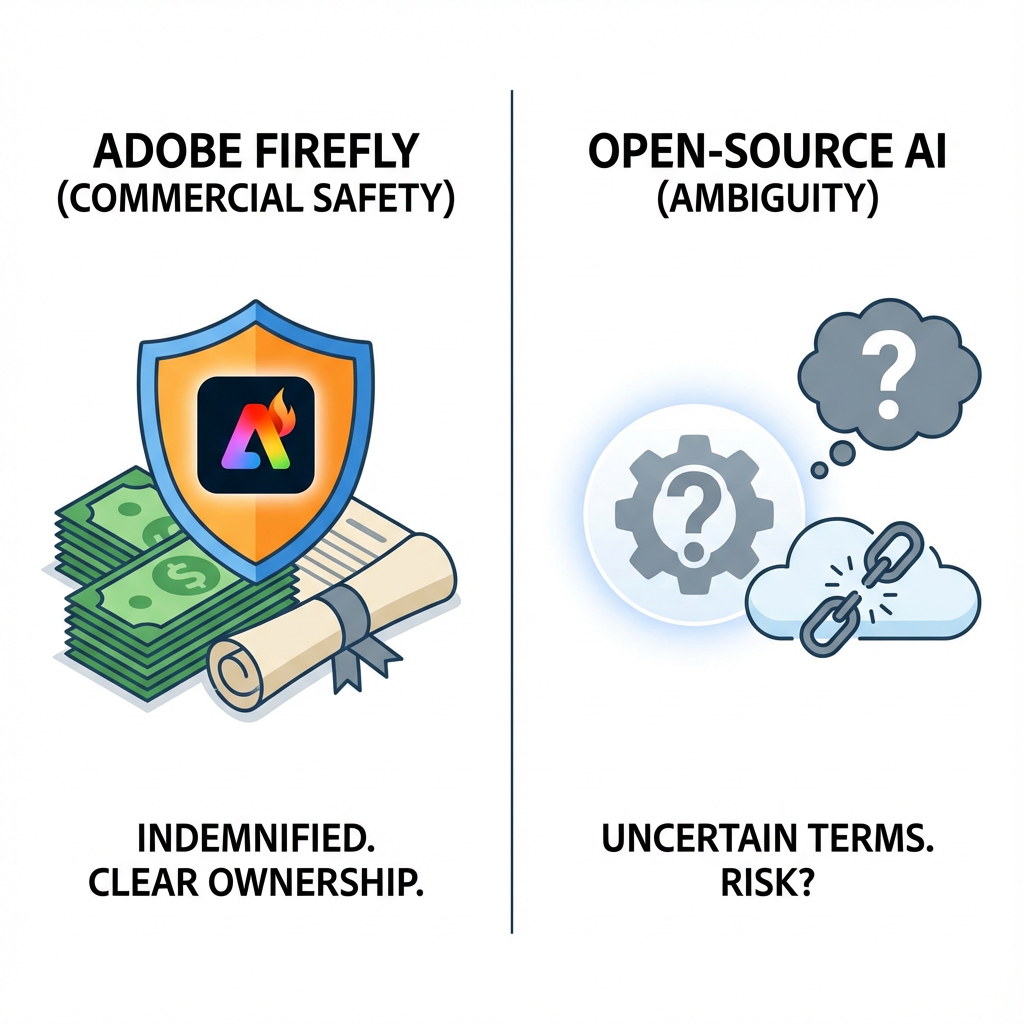
A visual metaphor for commercial safety and ethical AI. On the left, a shield with the Adobe Firefly logo protecting a stack of money or a legal document. On the right, a generic, open-source icon with a question mark, representing the ambiguity of commercial use for general AI models. Clean, vector-style graphic.
Integration and Workflow: Ecosystem vs. Feature
The second major point of comparison in the Adobe Firefly vs Canva Magic Media debate is how each tool integrates into its parent ecosystem.
Adobe Firefly: Deep Integration with Professional Tools
Firefly is not a standalone product; it is a core technology woven into the fabric of the Adobe Creative Cloud.
- Generative Fill and Expand: Features like Generative Fill in Photoshop and Generative Expand allow designers to seamlessly add, remove, or extend content within an existing image using natural language. This is a game-changer for photo retouching and complex compositing, directly enhancing the capabilities of professional software.
- Vector and Brush Integration: Firefly's capabilities extend beyond raster images, offering text-to-vector graphics in Illustrator and text-to-brush generation in Photoshop, demonstrating a deep understanding of the professional design workflow.
- Non-Destructive Workflow: Firefly's generative layers are often non-destructive, meaning the original image remains untouched, allowing for maximum flexibility and iteration.
Canva Magic Media: Seamless Integration with Templates
Canva Magic Media is one of many "Magic" features designed to accelerate the creation of template-based graphics.
- Template-First Approach: The primary use case is generating an image that fits perfectly into a pre-designed template for social media, presentations, or print. The image generation is a step in the design process, not the entire process itself.
- Magic Edit and Grab: Canva offers similar features to Firefly's Generative Fill (like Magic Edit), but they are often simpler and less precise, prioritizing ease of use over granular control. The focus is on quick, one-click solutions.
- Ease of Use: The learning curve is virtually non-existent. A user can generate an image and have it integrated into a finished social media post in under a minute, making it the ultimate tool for speed and volume.
The visual below highlights the difference in integration philosophy.
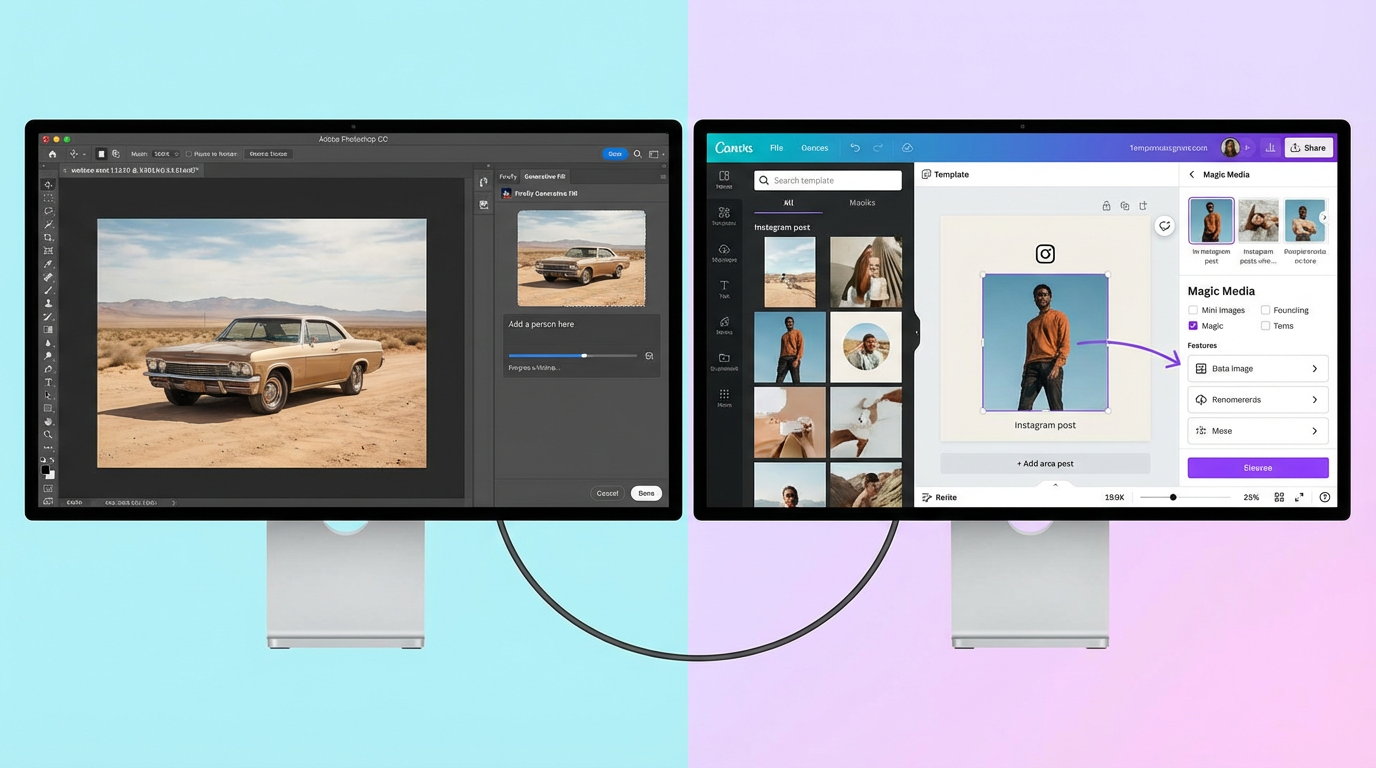
A split-screen image showing workflow integration. The left side shows a Photoshop interface with a Firefly Generative Fill panel open. The right side shows a Canva template interface with the Magic Media panel open, showing an image being dragged onto the canvas. Clear, clean UI representation.
Output Quality and Aesthetic: Cinematic vs. Social-Ready
While both platforms produce high-quality images, their aesthetic output and the level of control they offer over the final image differ significantly.
Adobe Firefly: Artistic Fidelity and Granular Control
Firefly excels at generating images with a high degree of artistic fidelity, photorealism, and complex lighting.
- Photorealism and Detail: Firefly's output often has a more painterly, cinematic quality, capable of handling complex prompts involving light, shadow, and texture with professional-grade results.
- Control Parameters: Firefly offers a wide array of fine-tuning controls, including aspect ratio, visual intensity, style references, and color palettes, giving the user granular control over the final output.
- Text Effects: Firefly's unique text-to-text effect feature allows users to apply textures and styles to text, which is a powerful tool for logo and title design.
Canva Magic Media: Versatility and Template-Driven Styles
Canva Magic Media is designed for versatility across a wide range of social media and marketing styles.
- Style Presets: Canva's interface heavily relies on style presets (e.g., "Filmic," "Watercolor," "3D") that guide the generation process. This makes it incredibly fast to achieve a desired look without complex prompt engineering.
- Graphic Aesthetic: The output often leans towards a cleaner, more graphic, and vibrant aesthetic that is optimized for screen viewing and social media feeds. While capable of photorealism, its strength lies in its ability to generate diverse, template-ready assets.
- Simplicity Over Control: The control parameters are simpler, prioritizing ease of use over the granular adjustments offered by Firefly.
The image below illustrates the difference in aesthetic output.
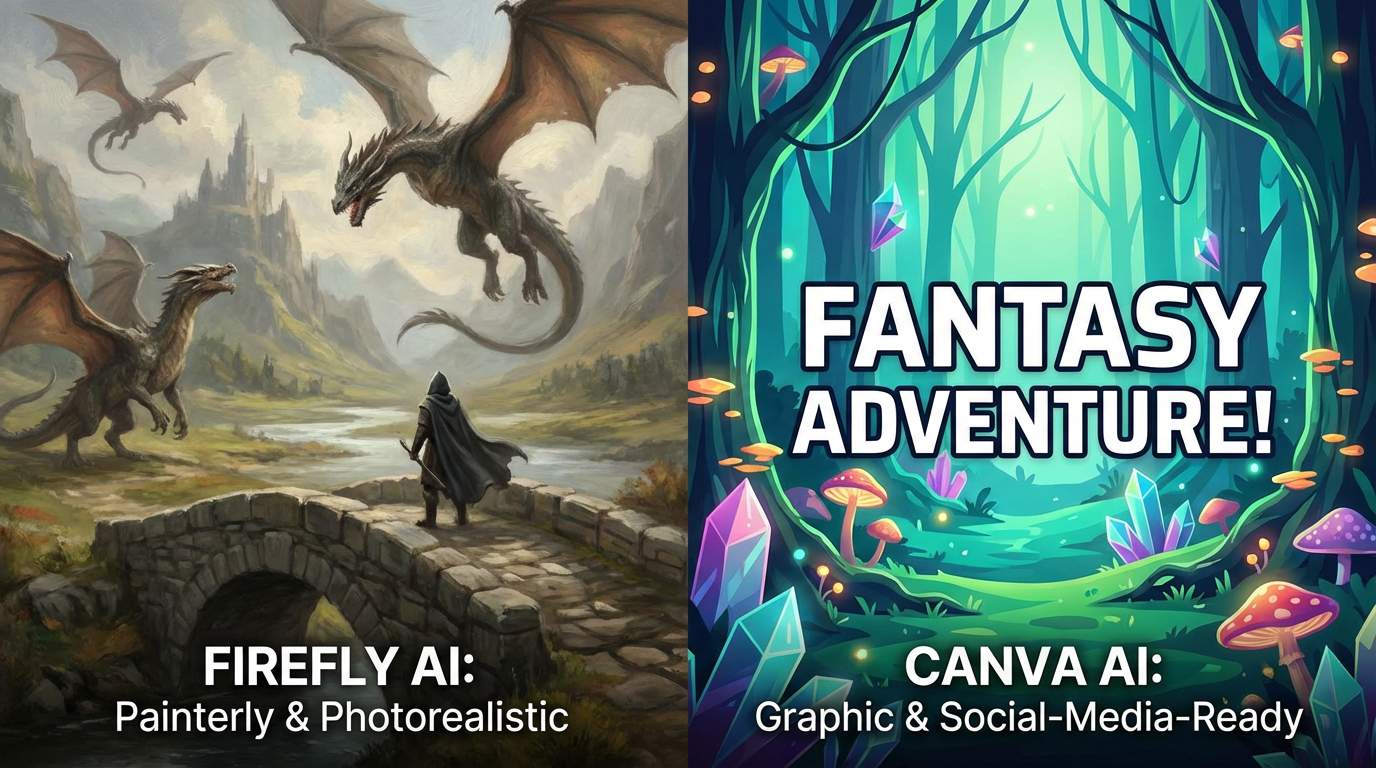
A side-by-side comparison of two highly detailed, complex fantasy images generated by AI. The left image (Firefly) should have a slightly more painterly, artistic, and photorealistic look. The right image (Canva) should have a slightly more graphic, vibrant, and social-media-ready look. Both should be high quality.
User Experience and Accessibility: Professional Suite vs. Browser App
The interface and accessibility are the most immediate differences users will encounter when comparing Adobe Firefly vs Canva Magic Media.
Adobe Firefly: The Professional Gateway
Access to the full power of Firefly is primarily through the Creative Cloud suite (Photoshop, Illustrator, etc.) or the dedicated Firefly web application.
- Learning Curve: While the Firefly web app is simple, utilizing its full potential requires familiarity with the Adobe ecosystem, particularly Photoshop for advanced compositing. This creates a higher barrier to entry for non-designers.
- Focus: The interface is minimalist and focused on the text prompt, assuming the user knows exactly what they want to generate and how they will use it in a professional workflow.
Canva Magic Media: The Democratized Design Tool
Canva is a browser-based, mobile-friendly application designed for maximum accessibility.
- Learning Curve: The platform is famous for its zero-learning curve. Anyone can start generating and integrating images within minutes.
- Focus: The interface is template-driven, guiding the user through style selection and placement, making it ideal for rapid content creation and team collaboration.
The image below compares the two interfaces.
.png)
A clean, side-by-side comparison of the prompt input interfaces. The left side shows the minimalist, text-focused prompt box of Adobe Firefly. The right side shows the style-selection and template-focused prompt box of Canva Magic Media. Focus on the difference in user experience.
Pricing and Licensing: Subscription vs. Freemium Model
The cost structure is a major factor in the choice between Adobe Firefly vs Canva Magic Media.
Adobe Firefly: Subscription and Credit-Based
Firefly is primarily a feature of the paid Creative Cloud subscription, which includes a monthly allotment of "Generative Credits."
- Cost: Access to Firefly's best features (like Generative Fill in Photoshop) requires a Creative Cloud subscription, which can be a significant investment.
- Credit System: Generations consume credits, which are replenished monthly. This model encourages professional, intentional use rather than high-volume, casual experimentation.
Canva Magic Media: Freemium and Pro
Canva operates on a freemium model, with Magic Media being a feature of the paid Canva Pro or Enterprise subscriptions.
- Cost: Canva Pro is significantly less expensive than a full Creative Cloud subscription, making it highly accessible.
- Usage: The free version offers limited access, while Pro and Enterprise tiers offer more generous daily or monthly usage limits for Magic Media. This model is built for high-volume, affordable content creation.
Specific Feature Deep Dive: Generative Fill vs. Magic Edit and Text Effects
Beyond the core text-to-image generation, both platforms offer specialized AI tools for manipulating existing images. These features highlight the difference in their core design philosophies: Firefly prioritizes precision and professional retouching, while Canva prioritizes speed and general utility.
Object Manipulation: Precision vs. Speed
The ability to add, remove, or replace objects within an image is a cornerstone of modern AI design.
- Adobe Firefly's Generative Fill: This feature, primarily accessed through Photoshop, is the industry standard for image manipulation. It allows users to select an area with a lasso tool and replace it with content generated from a text prompt.
- Precision: Generative Fill excels at matching perspective, lighting, and shadow with near-perfect accuracy, making it suitable for professional photo retouching, product mockups, and complex scene extensions. The results are often indistinguishable from manual editing.
- Control: Users have multiple variations to choose from and can refine the prompt iteratively within the professional environment of Photoshop.
- Canva's Magic Edit: This tool is designed for quick, on-the-fly changes, typically used to swap out small elements or change the color of an object.
- Speed: Magic Edit is fast and simple, requiring only a brush stroke over the area to be changed and a short text prompt. It is ideal for quickly adapting an image for a social media post.
- Utility: While highly useful for simple tasks, Magic Edit often struggles with complex lighting, shadows, or large-scale scene changes, sometimes resulting in a noticeable "pasted" look. It is a utility feature, not a professional retouching tool.
Text Effects and Typography
The handling of text is another area where the professional focus of Firefly shines against the generalist approach of Canva.
- Adobe Firefly's Text Effects: Firefly allows users to apply textures, materials, and styles to text, generating unique typographic assets. For example, a user can prompt "text made of molten gold" or "text carved from ice." This is a powerful tool for creating unique logos, titles, and branding elements that would be difficult to achieve manually.
- Canva's Magic Write and Text Tools: Canva's primary text tool is Magic Write, an AI copywriting assistant that generates text for social media captions, blog outlines, or headlines. While Canva has excellent standard typography tools, its AI is focused on generating the words, not styling the words with generative effects. This difference underscores Firefly's focus on visual artistry and Canva's focus on content marketing.
The Future Trajectory: Consolidation vs. Expansion
The long-term roadmaps for both platforms suggest a continued, yet accelerating, divergence.
Adobe's Consolidation of Creative Power
Adobe's future is about consolidating all AI capabilities under the Firefly brand and integrating them deeper into the Creative Cloud.
- 3D and Video: Expect Firefly to rapidly expand its capabilities into 3D asset generation and video editing (Generative Video), further cementing its role as the professional standard for all media types.
- Enterprise Focus: Adobe will continue to target large enterprises with its indemnification and content governance tools, making Firefly the safe choice for brands with strict legal and compliance requirements.
- Model Transparency: As the AI landscape matures, Adobe is likely to maintain its commitment to model transparency and ethical training data, which will be a major selling point in a world increasingly concerned with copyright and deepfakes.
Canva's Expansion of the Design Ecosystem
Canva's future is about expanding its ecosystem to become the single, all-in-one platform for all non-professional design needs.
- AI-Powered Templates: Magic Media will become smarter, generating not just images but entire template layouts based on a single prompt (e.g., "Create a 5-slide presentation about sustainable fashion").
- Workflow Automation: Canva will focus on automating entire workflows, from generating an image to scheduling the final post on social media, minimizing the number of clicks required to go from idea to publication.
- Broader Model Support: Canva will likely continue to integrate the best available third-party models into Magic Media, ensuring that its users always have access to a wide range of styles and capabilities without needing to manage different subscriptions.
Conclusion: Which AI Design Tool Reigns Supreme?
The ultimate verdict in the Adobe Firefly vs Canva Magic Media showdown is not about which tool is "better" in an absolute sense, but which tool is better for you. The two platforms have strategically segmented the market, each dominating its respective niche.
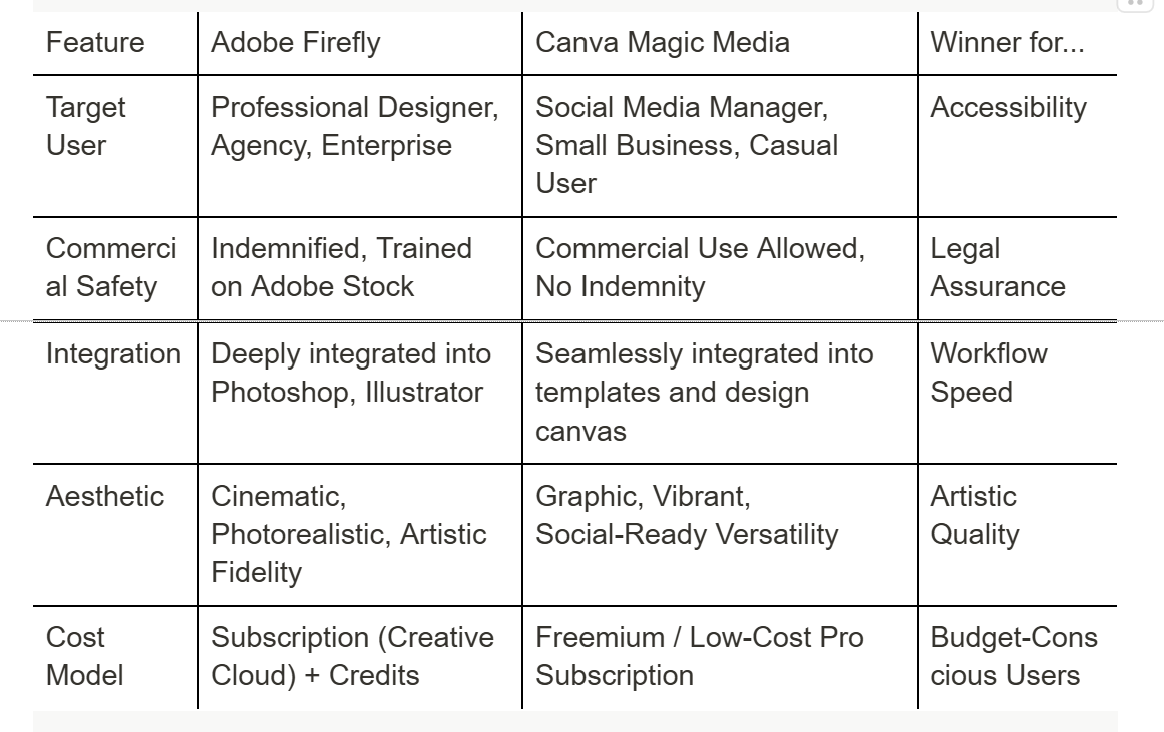
For the professional creative who needs the highest level of artistic control, legal safety, and deep integration with industry-standard tools, Adobe Firefly is the clear and necessary choice. Its Generative Fill feature alone is worth the price of admission for anyone working in photo editing or compositing.
For the marketer, the small business owner, or the content creator who needs to produce a high volume of on-brand, social-media-ready graphics quickly and affordably, Canva Magic Media is the superior solution. Its template-first, zero-learning-curve approach makes it the ultimate tool for efficiency.
The future of design is not about choosing one over the other, but understanding how to leverage both. Firefly generates the stunning, legally safe, high-fidelity assets, and Canva Magic Media integrates them into the final, ready-to-publish graphic.