Adobe Firefly vs StarryAI: The Ultimate AI Image Generator Showdown
The world of AI image generation is a dynamic battleground, pitting established tech giants against nimble, community-focused startups. At the forefront of this competition are Adobe Firefly vs StarryAI, two platforms that represent fundamentally different philosophies on how generative AI should be integrated into the creative workflow. Adobe Firefly, backed by the industry leader in creative software, emphasizes commercial safety, seamless integration, and a unified aesthetic. StarryAI, on the other hand, champions model diversity, mobile accessibility, and a community-driven approach to art creation.
For creators, the choice between these two is a critical decision that impacts everything from the quality of the final image to the legal safety of their commercial projects. This comprehensive 2500-word analysis will dissect the core differences, compare their feature sets, and provide a definitive guide to help you choose the right tool for your specific needs in 2025.
1. Core Philosophy and Aesthetic Output: Safety vs. Diversity
The most significant distinction between these two platforms lies in their training data and the resulting aesthetic output. This difference is the foundation of the entire Adobe Firefly vs StarryAI debate.
Adobe Firefly: The Standard for Commercial Safety
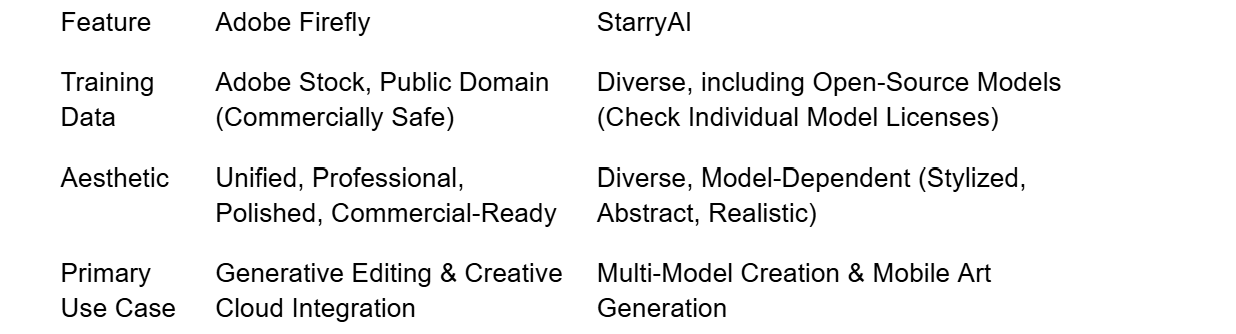
Adobe Firefly was trained on a meticulously curated dataset: Adobe Stock images, openly licensed content, and public domain content where copyright has expired . This "commercially safe" approach is Firefly's biggest selling point.
•Unified Aesthetic: Firefly's output is characterized by a clean, professional, and highly polished aesthetic that is instantly recognizable and often aligns with commercial design standards. It excels at photorealism and high-quality graphic elements.
•Creative Cloud Integration: Firefly is not a standalone tool; it is a feature deeply embedded within the Adobe Creative Cloud ecosystem (Photoshop, Illustrator, etc.). This seamless integration is unparalleled in the industry.
•Focus on Editing: Firefly's primary strength lies in its generative editing features, such as Generative Fill and Generative Expand, which allow users to modify existing images with unprecedented control and safety.
StarryAI: The Hub for Model Diversity
StarryAI operates as a front-end platform that offers access to a wide variety of underlying generative models, including open-source options like Stable Diffusion and proprietary models like DALL-E and Midjourney (through various partnerships and integrations) .
•Diverse Aesthetics: Because StarryAI allows users to switch between models, the aesthetic output is incredibly diverse, ranging from hyper-realistic to highly stylized, abstract, or anime-focused art.
•Model Agnostic: The platform's value proposition is its ability to provide a single interface for multiple models, allowing users to experiment without needing to learn the intricacies of each individual model's prompt structure.
•Focus on Creation: StarryAI is primarily a creation tool, focused on generating new images from scratch, with less emphasis on the complex, integrated editing features found in Firefly.
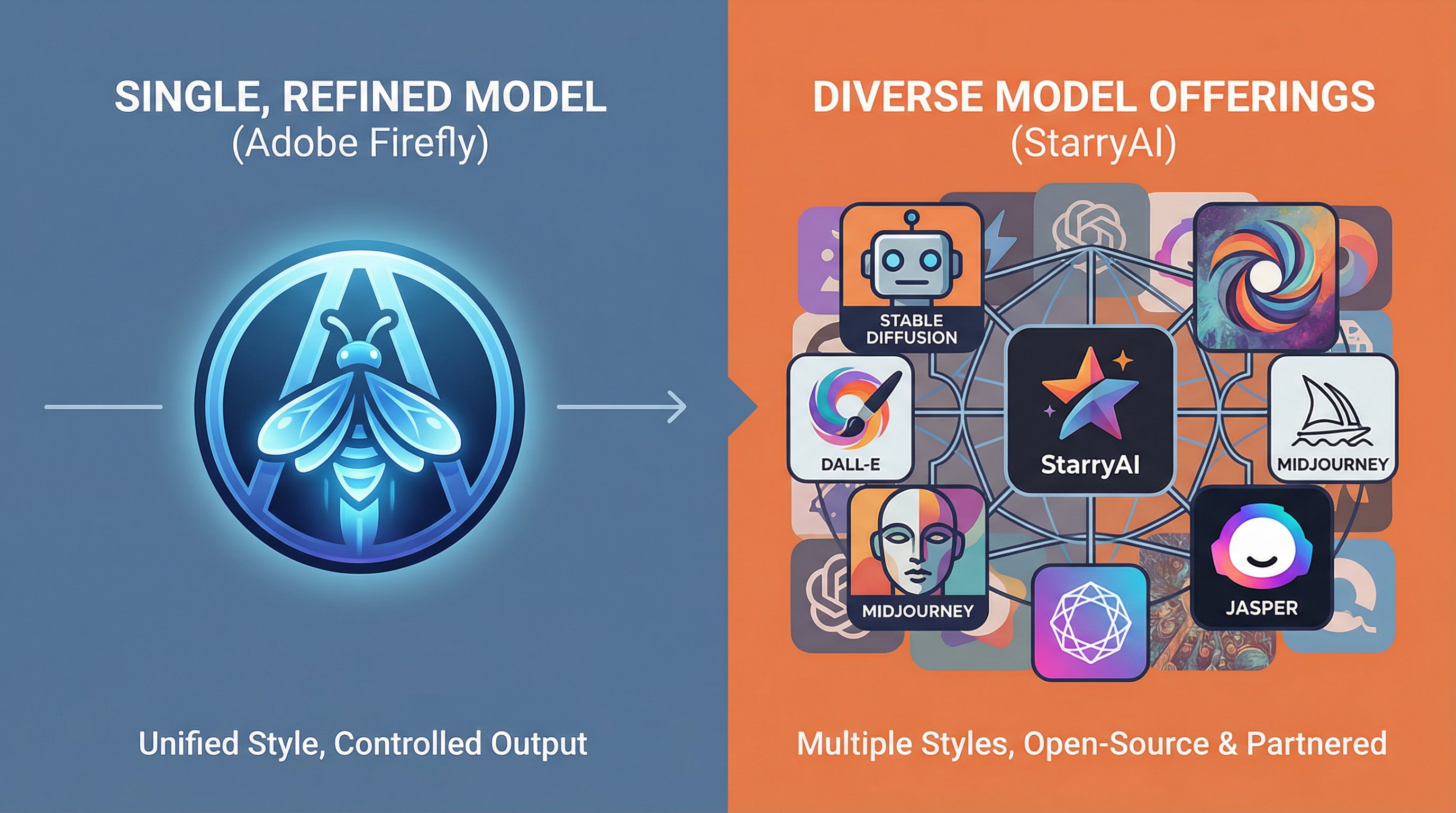
A visual comparison of model variety. On the left, a single, highly refined Adobe Firefly model icon. On the right, a collage of many different model icons (Stable Diffusion, DALL-E, etc.) representing StarryAI's diverse model offerings.
2. Integration and Workflow: Seamless Studio vs. Mobile Flexibility
The workflow is a major differentiator in the Adobe Firefly vs StarryAI comparison, dictating how each tool fits into a creator's daily routine.
Firefly's Seamless Creative Cloud Workflow
Adobe Firefly is built for the professional who already lives within the Creative Cloud ecosystem. Its integration is its superpower.
•Generative Fill in Photoshop: This feature alone has revolutionized image editing. Users can select an area in Photoshop and use a text prompt to fill it with AI-generated content, all without leaving the application.
•Vector Integration in Illustrator: Firefly can generate scalable vector graphics (SVGs) directly within Illustrator, a feature crucial for logo design and graphic artists.
•Web and Desktop: Firefly is accessible via a dedicated web interface, but its true power is unlocked when used as a feature within desktop applications like Photoshop and Premiere Pro.
StarryAI's Mobile-First and Web Flexibility
StarryAI is designed for maximum accessibility, with a strong focus on its mobile application.
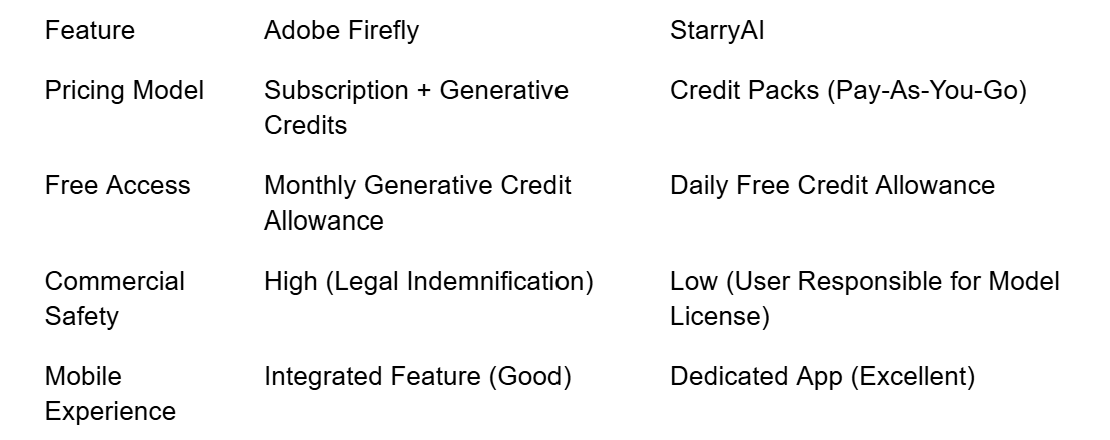
•Dedicated Mobile App: StarryAI is arguably the best dedicated AI art app on iOS and Android, offering a full suite of generation and editing tools on the go. This makes it the ideal choice for creators who work primarily from their phone or tablet.
•Simple Web Interface: The web interface is clean and straightforward, prioritizing ease of use over the complex feature sets of a professional studio.
•Community Sharing: The platform encourages users to share their creations and prompts, fostering a community-driven learning environment that is less formal than Adobe's professional forums.
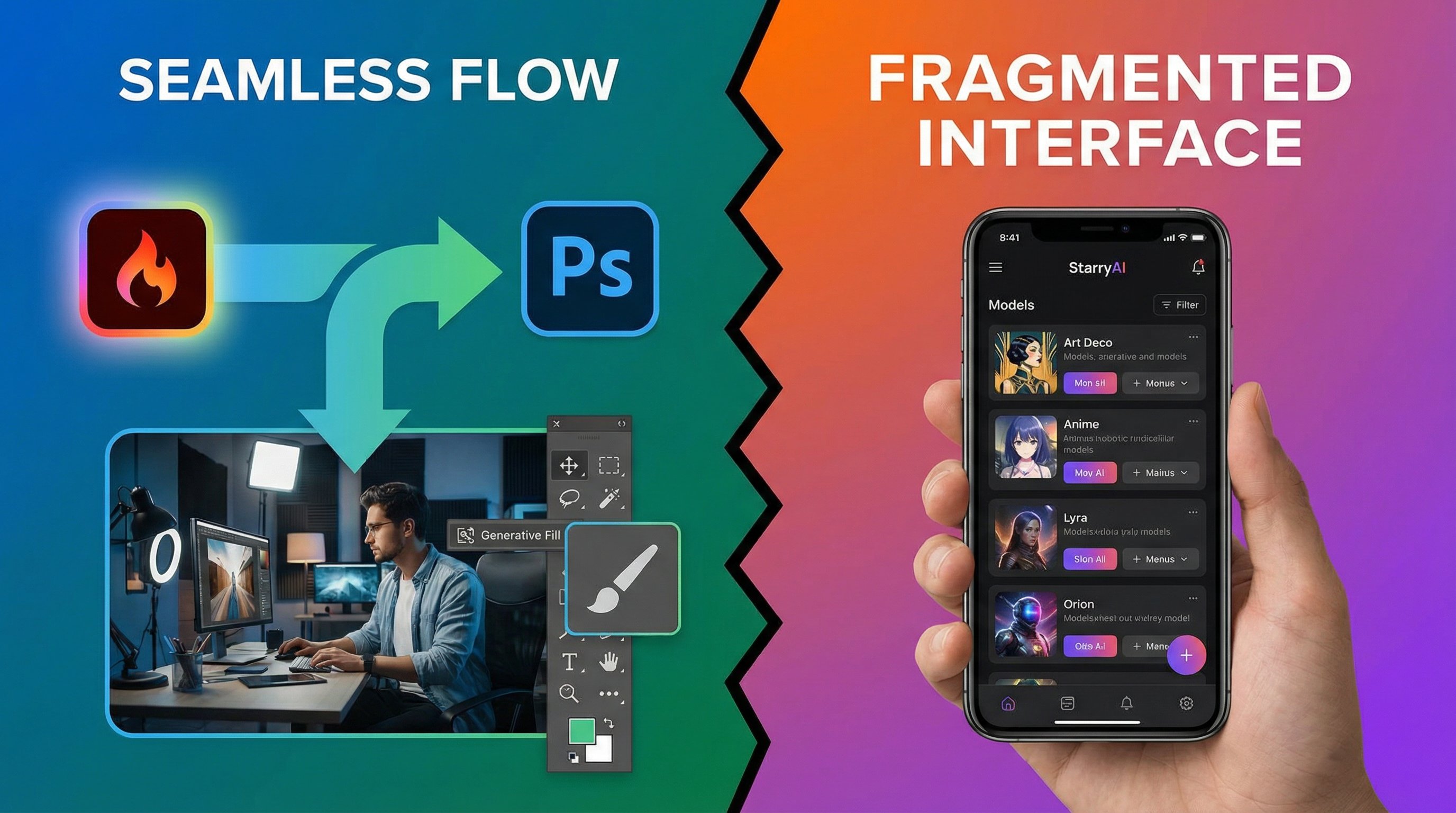
A visual comparison of software integration. On the left, a seamless flow from Adobe Firefly into Photoshop's Generative Fill. On the right, a mobile phone screen showing the StarryAI app interface with various models listed.
3. Creative Control and Customization: Parameters vs. Presets
The level of control offered by each platform reflects its target user. Firefly offers precise, professional-grade controls, while StarryAI offers a wider array of stylistic presets. This difference is rooted in their approach to prompt engineering and model exposure. Firefly abstracts the complexity, while StarryAI exposes it for greater flexibility.
Firefly's Precise Control
Adobe Firefly's control features are designed to mimic the parameters a designer would use in a traditional creative application.
•Reference Image Control: Firefly allows users to upload a reference image to guide the style, composition, or color palette of the generated image, offering a high degree of control over the final output.
•Style and Effect Sliders: Users can fine-tune parameters like camera angle, lighting, color tone, and depth of field with intuitive sliders, ensuring the generated image fits the exact requirements of a project.
•**TText-Based Editing: The core of Firefly's control is its ability to use text prompts to perform complex, localized edits on existing images, such as changing the texture of a shirt or adding a specific object to a scene. A key advanced feature is Generative Match, which allows users to apply the style of a reference image to a generated image with high fidelity, ensuring brand consistency across a campaign..
StarryAI's Model-Specific Customization
StarryAI's control is less about a unified set of sliders and more about leveraging the unique strengths of its underlying models.
•Style Presets: StarryAI offers thousands of pre-set styles and artistic filters, making it easy for users to achieve a specific look (e.g., "Cyberpunk," "Oil Painting," "Anime") without complex prompting.
•**Model Switching: The ultimate control in StarryAI is the ability to switch between models like Stable Diffusion, DALL-E, and its own proprietary models. This allows for radical changes in aesthetic with a single click. Furthermore, StarryAI allows users to fine-tune and create their own custom models based on their personal art style, offering a level of personalization that Firefly's unified model cannot match.k.
•Basic Parameters: While it offers basic controls like aspect ratio and prompt weight, the depth of parameter control is generally less granular than in Firefly, prioritizing ease of use for the mobile creator.
4. Commercial Use and Licensing: The Legal Safety Net
For any professional creator, the commercial viability of AI-generated art is paramount. This is the area where the difference between Adobe Firefly vs StarryAI is most pronounced.
Adobe Firefly: The Gold Standard for Safety
Adobe has positioned Firefly as the safest option for commercial use, a critical advantage for businesses and freelancers.
•Trained on Licensed Data: Because Firefly was trained on licensed content, Adobe can offer a high degree of legal indemnification to its paid users, meaning Adobe will cover legal costs if a user is sued for copyright infringement related to Firefly's output .
•Clear Licensing: The licensing terms are straightforward: paid users own the content they create and can use it commercially. This eliminates the ambiguity often associated with open-source models.
•Content Credentials: Firefly automatically embeds Content Credentials (metadata) into every image, detailing how the image was created, which is a crucial step toward transparency and trust in commercial workflows.
StarryAI: User Responsibility and Open-Source Ambiguity
StarryAI's commercial terms are more complex due to its reliance on multiple underlying models.
•User Ownership: StarryAI grants users full ownership of the images they create, even on the free tier, which is a major benefit.
•Model-Specific Terms: The commercial safety is dependent on the specific model used. While StarryAI itself grants ownership, the user must still ensure that the underlying model's terms (e.g., Stable Diffusion's license) are compatible with their intended commercial use.
•No Indemnification: Unlike Adobe, StarryAI does not offer legal indemnification, placing the full legal responsibility for the output on the user. This requires a higher degree of due diligence for commercial projects.
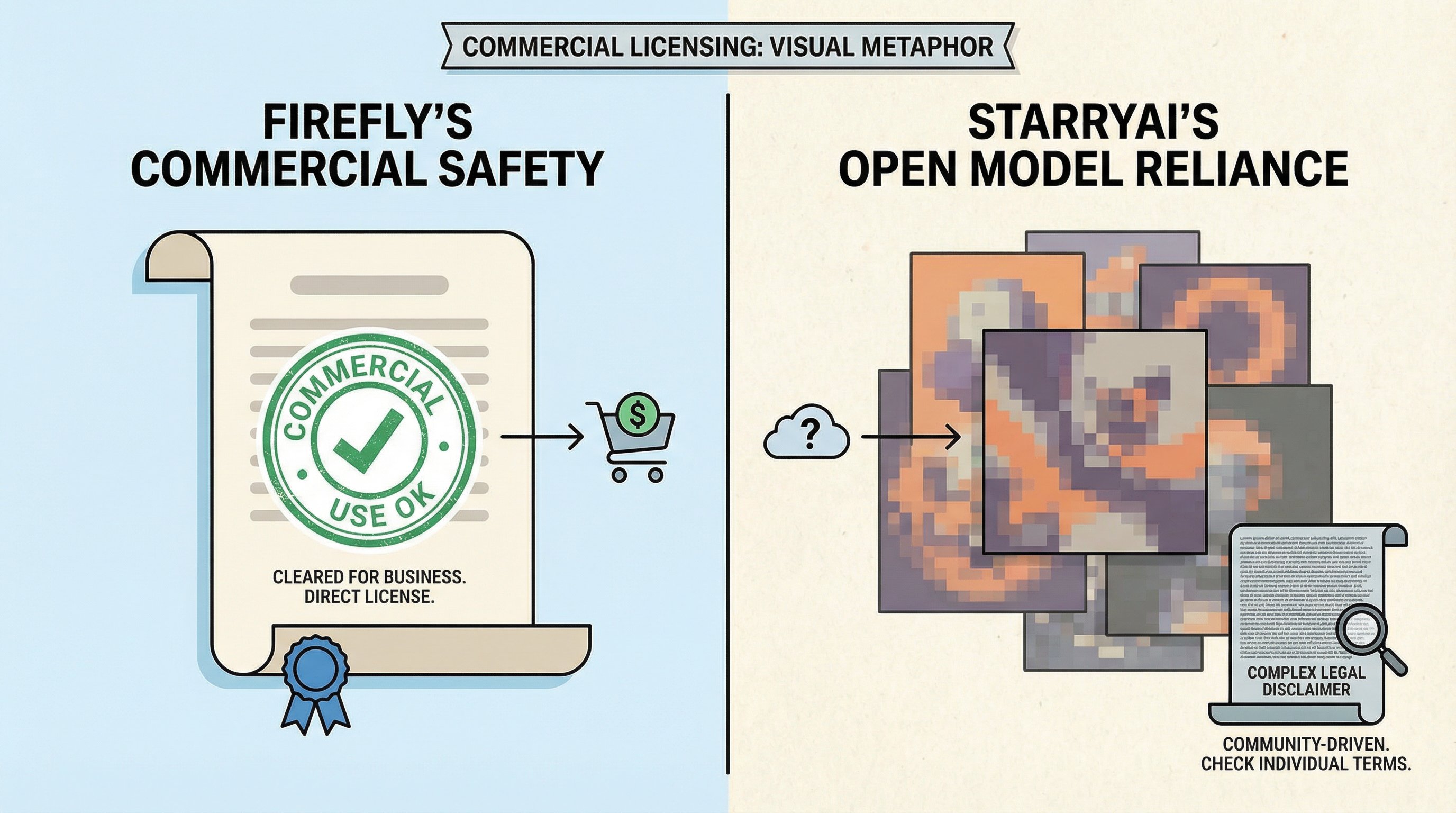
A visual metaphor for commercial licensing. On the left, a clear, official-looking document with a prominent "Commercial Use OK" stamp (representing Firefly's safety). On the right, a more abstract, community-driven image with a small, complex legal disclaimer (representing StarryAI's reliance on open models).
5. Pricing and Accessibility: Credits vs. Subscriptions
The cost structure of Adobe Firefly vs StarryAI reflects their respective business models and target markets.
Adobe Firefly's Generative Credits
Firefly is primarily accessed through Generative Credits, which are included in Creative Cloud subscriptions or can be purchased separately.
•Subscription-Based: Access is tied to an Adobe subscription (e.g., Photoshop, All Apps, or a standalone Firefly plan).
•Generative Credits: Every generation, edit, or upscaling action consumes credits. Free users receive a monthly allowance (e.g., 25 credits), while paid users receive a much larger, more predictable allowance.
•Predictable Cost: For professional users, the cost is predictable and bundled with other essential tools, making it a simple line item in a creative budget.
StarryAI's Flexible Credit System
StarryAI uses a credit-based system that is more flexible and pay-as-you-go.
•Free Tier: StarryAI offers a generous free tier, often providing a daily allowance of credits that refresh every 24 hours, making it highly accessible for hobbyists.
•Credit Packs: Users purchase credit packs, and the cost per image varies depending on the model, resolution, and settings chosen. This allows users to control their spending based on their usage.
•Mobile Monetization: The mobile app often includes options to earn free credits through watching ads or participating in community events, further lowering the barrier to entry.
6. Upscaling and Resolution: Quality vs. Options
The final quality of an image often depends on the upscaling process, which is handled differently by the two platforms.
Firefly's High-Fidelity Upscaling
Adobe's upscaling is integrated into its Generative Expand and other features, leveraging its proprietary technology for maximum quality.
•Proprietary Algorithms: Firefly uses advanced, proprietary algorithms designed to maintain clean lines, sharp details, and high fidelity, ensuring the upscaled image is production-ready.
•Seamless Integration: Upscaling is often a seamless part of the workflow, particularly when using Generative Expand, where the AI intelligently fills in new pixels based on the surrounding content.
StarryAI's Diverse Upscaling Options
StarryAI offers a variety of upscaling options, reflecting its multi-model approach.
•Multiple Upscalers: Users can choose from several different upscaling models (e.g., Real-ESRGAN, various proprietary options), allowing them to select the best one for their specific image style.
•Cost-Based: Upscaling typically consumes additional credits, giving the user control over when and how they spend their resources on final image quality.
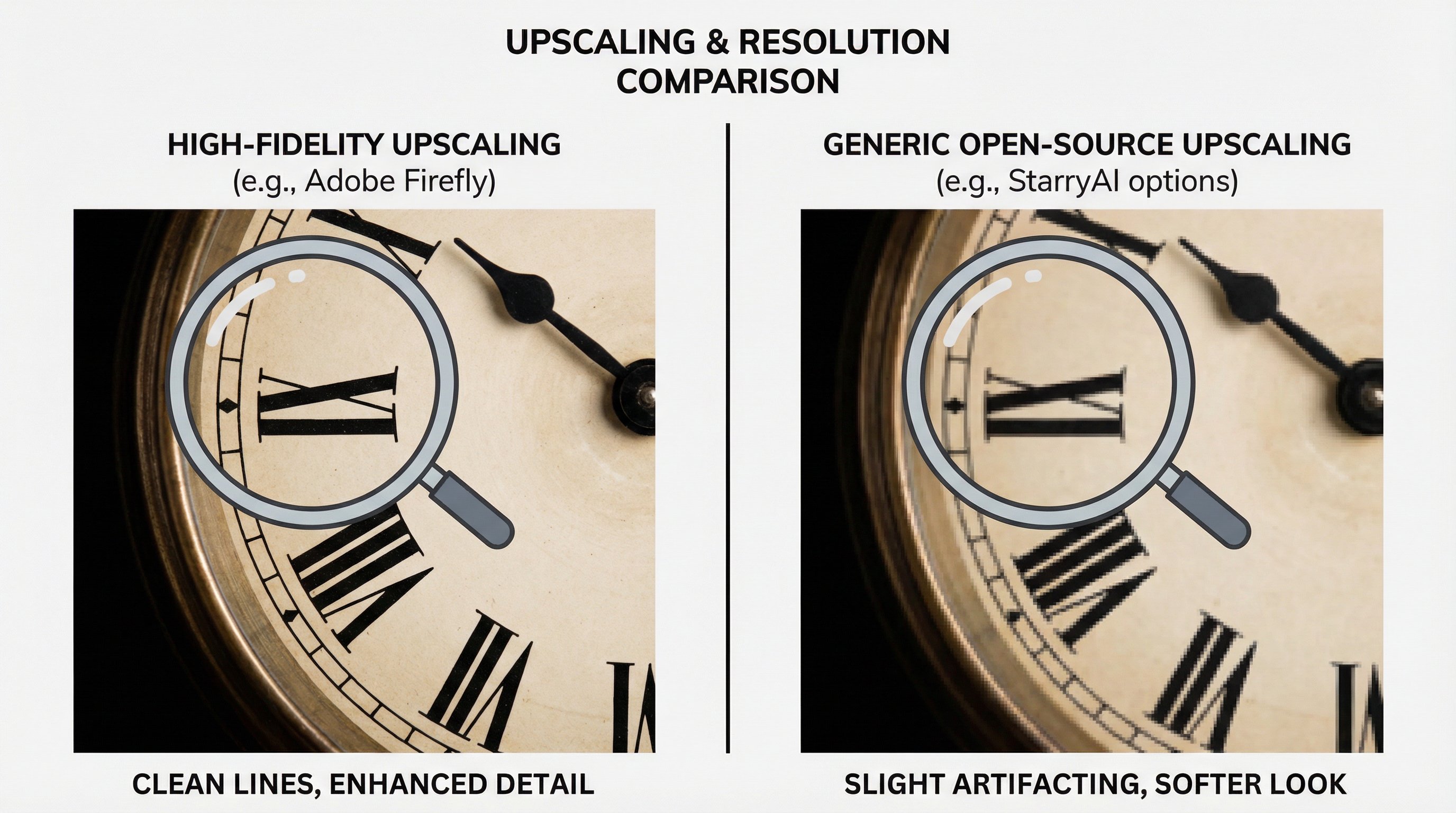
A visual comparison of upscaling and resolution. On the left, a section of an image upscaled with Adobe Firefly's high-fidelity algorithm, showing clean lines and detail. On the right, a section of an image upscaled with a generic open-source upscaler (representing StarryAI's options), showing slightly more artifacting or a softer look.
7. Final Verdict: Choosing Your Creative Partner
The choice between Adobe Firefly vs StarryAI is a choice between two distinct creative ecosystems. Neither is objectively "better"; they are simply designed for different users.
•Choose Adobe Firefly if:
•You are a professional designer, freelancer, or business that requires legal safety and indemnification for commercial work.
•You already use Adobe Creative Cloud (Photoshop, Illustrator) and need seamless, integrated AI features.
•You prioritize generative editing (Generative Fill) and a consistent, polished, commercial aesthetic.
•Choose StarryAI if:
•You are a hobbyist, digital artist, or mobile creator who prioritizes model diversity and artistic experimentation.
•You need a dedicated, feature-rich mobile app for creating art on the go.
•You are comfortable managing the licensing complexities of open-source models and prioritize a generous free tier.
8. Community and Future Outlook: The Ecosystem Battle
The long-term viability of both platforms in the Adobe Firefly vs StarryAI competition hinges on their community engagement and future development roadmap.
Adobe Firefly's Ecosystem Advantage
Adobe's community is vast, professional, and deeply integrated into the Creative Cloud ecosystem. The future of Firefly is tied to the future of Adobe's entire suite, guaranteeing continuous, high-level development focused on professional workflows, 3D generation, and advanced video capabilities. The community is less about sharing raw prompts and more about sharing professional techniques and workflow optimizations.
StarryAI's Community-Driven Growth
StarryAI's strength lies in its active, engaged community of hobbyists and digital artists. The platform's mobile-first approach and emphasis on model variety foster a culture of experimentation and rapid trend adoption. Future development is likely to focus on integrating the latest open-source models, enhancing mobile editing features, and building out its in-app marketplace for selling art.
The competition between Adobe Firefly vs StarryAI is a microcosm of the larger AI art world: the battle between centralized, commercially safe platforms and decentralized, community-driven experimentation. By understanding these core differences, you can confidently select the tool that will best empower your creative journey. Ultimately, the rapid evolution of both Adobe Firefly vs StarryAI means that creators must remain agile, but for now, the choice is clear: professional safety and integration with Firefly, or boundless, mobile-first experimentation with StarryAI. The next generation of AI art will be defined by how these two contrasting philosophies continue to push the boundaries of what is possible.