Artbreeder Review: Best Automatic Art Generator in 2025?
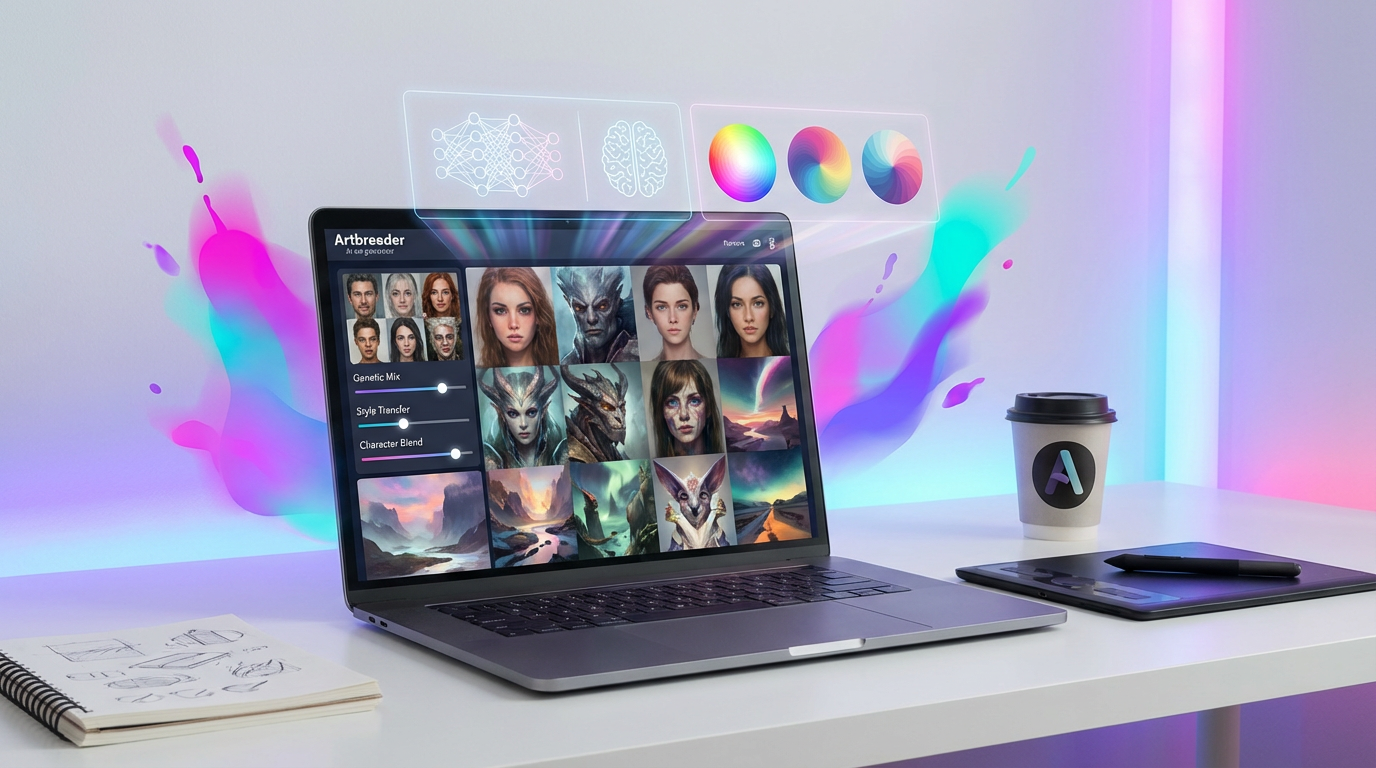
In the explosive universe of AI art generation, where text prompts conjure photorealistic images and fantastical scenes in seconds, Artbreeder stands apart. It’s not a tool where you simply type what you want to see. Instead, it’s a collaborative, exploratory platform that feels more like genetic engineering for images than it does a command-line interface. It invites you to become a digital artist-scientist, splicing, mixing, and evolving images to discover creations you never could have imagined.
While tools like Midjourney and DALL-E 3 dominate the conversation with their powerful text-to-image capabilities, Artbreeder has carved out a dedicated following since its inception as Ganbreeder. It operates on a different philosophy: creation through collaboration and iteration. With a community of over 14 million users who have generated more than 300 million images, it’s a testament to the power of a different kind of AI creativity.
But in 2025, with diffusion models reaching new heights of realism and coherence, is Artbreeder’s unique approach still relevant? Can it hold its own as the “best” automatic art generator, or is it a niche tool for specific tasks? This comprehensive review will explore the depths of Artbreeder, from its core features and pricing to its unique place in the AI art ecosystem, helping you decide if this is the creative partner you’ve been looking for.
What is Artbreeder? A New Breed of AI Art Tool
Artbreeder is a web-based, collaborative AI art tool that allows users to generate and modify images by “breeding” them together. Instead of starting with a blank canvas and a text prompt, you typically start with existing images—either from the community or your own uploads—and then mix, mutate, and fine-tune them using a set of intuitive controls.
The platform is built on Generative Adversarial Networks (GANs), specifically models like StyleGAN and BigGAN. This technology is different from the diffusion models that power most modern text-to-image generators. A GAN consists of two neural networks—a generator and a discriminator—that work in opposition. The generator creates images, and the discriminator tries to determine if they are real or fake. This adversarial process pushes the generator to create increasingly realistic and coherent images.
This underlying technology gives Artbreeder its unique workflow. Every image on the platform has “genes”—a set of data points that define its features. You can manipulate these genes directly with sliders, adjusting everything from age and gender in a portrait to the amount of “forest” or “mountain” in a landscape. This gene-splicing mechanic is what makes using Artbreeder feel like a creative experiment, a process of discovery rather than direct instruction.
How Does Artbreeder Work? The Creative Workflow
Artbreeder’s interface is designed to be intuitive and visual, making it accessible even for those with no prior experience in AI art. The creative process revolves around a few core tools and concepts.
The Splicer: Mixing and Morphing Genes
The Splicer is the heart of Artbreeder. Here, you can take one or more “parent” images and create “children” that inherit traits from them. You can upload your own images to use as parents or choose from the vast library of community-created images.
Once you have your parent images, you can use a cross-fader to control how much influence each parent has on the final creation. But the real power lies in the “genes” panel. This is a list of sliders that correspond to different visual attributes. For a portrait, you might see sliders for “Age,” “Gender,” “Red Hair,” “Smile,” or even more abstract concepts like “Art.” By adjusting these sliders, you can fine-tune your creation with a surprising degree of control, watching the image morph in real-time.
The Collager: Crafting Scenes from Shapes and Images
For those who want more control over composition, the Collager is a powerful tool. It allows you to build an image from simple shapes, text, and other images. You can arrange these elements on a canvas and then write a prompt to guide the AI in turning your collage into a coherent scene. This hybrid approach bridges the gap between the purely exploratory nature of the Splicer and the direct control of text-to-image generators.
Community and Lineage: A Collaborative Ecosystem
Every image created on Artbreeder has a “lineage,” meaning you can trace its ancestry back to its original parent images. This creates a fascinating, collaborative ecosystem where one user’s creation can become the starting point for thousands of others. You can browse the community’s creations, find an image you like, and then “breed” it to take it in a new direction. This social and iterative aspect is something that is largely absent from other AI art platforms.
Artbreeder Pricing in 2025: Free vs. Paid Plans
Artbreeder operates on a freemium model with a credit-based system. Credits are used for creating images, uploading private images, and generating high-resolution downloads. Here’s how the plans break down in 2025:
Free Plan
The free tier is a great way to explore the platform and get a feel for its capabilities. However, it comes with significant limitations.
•Limited Credits: You get a small number of free credits that replenish over time.
•Public Images Only: All images you create are public and can be used and bred by other community members.
•Limited Downloads: You can only download a small number of low-resolution images.
Paid Subscriptions
For serious users, a subscription is essential. The paid plans offer more credits, private image uploads, and high-resolution downloads. As of 2025, the pricing is structured as follows:
•Starter Plan: Around $8.99 per month, offering a moderate number of credits and the ability to upload some private images.
•Advanced Plan: Around $18.99 per month, providing a larger credit allowance, more private uploads, and additional features like Google Drive sync.
•Champion Plan: Around $30.99 per month, offering the highest number of credits and maximum privacy controls.
These plans are designed to scale with your usage. Casual hobbyists might find the Starter plan sufficient, while professional artists and designers will likely need the Advanced or Champion plan to support their workflow.
Is Artbreeder Good? Strengths and Weaknesses
Artbreeder’s unique approach gives it a distinct set of advantages and disadvantages compared to other AI art generators.
What Artbreeder Does Well
•Intuitive and Fun: Artbreeder is incredibly accessible. You don’t need to be a master of “prompt engineering” to get interesting results. The process of sliding genes and mixing images is playful and encourages experimentation.
•Excellent for Character Design: The platform is unparalleled for creating and iterating on character portraits. Authors, game developers, and role-players have flocked to Artbreeder to bring their characters to life. The ability to fine-tune features like age, expression, and ethnicity with simple sliders is a game-changer.
•Creative Exploration: Artbreeder is a fantastic tool for overcoming creative blocks. By randomly mixing images or exploring the community’s creations, you can stumble upon unexpected ideas and visual concepts that can inspire your next project.
•Collaborative Spirit: The community and lineage features create a unique, collaborative environment that encourages sharing and building upon each other’s work.
Where Artbreeder Falls Short
•Less Direct Control: The biggest drawback of Artbreeder is that you have less direct control compared to a text-to-image generator. You can’t just describe a complex scene and expect the AI to create it. Your creations are always constrained by the genetic makeup of the parent images.
•GAN-Based Limitations: Because it’s based on older GAN technology, Artbreeder can sometimes produce results that feel less coherent or photorealistic than the latest diffusion models. It can struggle with complex compositions and fine details.
•The “Artbreeder Look”: Experienced users can often spot an image that was made with Artbreeder. The images, particularly the portraits, can have a certain smooth, ethereal quality that can feel a bit generic over time.
•Copyright and Originality: Since you are often building upon images created by others, the lines of ownership and originality can become blurred. This can be a concern for commercial projects.
Artbreeder vs. Midjourney and DALL-E 3
So, how does Artbreeder stack up against the titans of text-to-image AI in 2025?
•Workflow: The fundamental difference is in the workflow. Midjourney and DALL-E 3 are about instruction—you tell the AI what you want. Artbreeder is about exploration—you guide the AI through a process of discovery.
•Control vs. Serendipity: Text-to-image models give you more precise control over the content and composition of an image. Artbreeder offers more serendipity and is better for generating unexpected results.
•Use Case: If you need to create a specific, complex scene for a commercial project (e.g., “a photorealistic image of an astronaut riding a horse on Mars”), Midjourney or DALL-E 3 is the better tool. If you want to create a unique character portrait and experiment with dozens of variations, Artbreeder is superior.
Ultimately, they are not mutually exclusive. Many artists use Artbreeder to generate a base character or concept and then use a tool like Midjourney’s “image prompt” feature or Photoshop’s Generative Fill to place that character in a more complex scene.
Fan-Out Queries Answered
Here are answers to some of the most common questions about Artbreeder:
1.Is Artbreeder free to use? Yes, there is a free plan with limited features and credits.
2.Can I use Artbreeder images commercially? Images you create are generally considered public domain, but the legalities can be complex, especially if you are using other users’ images as a base. The paid plans offer more clarity and control for commercial use.
3.What are “genes” in Artbreeder? They are sliders that control specific visual attributes of an image, such as color, age, gender, or style.
4.Can I upload my own images to Artbreeder? Yes, you can upload your own images to use as parents in the Splicer or as elements in the Collager.
5.Is Artbreeder good for beginners? Yes, it’s one of the most beginner-friendly AI art tools available due to its intuitive, visual interface.
6.What is the difference between Artbreeder and Midjourney? Artbreeder is based on mixing and evolving existing images, while Midjourney is primarily a text-to-image generator.
7.What kind of AI does Artbreeder use? It uses Generative Adversarial Networks (GANs), specifically StyleGAN and BigGAN.
8.Can Artbreeder create photorealistic images? It can create highly realistic portraits, but it may struggle with the level of photorealism seen in the latest diffusion models for complex scenes.
9.What is the best way to use Artbreeder? It’s best used for character design, concept art, and creative exploration.
10.Can I sell art I make on Artbreeder? This is a gray area. While the images are often considered public domain, you should consult Artbreeder’s terms of service and be mindful of the source images you are using.
11.What are Artbreeder credits used for? They are used for creating images, uploading private images, and downloading high-resolution versions.
12.Does Artbreeder have an API? No, Artbreeder does not currently offer a public API.
13.Is Artbreeder good for creating landscapes? Yes, the landscape model is quite powerful, allowing you to blend different environments and styles.
14.What is the “lineage” of an image? It’s the family tree of an image, showing the parent images that were used to create it.
15.Can I keep my Artbreeder creations private? Yes, the paid plans allow you to create and upload private images.
16.Is Artbreeder a good tool for professional artists? Yes, many professional artists use it for concepting, character design, and inspiration.
17.How is Artbreeder different from a photo editor like Photoshop? Artbreeder generates new images through AI, while Photoshop is primarily for editing existing images (though it now includes AI features like Generative Fill).
18.Can Artbreeder create animations? No, Artbreeder is focused on still image generation.
19.What is the community like on Artbreeder? It’s a vibrant and collaborative community of artists and hobbyists who share and evolve each other’s creations.
20.Is Artbreeder still being updated? Yes, the platform is actively developed, with new features and models being added over time.
The Final Verdict: A Unique and Essential Creative Tool
So, is Artbreeder the best automatic art generator in 2025? The answer is no—because it’s not trying to be. It occupies a unique and essential niche in the AI art landscape. While text-to-image generators are the undisputed champions of creating specific, detailed scenes from a prompt, Artbreeder is the master of exploration, iteration, and happy accidents.
It is not a replacement for Midjourney or DALL-E 3, but rather a powerful complement to them. It is an idea factory, a character design studio, and a playground for creative discovery. For artists, writers, and designers, it offers a way to break through creative blocks and visualize concepts in a way that no other tool can.
In a world where AI can often feel like a black box, Artbreeder pulls back the curtain and invites you to play with the genetic code of creativity itself. For that reason, it remains one of the most interesting, accessible, and genuinely fun AI art tools available today. It may not be the best at everything, but for what it does, it is in a class of its own.