15 Best Google Maps Scraper for Business Lead Generation in 2025
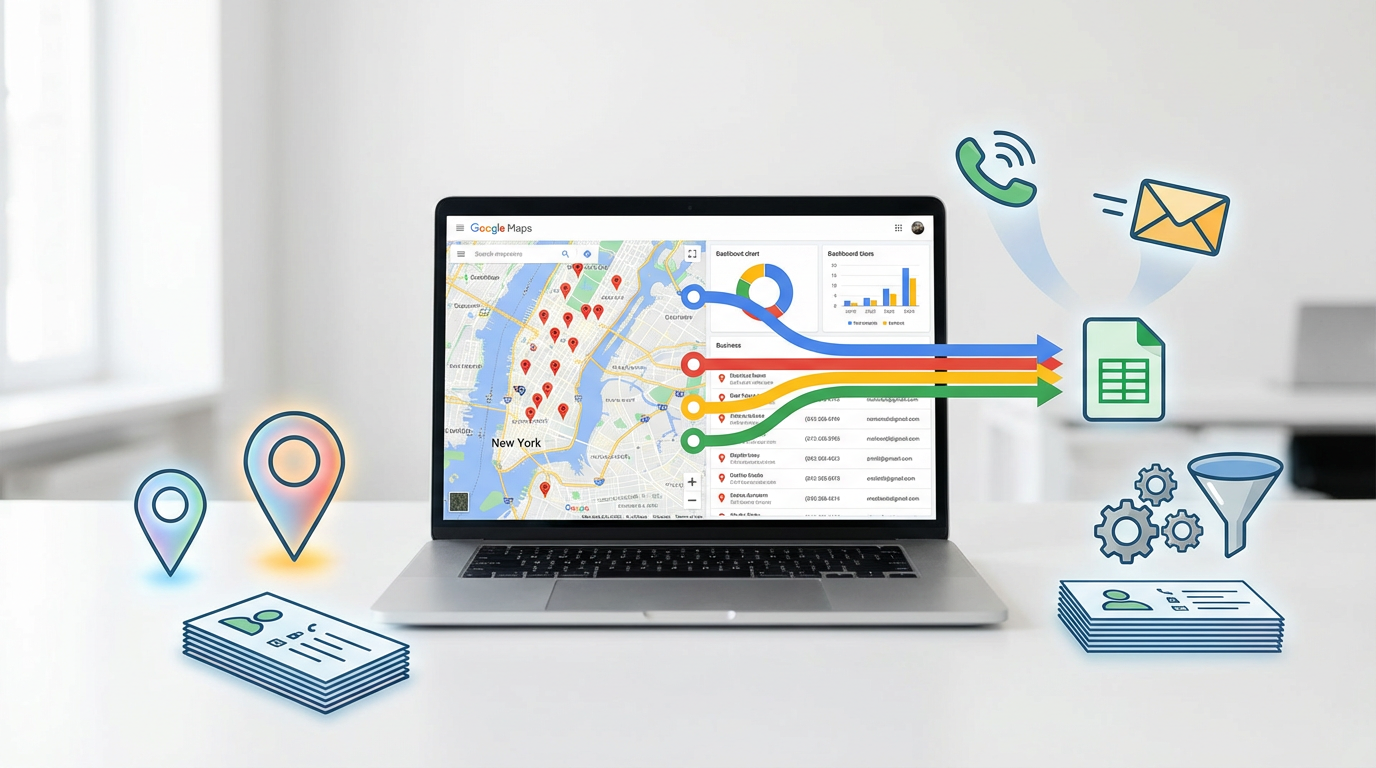
For B2B businesses, sales teams, and local marketers, Google Maps is more than just a navigation tool—it's a goldmine of potential leads. Every business listing is a detailed record, packed with valuable contact information: names, addresses, phone numbers, websites, and often, even email addresses. Manually collecting this data is a tedious, time-consuming process that simply doesn't scale. This is where Google Maps scrapers come in.
These powerful tools automate the process of extracting business information from Google Maps, transforming what would be weeks of manual labor into a task that can be completed in minutes. With a few clicks, you can generate targeted lead lists of restaurants in Chicago, plumbers in Miami, or marketing agencies in New York City. This data is the fuel for cold calling campaigns, email outreach, local SEO services, and countless other sales and marketing strategies.
But as with any powerful tool, choosing the right one is crucial. The landscape of web scraping is complex, filled with challenges like IP blocks, CAPTCHAs, and dynamic page layouts. The best Google Maps scrapers are designed to navigate these obstacles seamlessly, delivering clean, accurate data directly to you. This guide will explore the 15 best Google Maps scrapers for business lead generation in 2025, from enterprise-grade platforms to simple browser extensions, helping you unlock the immense potential of local business data.
What is Google Maps Scraping?
Google Maps scraping is the automated process of extracting publicly available data from Google Maps listings. A scraper, or bot, systematically browses Google Maps for specific keywords and locations (e.g., "restaurants in Los Angeles"), and then extracts key information from the business profiles that appear in the search results.
The typical data points extracted include:
•Business Name
•Full Address (Street, City, State, Zip Code)
•Phone Number
•Website
•Customer Reviews and Ratings
•Business Category
•Opening Hours
•Email Addresses (if available)
This data provides a 360-degree view of potential leads in a specific geographic area or industry, making it an incredibly efficient method for building targeted prospecting lists. However, it is essential to be aware of Google's Terms of Service, which prohibit automated data collection. While scraping public data is generally considered legal, it's important to use these tools responsibly to avoid being blocked.
The 15 Best Google Maps Scrapers in 2025
Our list covers a wide range of tools, each with its own strengths. Whether you're a developer who needs a powerful API or a sales professional who wants a simple, no-code solution, there's a tool here for you.
1. Bright Data
Bright Data is the industry leader in web data platforms, offering a suite of powerful tools for large-scale data extraction. Their platform is designed for enterprises that require high-volume, reliable data for mission-critical applications.
Key Features:
•Dedicated Google Maps Scraper: Offers a pre-built scraper specifically designed to extract comprehensive data from Google Maps at scale.
•Unmatched Proxy Network: Provides access to the largest and most reliable proxy network in the world, ensuring you can scrape without getting blocked.
•Structured Data Delivery: Delivers clean, structured data in your preferred format (JSON, CSV, etc.).
Pricing: Enterprise-focused pricing with pay-as-you-go and monthly subscription options.
Who is it for? Large businesses and enterprises that need a highly reliable, scalable, and legally compliant solution for large-scale Google Maps data extraction.
2. Outscraper
Outscraper is a popular and highly-rated service that specializes in scraping data from Google Maps and other online sources. It is known for its ease of use and its ability to enrich data by finding email addresses and social media profiles.
Key Features:
•Google Maps Scraper: A dedicated tool for extracting business names, emails, phone numbers, reviews, and more.
•Email & Social Scraper: Can enrich the scraped data by finding contact email addresses and social media links associated with a business's website.
•Free Tier: Offers a generous free tier to test the service.
Pricing: A free tier is available. Paid plans are affordable and based on the number of records you scrape.
Who is it for? Sales teams, marketers, and small businesses who need a simple, affordable, and effective tool for generating targeted lead lists from Google Maps.
3. Apify Google Maps Scraper
Apify is a flexible cloud-based platform for web scraping and automation. Their Google Maps Scraper is one of the most popular "actors" (pre-built scrapers) on their platform, trusted by thousands of users.
Key Features:
•Deep Scraping: Can extract a wide range of data, including business details, reviews, and even images.
•Cloud-Based and Scalable: Runs entirely in the cloud and can be scaled to handle large scraping jobs.
•Scheduling and Integration: Allows you to schedule regular scrapes and integrate the data with other applications via API.
Pricing: Apify offers a free plan, with paid plans starting at $49 per month.
Who is it for? Developers and businesses who want a powerful, customizable, and scalable cloud-based solution for scraping Google Maps.
4. G Maps Extractor
G Maps Extractor is a popular and user-friendly tool that often comes in the form of a Chrome extension or desktop software. It is designed for one-click data extraction, making it incredibly easy to use.
Key Features:
•One-Click Extraction: Simply search for a business category and location on Google Maps, and the tool will extract all the results into a clean list.
•Email Finder: Includes a feature to find and extract email addresses from the business websites.
•Export to CSV/Excel: Easily download your lead lists for use in your CRM or email marketing platform.
Pricing: Typically offered as a one-time purchase or a low-cost subscription.
Who is it for? Sales professionals, freelancers, and small business owners who need a quick, simple, and affordable way to generate local business leads.
5. LeadStal
LeadStal offers a suite of lead generation tools, with its Google Maps Scraper being a core product. It is designed specifically for sales and marketing teams who need to build targeted prospect lists quickly.
Key Features:
•Bulk Scraping: Capable of scraping thousands of leads from multiple cities and categories in a single task.
•Email and Phone Extraction: Focuses on extracting actionable contact information.
•User-Friendly Interface: Designed to be easy to use for non-technical users.
Pricing: Subscription-based, with different tiers based on the number of leads you need.
Who is it for? B2B sales teams and marketing agencies that need a reliable tool for building large, targeted lead lists for their outreach campaigns.
6. Scrap.io
Scrap.io positions itself as a lead generation platform that turns Google Maps searches into downloadable lead files. It boasts a clean interface and a focus on providing enriched data for sales and marketing teams.
Key Features:
•Extensive Category Support: Supports over 4,000 business categories across 195 countries.
•Email and Social Media Finder: Goes beyond basic data to find email addresses and social media profiles.
•Free Trial: Offers a 7-day free trial to test the platform's capabilities.
Pricing: Subscription-based plans after the free trial.
Who is it for? Growth hackers, sales teams, and marketers who want a web-based platform that can quickly turn a Google Maps search into an enriched lead list.
7. Map Lead Scraper
Map Lead Scraper is a desktop software solution that offers unlimited scraping for a one-time fee. This makes it an attractive option for users who have high-volume scraping needs but want to avoid recurring monthly subscriptions.
Key Features:
•One-Time License Fee: No monthly fees, offering a potentially lower total cost of ownership.
•Unlimited Scraping: Scrape as much data as you need without worrying about credits or limits.
•Email Verification: Includes tools to verify the deliverability of scraped email addresses.
Pricing: A one-time license fee for the software.
Who is it for? Power users and agencies who do a lot of scraping and prefer the predictability of a one-time payment over a monthly subscription.
8. Octoparse
While not a dedicated Google Maps scraper, Octoparse is a powerful, no-code visual web scraping tool that can be easily configured to extract data from Google Maps. It offers pre-built templates to get you started quickly.
Key Features:
•Visual Scraper Builder: An intuitive point-and-click interface that requires no coding.
•Google Maps Templates: Pre-built templates specifically for scraping Google Maps, which can be customized to your needs.
•Cloud-Based Scraping: Run your scraping tasks in the cloud, with automatic IP rotation to avoid blocks.
Pricing: Octoparse has a free plan for small projects. Paid plans start at $75 per month.
Who is it for? Non-technical users who want a versatile tool that can scrape Google Maps as well as other websites.
9. PhantomBuster
PhantomBuster is a lead generation automation platform that offers a library of "Phantoms" (automation scripts) for various social media and web platforms, including Google Maps.
Key Features:
•Google Maps Search Export Phantom: A dedicated Phantom for scraping search results from Google Maps.
•Automation Recipes: Chain multiple Phantoms together to create complex workflows, such as scraping leads from Maps and then finding their LinkedIn profiles.
•Cloud-Based: All automations run in the cloud on a schedule you set.
Pricing: Plans start at $59 per month, based on execution time.
Who is it for? Marketers and sales professionals who want to integrate Google Maps scraping into a broader lead generation and social media automation workflow.
10. Scrapingdog
Scrapingdog is a web scraping API, similar to ScraperAPI, that offers a dedicated endpoint for Google Maps. It is designed for developers who want to integrate Google Maps data into their own applications.
Key Features:
•Google Maps API Endpoint: A simple API call to a dedicated endpoint for scraping Google Maps data.
•Handles Proxies and CAPTCHAs: Manages all the technical challenges of scraping, including proxy rotation and CAPTCHA solving.
•Affordable Pricing: Offers competitive pricing plans suitable for smaller projects and developers.
Pricing: Plans start at $20 per month.
Who is it for? Developers who need a simple and affordable API for integrating Google Maps data into their applications.
11. NoDataNoBusiness
As the name suggests, NoDataNoBusiness is a tool focused squarely on providing the data businesses need to grow. It specializes in scraping lead data from sources like Google Maps and LinkedIn.
Key Features:
•Specialized Lead Gen Tool: Built from the ground up for sales and marketing lead generation.
•Email Finder: Focuses on finding and verifying email addresses for your scraped leads.
•CRM Export: Easy integration with popular CRM platforms.
Pricing: Subscription-based, with pricing available upon request.
Who is it for? B2B companies and sales teams who are looking for a dedicated lead generation platform that uses Google Maps as a primary data source.
12. Datablist
Datablist offers a unique, spreadsheet-like interface for data collection and enrichment. It has a built-in Google Maps search tool that allows you to find businesses and import their data directly into your Datablist spreadsheet.
Key Features:
•Spreadsheet Interface: An intuitive interface that is familiar to anyone who has used Excel or Google Sheets.
•Data Enrichment Tools: Includes tools for cleaning, standardizing, and enriching your data.
•Bulk Processing: Designed to handle large datasets efficiently.
Pricing: Offers a free tier, with paid plans for larger data needs.
Who is it for? Data analysts and marketers who want a tool that combines data scraping with powerful data cleaning and preparation features.
13. Clay
Clay is a powerful sales automation platform that uses a waterfall enrichment process to find contact information. It integrates with Google Maps to allow you to pull in lists of companies, and then uses a series of other data sources to find contact details for the people who work at those companies.
Key Features:
•Waterfall Enrichment: Chains together multiple data providers to find contact information, increasing the likelihood of success.
•AI-Powered Prospecting: Uses AI to help you identify the right people at the right companies.
•Deep Integrations: Integrates with Google Maps, LinkedIn, and dozens of other data sources.
Pricing: Premium pricing, with plans starting at $149 per month.
Who is it for? Sophisticated sales and growth teams who want a powerful, all-in-one platform for prospecting and data enrichment.
14. Instant Data Scraper
For quick, one-off scraping tasks, Instant Data Scraper is a must-have Chrome extension. While not specifically for Google Maps, it can easily scrape the list of business results from a search page.
Key Features:
•AI-Powered Data Detection: Automatically identifies tabular data on a page.
•One-Click Scraping: Incredibly simple to use.
•Free: No cost to use.
Pricing: Free.
Who is it for? Anyone who needs to quickly grab a list of businesses from a single Google Maps search results page without any fuss.
15. Python + Google Maps API
For the ultimate in power and flexibility, you can build your own scraper using Python and Google's official Places API. This approach gives you complete control over the data you collect and how you use it.
Key Features:
•Official and Reliable Data: You are getting data directly from the source, which is generally more reliable and up-to-date.
•Full Control: You can customize your scraper to your exact specifications.
•Legal Compliance: Using the official API is the most compliant way to access Google's data.
Pricing: Google provides a recurring $200 monthly credit. After that, you pay for what you use, which can become expensive for large-scale scraping.
Who is it for? Developers and businesses with the technical expertise to build a custom solution and the budget to handle API usage costs.
Fan-Out Queries Answered
1.Is scraping Google Maps legal? It's a gray area. While scraping public data is generally legal, it is against Google's Terms of Service. Using the official Google Places API is the most compliant method.
2.What is the best free Google Maps scraper? Outscraper and Apify offer the best free tiers for dedicated Google Maps scraping. For a completely free tool for simple tasks, Instant Data Scraper is a great choice.
3.Can I get email addresses from Google Maps? Google Maps listings rarely include email addresses directly. The best tools (like Outscraper and Clay) scrape the business's website from the listing and then search that website for an email address.
4.How do scrapers avoid getting blocked by Google? They use large pools of rotating proxies (residential or data center IPs) and mimic human browsing behavior to avoid detection.
5.What is the difference between a no-code scraper and an API? A no-code scraper (like Octoparse) has a visual interface and is for non-developers. An API (like Bright Data or Scrapingdog) is for developers to integrate into their own code.
6.Can I scrape reviews and ratings? Yes, most of the top tools, including Apify, Outscraper, and Bright Data, can extract detailed customer reviews and ratings.
7.How much does it cost to scrape Google Maps? Prices range from free (for limited use) to thousands of dollars per month for enterprise-level data extraction.
8.What is the best format to export the data in? CSV or Excel are the most common and are easily used by sales and marketing teams. JSON is preferred by developers for API integrations.
9.Can I scrape an entire city or country? Yes, but this requires a powerful, scalable tool like Bright Data, Apify, or a custom-built scraper. Be prepared for significant data volume and cost.
10.How accurate is the scraped data? The accuracy depends on the quality of the Google Maps listing itself. The top scraping tools are very accurate at extracting the data that is publicly visible.
The Final Verdict: Finding Your Lead Generation Engine
Google Maps is an unparalleled source of local business data, and the right scraper can transform it into your most powerful lead generation engine. The best tool for you in 2025 depends on your budget, technical skill, and the scale of your ambition.
For sales teams and small businesses looking for an affordable and easy-to-use solution, Outscraper and G Maps Extractor offer the perfect combination of simplicity and power, with a strong focus on finding actionable contact information.
For developers and tech-savvy businesses, a platform like Apify provides the flexibility and scalability of a cloud-based solution, while the official Google Places API offers the most reliable (though potentially costly) route.
And for large enterprises where data is a core strategic asset, Bright Data remains the top choice, providing the robust infrastructure and compliance needed for mission-critical data operations.
By choosing the right tool, you can stop wasting time on manual prospecting and start focusing on what you do best: building relationships and closing deals. The local business leads are out there—a Google Maps scraper is the key to unlocking them.