DALL-E 3 vs Microsoft Designer: The Ultimate AI Image Generation Showdown
The introduction of OpenAI’s DALL-E 3 marked a significant leap forward in the fidelity and prompt adherence of text-to-image generation. However, the experience of using this powerful model is not monolithic. It is accessible through multiple interfaces, most notably the OpenAI Web UI (via ChatGPT) and Microsoft Designer (powered by Bing Image Creator). While both rely on the same underlying DALL-E 3 engine, the user experience, the level of creative freedom, and the ultimate utility of the generated images diverge dramatically.
Choosing the right platform is critical for maximizing the potential of DALL-E 3. For the artist seeking raw, unfiltered output, the OpenAI interface might seem like the natural choice. Yet, for the marketer or casual user needing integrated design tools, Microsoft Designer offers a compelling, streamlined workflow. This comprehensive 2500-word guide will dissect the core differences, analyze the subtle but crucial variations in prompt handling and content policy, and provide a definitive comparison to help you decide which platform best suits your creative and professional needs. The battle of DALL-E 3 vs Microsoft Designer is less about the engine and more about the vehicle.
The Core Discrepancy: Raw Engine vs. Integrated Studio
The most fundamental difference between the two platforms lies in their purpose and integration.
DALL-E 3 via OpenAI UI: The Raw Generator
When you access DALL-E 3 through the OpenAI Web UI (typically via a ChatGPT Plus subscription), you are interacting with the model in its most direct, raw form. The primary goal of this interface is to generate an image based on a text prompt.
- Focus: Pure image generation and artistic exploration.
- Workflow: Text prompt -> Image output. The process is linear and focused solely on the generation quality.
- Integration: Limited. The output is an image file that must be downloaded and then imported into other applications for further editing or design work.
- Audience: Artists, developers, and power users who need high-quality, standalone images or who want to experiment with the model's capabilities directly.
Microsoft Designer: The Integrated Design Tool
Microsoft Designer, on the other hand, is a full-fledged graphic design application that happens to have DALL-E 3 built into its core. The image generation feature, often powered by Bing Image Creator, is a component of a larger creative suite.
- Focus: Graphic design, social media content, presentations, and marketing materials.
- Workflow: Text prompt -> Image output -> Immediate integration into a design canvas with templates, text, and graphic elements.
- Integration: Deep. The generated image instantly becomes a layer in a design project, ready for cropping, adding text, applying filters, and incorporating into pre-designed templates.
- Audience: Marketers, small business owners, and casual users who need to create finished, polished graphics quickly without switching between multiple applications.
The difference is analogous to a professional camera (OpenAI UI) versus a camera integrated into a powerful photo editing suite (Microsoft Designer). Both use the same lens, but the post-processing capabilities are vastly different.
The Prompt Paradox: Rewriting, Interpretation, and Control
The most significant and often frustrating difference for advanced users is how each platform handles the initial text prompt. This is the heart of the DALL-E 3 vs Microsoft Designer debate regarding creative control.
OpenAI UI: The Invisible Editor
When you enter a prompt into the ChatGPT interface to generate an image, the large language model (LLM) acts as an invisible prompt editor.
- Prompt Expansion: ChatGPT first takes your concise prompt and expands it into a much longer, more detailed prompt, adding stylistic details, camera angles, and artistic modifiers. This is done to maximize the quality of the DALL-E 3 output.
- Prompt Sanitization: Crucially, the LLM also sanitizes the prompt. It checks for content policy violations, copyrighted terms, and other restricted keywords. If it finds any, it rewrites the prompt to remove or replace them before sending the final, modified text to the DALL-E 3 model.
- Loss of Control: While this often results in a beautiful image, it means the user loses direct, granular control over the final prompt. If you include specific technical terms or artistic instructions, the LLM may interpret them, change them, or simply remove them, leading to unpredictable results.
Microsoft Designer: The Direct Conduit
Microsoft Designer (and the underlying Bing Image Creator) operates as a more direct conduit to the DALL-E 3 model.
- Direct Submission: The prompt you enter is largely submitted directly to the DALL-E 3 model with minimal or no LLM-based rewriting. This is a massive advantage for prompt engineers who rely on specific keywords, complex syntax, or technical modifiers to achieve a precise result.
- Explicit Adherence: As noted in the competitor's discussion 1, users often find that Microsoft’s implementation adheres more strictly to the explicit details of the prompt, making it the preferred choice for advanced users who need predictable and repeatable results.
- No Unwanted Expansion: The lack of automatic LLM expansion means that if you want a simple, un-stylized image, you are more likely to get it. You are in full control of the prompt's length and complexity.
The visual below illustrates this critical difference in prompt handling.
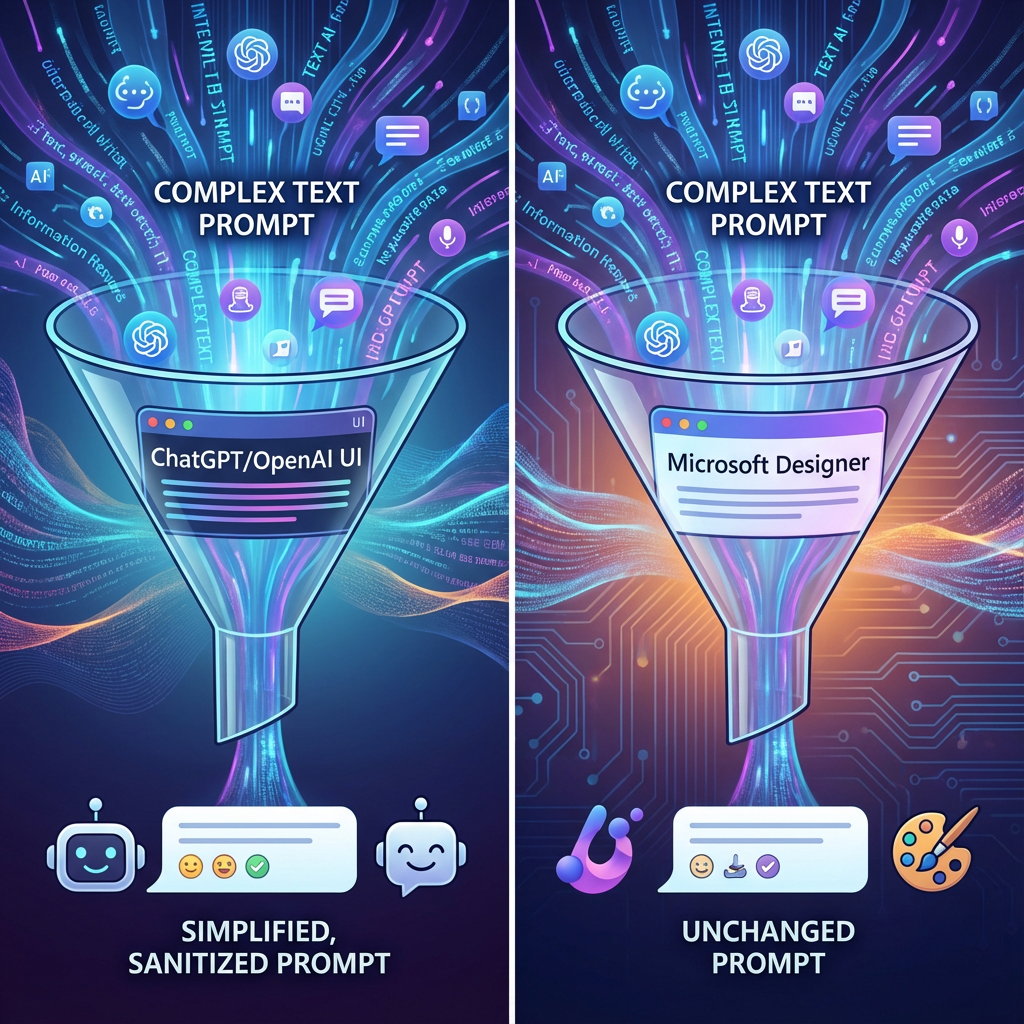
A visual metaphor contrasting the prompt flow: a complex prompt is simplified and sanitized by the ChatGPT/OpenAI UI funnel, while the same prompt passes through the Microsoft Designer funnel largely unchanged, offering greater creative control.
The Content Policy Divide: Freedom vs. Caution
Perhaps the most talked-about difference between the two platforms is the perceived variation in content policy enforcement. Both OpenAI and Microsoft adhere to the same core safety guidelines, but their implementation and filtering mechanisms lead to vastly different user experiences.
OpenAI UI: The Stricter Gatekeeper
The OpenAI interface, due to the LLM-based sanitization layer, acts as a highly cautious gatekeeper.
- Pre-Generation Filtering: The LLM checks the prompt before the DALL-E 3 model even sees it. This pre-generation filtering is designed to be extremely conservative, often blocking prompts that are only tangentially related to a prohibited topic, such as copyrighted characters, specific political figures, or even seemingly innocuous words that have been flagged as potential triggers 2.
- Focus on Safety: OpenAI's primary focus is on minimizing risk and maintaining a broad, safe environment for its diverse user base. This often results in a frustrating experience for artists who feel their creative expression is being unnecessarily stifled.
Microsoft Designer: The Permissive Partner
Microsoft Designer, while still bound by the same underlying DALL-E 3 safety protocols, appears to have a more permissive and less aggressive filtering layer.
- Post-Generation Filtering: The filtering seems to be applied closer to the model output, or the LLM layer that performs the prompt rewriting is simply less aggressive. Users frequently report that prompts blocked by the OpenAI UI are successfully generated in Microsoft Designer 3.
- Focus on Utility: Microsoft's implementation seems to prioritize the utility of the tool for its target audience of designers and marketers, who often need to generate images that might brush up against the edges of the content policy (e.g., images of famous landmarks, public figures, or specific brand styles for mockups).
- The Lincoln Example: A common test involves generating images of historical figures in modern settings. The OpenAI UI is often more likely to block this due to its strict policy on public figures, while Microsoft Designer is often more lenient, as illustrated in the comparison below.

A split-screen image showing a blocked content violation message on the left (OpenAI UI) and a successfully generated image of a historical figure in a modern setting on the right (Microsoft Designer), highlighting the difference in content policy enforcement.
Use Cases and Workflow Integration: Art vs. Design
The choice between DALL-E 3 vs Microsoft Designer should ultimately be driven by your primary use case. Are you creating raw art, or are you creating finished designs?
The image below shows a typical DALL-E 3 raw output being used in an artistic context.
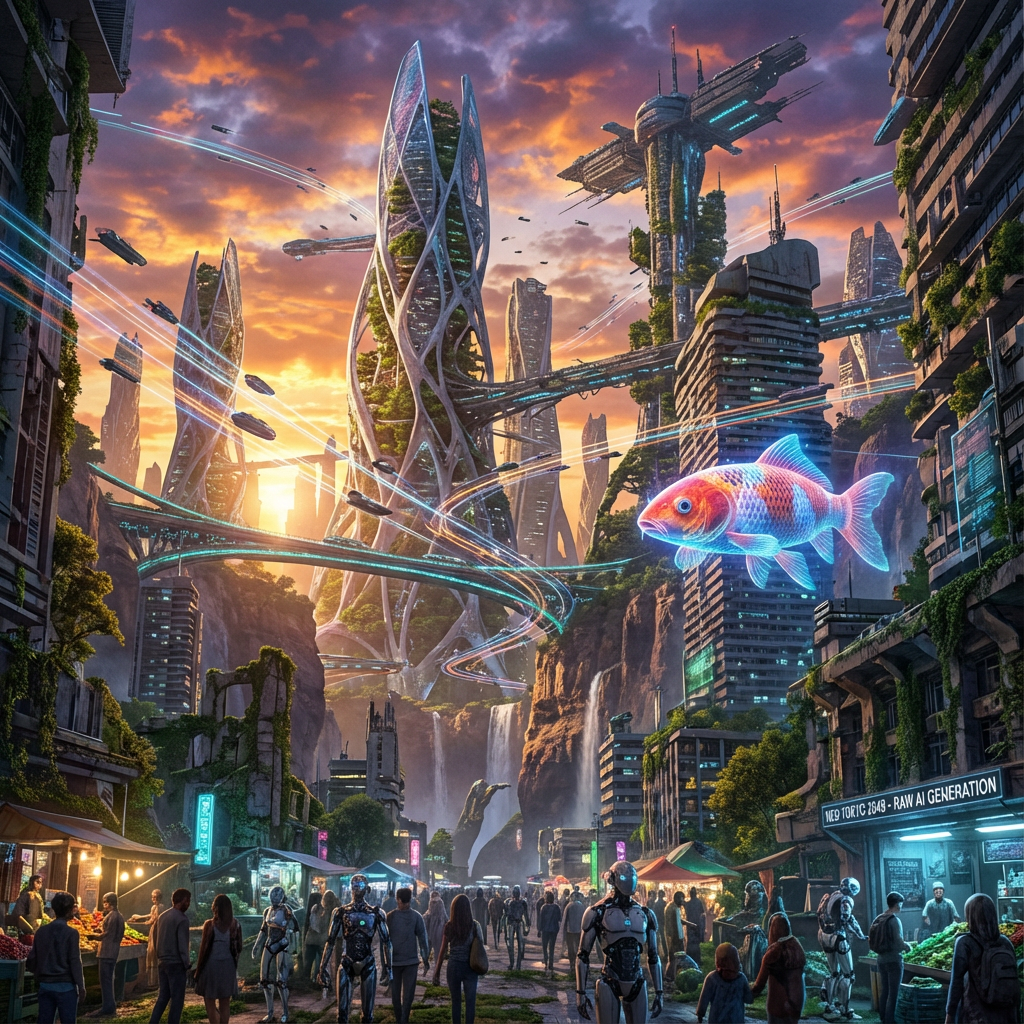
A highly detailed, photorealistic image of a futuristic cityscape at sunset, generated from a single, complex text prompt, showcasing raw AI generation power.
Microsoft Designer: The Marketer's Toolkit
Microsoft Designer is optimized for users who need to quickly incorporate AI-generated images into a larger design context.
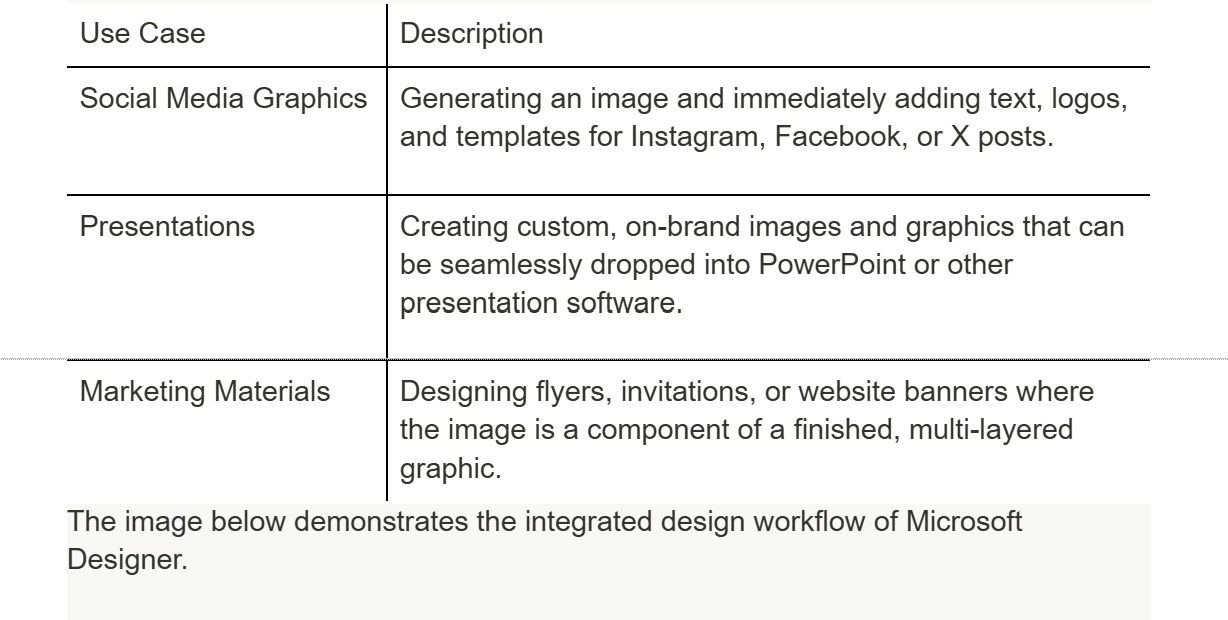
The image below demonstrates the integrated design workflow of Microsoft Designer.
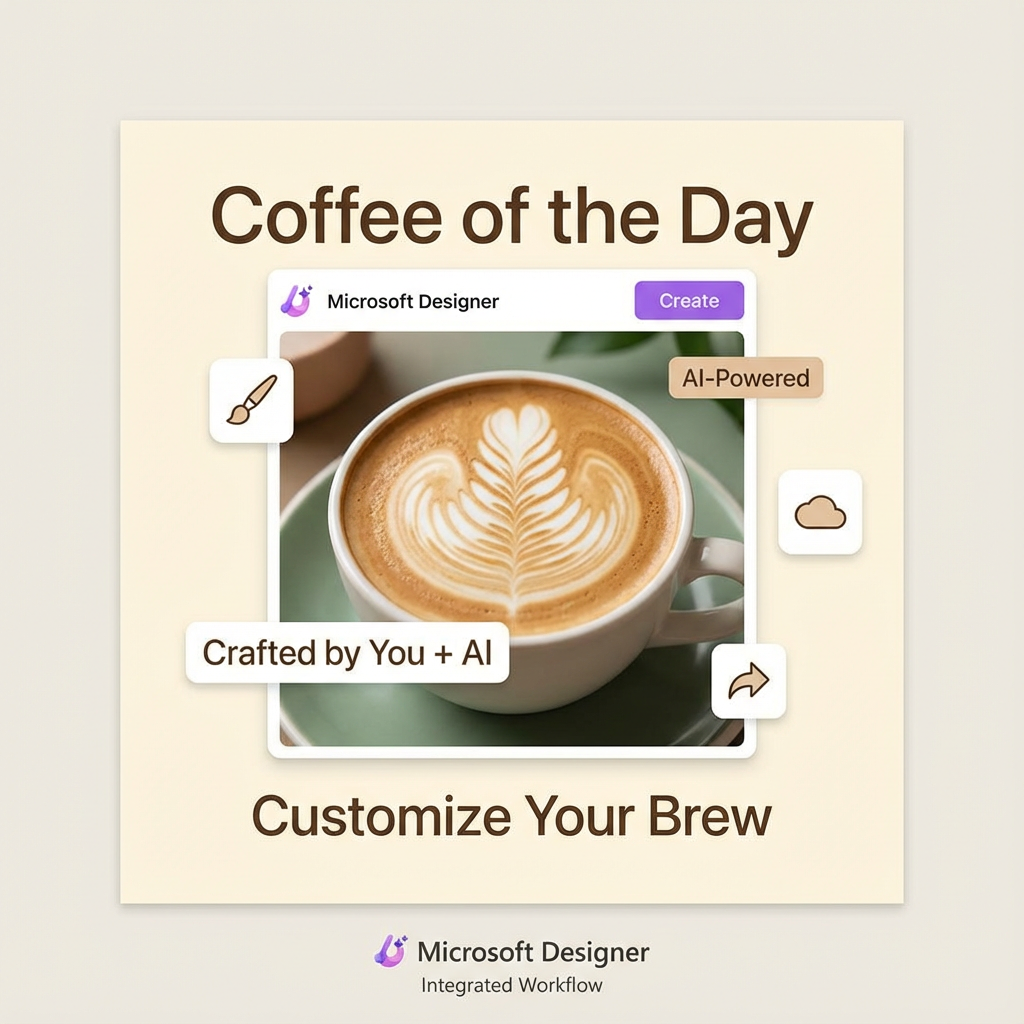
A clean, professional social media post template for a coffee shop, featuring an AI-generated image of a latte art, with text and graphic overlays, showcasing Microsoft Designer's integrated workflow.
Access, Cost, and Future Implications
The financial and accessibility models are another key point of divergence in the DALL-E 3 vs Microsoft Designer comparison.
Cost and Accessibility
- Microsoft Designer (Bing Image Creator): This is the most accessible route. It is free to use, with a daily allotment of "boosts" for faster generation. This free access is a massive advantage for casual users and small businesses 4.
- OpenAI UI (ChatGPT Plus): Access requires a paid subscription (ChatGPT Plus or Enterprise). While this subscription offers access to GPT-4 and other features, the DALL-E 3 generation itself is part of the paid bundle.
The Future of the Partnership
The relationship between OpenAI and Microsoft is constantly evolving. Microsoft's deep integration of DALL-E 3 into its entire suite of products (Designer, Copilot, Bing) suggests a future where AI image generation is not a standalone tool but a feature embedded everywhere.
The fact that Microsoft's implementation often offers a more direct, less-filtered experience than the OpenAI UI suggests a strategic market segmentation. OpenAI may be positioning its direct interface as the "safe" option for the masses, while Microsoft is catering to the "power user" and professional market that demands greater creative latitude. This segmentation is a key factor when evaluating DALL-E 3 vs Microsoft Designer for long-term professional use.
Technical Quality, Resolution, and Output Formats
While both platforms utilize the same DALL-E 3 model, the implementation details regarding image resolution, aspect ratios, and output formats introduce subtle but important differences for professional users.
Resolution and Aspect Ratio Control
DALL-E 3 natively supports three primary resolutions: square (1024x1024), landscape (1792x1024), and portrait (1024x1792).
- OpenAI UI (ChatGPT): The interface often allows for direct selection of these aspect ratios, and in some cases, the LLM will intelligently choose the best aspect ratio based on the prompt's content (e.g., a prompt for a "full-body portrait" will default to portrait). The output is typically a high-quality PNG file.
- Microsoft Designer (Bing Image Creator): Historically, the free version through Bing Image Creator was limited to the square 1024x1024 resolution, although this has evolved. Microsoft Designer, as a design tool, often integrates the generated image directly into a canvas of a specific size (e.g., a 1080x1920 Instagram Story template). This means the image is generated and then immediately resized or cropped to fit the design, which can sometimes lead to a loss of the original DALL-E 3 composition. For users who need the raw, uncropped 1792x1024 image, the OpenAI interface often provides a more reliable path.
Metadata and Watermarking
Another technical consideration is the handling of metadata and watermarking, which is crucial for commercial use and intellectual property tracking.
- Content Credentials: Both platforms embed invisible digital watermarks and content credentials into the generated images, a feature designed to indicate that the image was created by AI. This is a standard practice for responsible AI development.
- Designer's Added Layers: Because Microsoft Designer is a design tool, the final output often includes additional layers of metadata related to the design template, text, and graphic elements added within the application. While this is useful for the design workflow, it means the final image is a "finished product" rather than a raw AI generation.
For users who prioritize the highest possible raw resolution and minimal post-processing interference, the direct DALL-E 3 interface is marginally superior. However, for those who value the convenience of immediate upscaling and integration into a design canvas, Microsoft Designer's workflow is a significant time-saver.
The Future Trajectory: Model Focus vs. Feature Creep
The ongoing development of these two platforms suggests a continued divergence in their strategic focus, which will further define the choice between DALL-E 3 vs Microsoft Designer in the coming years.
OpenAI's Model-Centric Future
OpenAI's strategy is fundamentally model-centric. Their focus will remain on:
- Model Improvement: Releasing DALL-E 4, DALL-E 5, and subsequent models that offer higher fidelity, better prompt adherence, and new capabilities (e.g., 3D generation, video).
- API Expansion: Making these new models accessible via the API for developers to build their own custom applications.
- Core Interface: Keeping the ChatGPT/OpenAI UI clean and focused on demonstrating the raw power of the latest model, rather than building a full-fledged design suite.
Microsoft's Feature-Centric Future
Microsoft's strategy is feature-centric, aiming to embed AI into every aspect of the user's digital life.
- Seamless Integration: Expect DALL-E 3 (and future versions) to become even more deeply integrated into the entire Microsoft 365 suite—from PowerPoint to Word to Teams. The line between "generating an image" and "inserting a graphic" will effectively disappear.
- Advanced Design Tools: Microsoft Designer will continue to evolve into a powerful, template-driven design application, leveraging AI not just for image generation but for layout, color palette suggestions, and text refinement.
- Copilot as the Gateway: Microsoft Copilot will become the primary conversational interface for DALL-E 3, allowing users to generate images through natural language commands within any Microsoft application.
Conclusion: Choosing Your DALL-E 3 Gateway
The choice between DALL-E 3 via the OpenAI UI and Microsoft Designer is a choice between raw power with a safety net and integrated design with creative freedom.
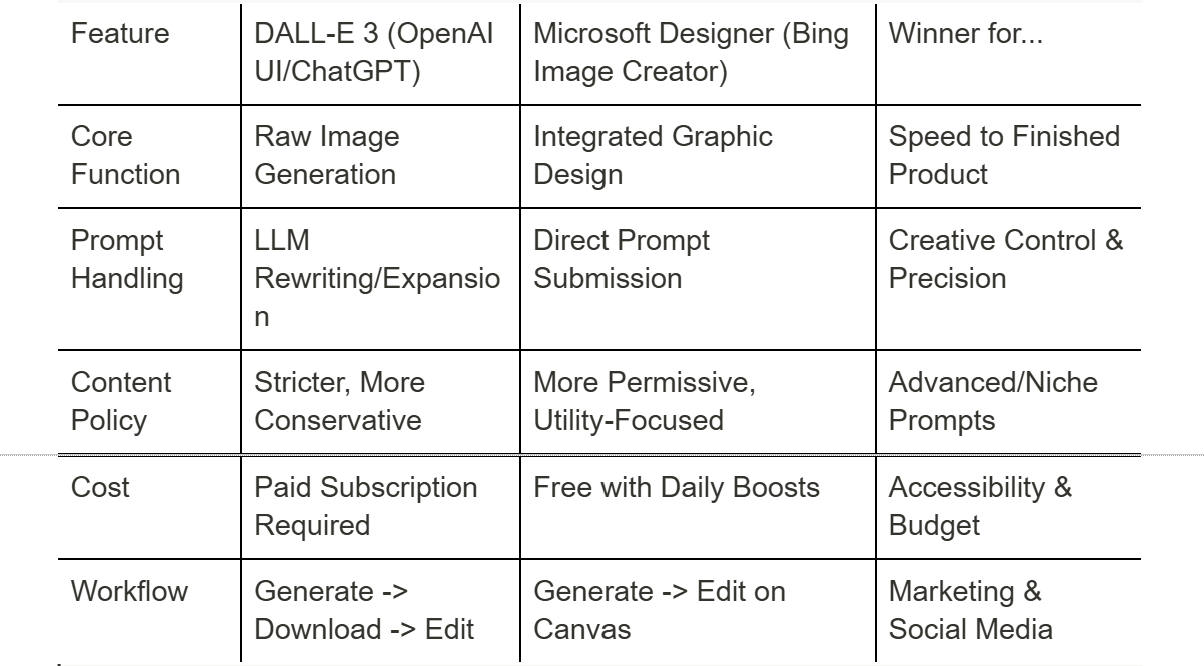
For the professional artist or developer who needs the highest degree of prompt control and is willing to pay for a subscription, the OpenAI UI or API is the logical choice. However, for the vast majority of users—marketers, small business owners, and students—who need to create polished graphics quickly and for free, Microsoft Designer is the superior, more integrated, and often less creatively restrictive gateway to the power of DALL-E 3.
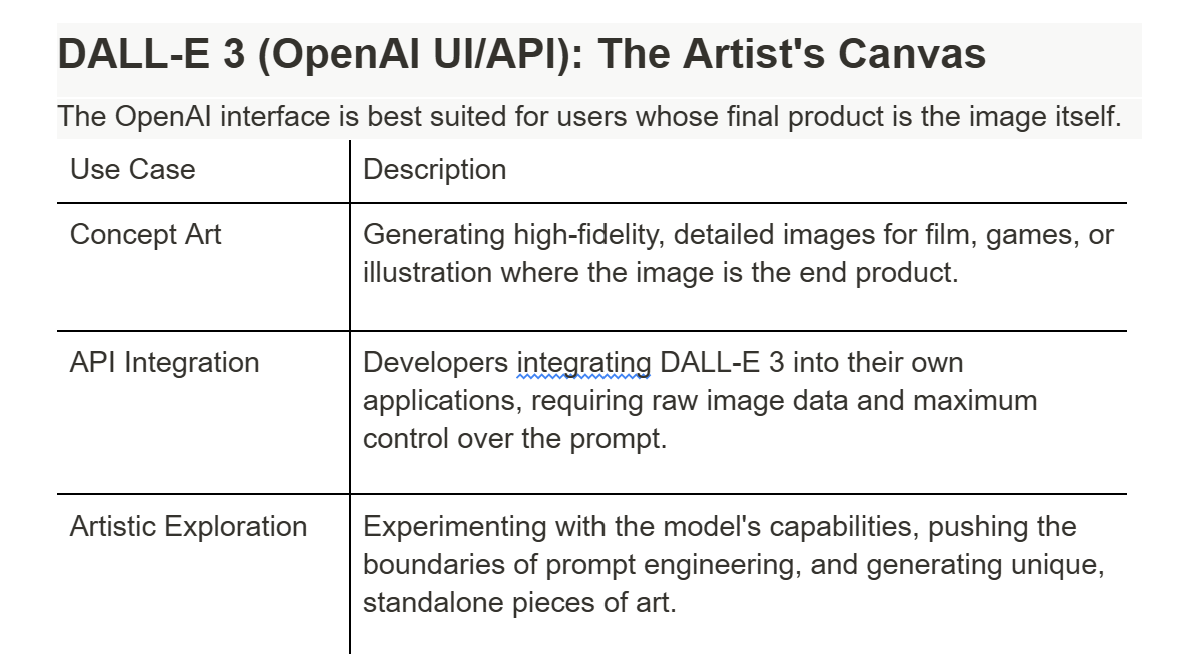
The image below summarizes the different use cases.
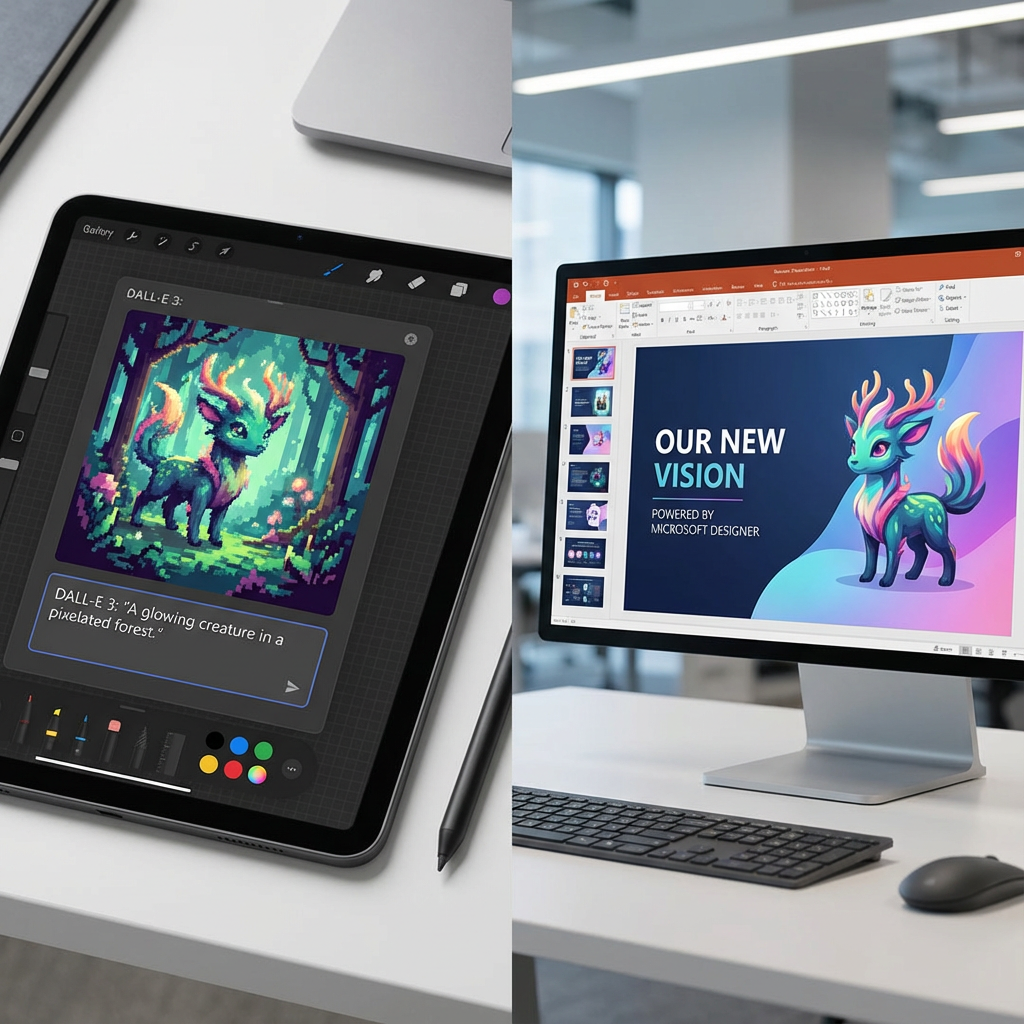
A split image showing a digital artist's canvas with a raw, generated image (DALL-E 3) on the left, and a marketing team's presentation slide with a finished graphic (Microsoft Designer) on the right, illustrating the different primary use cases.