Poper Review: Smart AI Popup & Widget Builder in 2025?
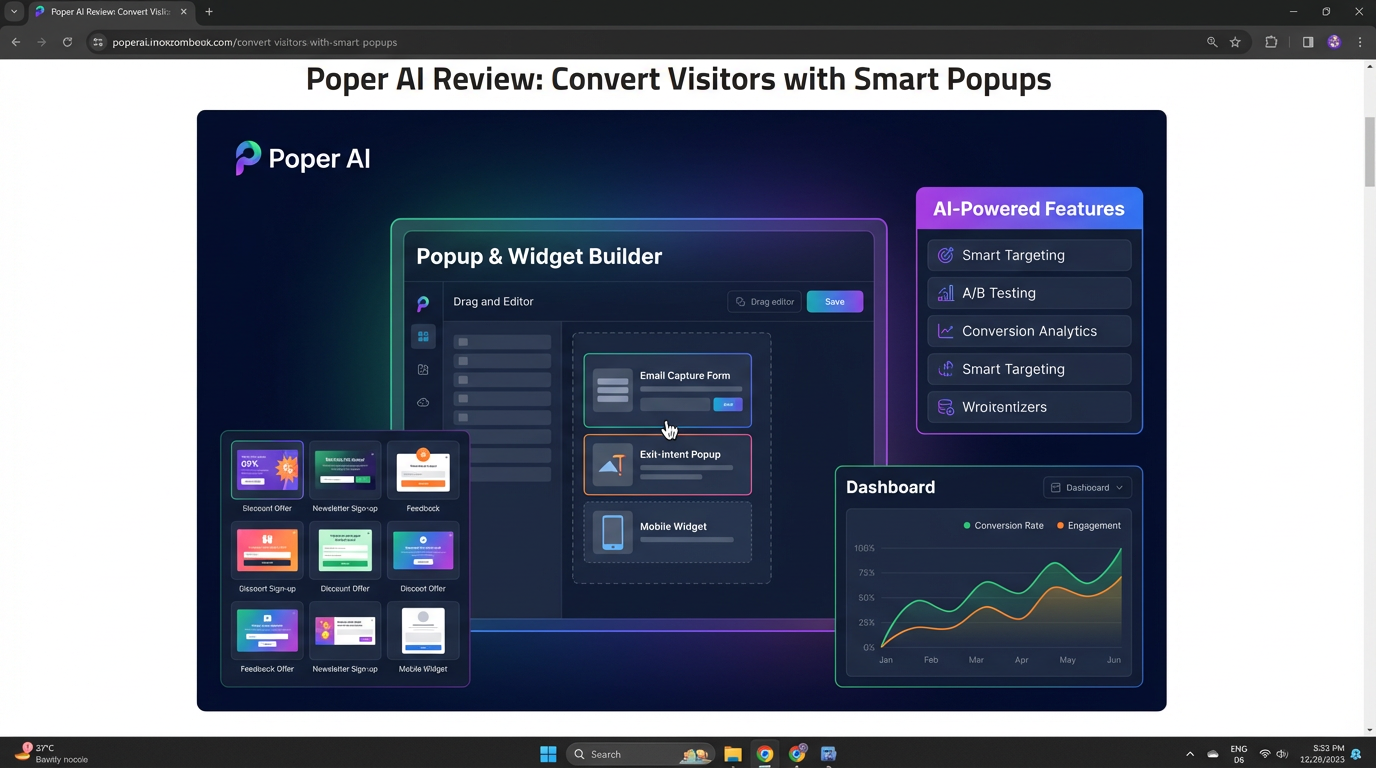
In the competitive digital landscape of 2025, every website visitor is a hard-won opportunity. The challenge isn’t just getting traffic; it’s converting that traffic into subscribers, leads, and customers. This is where smart on-site engagement tools come into play, and a new generation of AI-powered popup and widget builders is leading the charge. Among them, Poper is making waves, promising to transform how websites interact with their visitors through intelligent, automated, and high-converting popups.
For years, popups have walked a fine line between being a powerful marketing tool and an annoying user experience. We’ve all been frustrated by intrusive, irrelevant popups that appear at the worst possible moment. But what if popups could be smarter? What if they could understand user behavior, adapt their messaging in real-time, and appear at the exact moment they’re most likely to be helpful? That’s the vision Poper is selling.
This review will take a deep dive into Poper, a tool that claims to be more than just another popup builder. We’ll dissect its AI-powered features, explore its drag-and-drop editor, analyze its targeting capabilities, and evaluate its overall effectiveness as a conversion optimization tool. Is Poper truly the future of on-site engagement, or is it just another layer of complexity in an already crowded market? Let’s find out.
What is Poper?
Poper is a no-code, AI-driven platform designed to help website owners create and manage popups, widgets, and forms. Its core mission is to boost conversions—whether that means capturing emails, reducing cart abandonment, promoting special offers, or guiding visitors to important content.
Unlike traditional popup builders that rely entirely on manual setup, Poper integrates artificial intelligence to streamline the creation, targeting, and optimization process. It offers a user-friendly, drag-and-drop interface that allows anyone, regardless of technical skill, to design beautiful and effective on-site campaigns. From exit-intent popups that rescue abandoning visitors to gamified widgets that boost engagement, Poper aims to be an all-in-one solution for turning passive browsers into active participants.
The Core of Poper: A Deep Dive into Key Features
A tool is only as good as its features. Poper comes packed with a suite of capabilities designed to give marketers and business owners granular control over their on-site campaigns while leveraging the power of AI.
1. AI-Powered Popup & Widget Creation
This is Poper’s headline feature. Instead of just giving you a blank canvas, Poper’s AI can help you generate copy, suggest designs, and even recommend the best type of popup for a specific goal. For example, you can tell the AI you want to “increase newsletter signups,” and it might suggest a specific headline, call-to-action (CTA), and design template that has proven effective for that objective.
This significantly lowers the barrier to entry for creating effective campaigns. You no longer need to be a master copywriter or designer to get started. The AI acts as a built-in marketing consultant, guiding you toward best practices.
2. Smart Targeting & Trigger Options
Showing the right message to the right person at the right time is the key to effective popups. Poper offers a comprehensive set of targeting and trigger rules:
•Exit-Intent Technology: This classic trigger detects when a user is about to leave your site and displays a last-chance offer or message. It’s incredibly effective for reducing bounce rates and cart abandonment.
•Time-Based Triggers: Display a popup after a user has been on a page for a certain amount of time.
•Scroll-Depth Triggers: Show a message after a user has scrolled a certain percentage down the page, indicating they are engaged with the content.
•Click-Based Triggers: Launch a popup when a user clicks on a specific button or link.
•Device Targeting: Customize popups for desktop, tablet, or mobile users.
•Geo-Location Targeting: Target visitors based on their country, region, or city.
•Traffic Source Targeting: Show different messages to visitors coming from Google, Facebook, or another specific source.
3. Drag-and-Drop Visual Editor
For those who want full creative control, Poper’s drag-and-drop editor is intuitive and powerful. You can start with a pre-made template or build a popup from scratch. The editor allows you to customize every element:
•Layouts: Choose from various popup styles, including lightboxes, slide-ins, floating bars, and full-screen overlays.
•Elements: Add and edit text, images, buttons, forms, timers, and even custom HTML.
•Styling: Control colors, fonts, spacing, and borders to ensure the popup perfectly matches your brand’s aesthetic.
The editor is fully responsive, meaning you can create a design that looks great on any device without needing to code.
4. A/B Testing & Analytics
You can’t improve what you don’t measure. Poper includes built-in A/B testing that allows you to test different versions of your popups against each other. You can test headlines, images, CTA buttons, colors, or even different offers to see what resonates most with your audience.
The analytics dashboard provides clear, actionable insights into your campaign performance. You can track:
•Impressions: How many times your popups were seen.
•Conversions: How many people completed the desired action (e.g., submitted a form).
•Conversion Rate: The percentage of impressions that resulted in a conversion.
This data is crucial for optimizing your campaigns and maximizing your return on investment.
5. Extensive Template Library
To help you get started quickly, Poper offers a large library of professionally designed templates for various use cases:
•Email capture and newsletter signup
•Discount and coupon offers
•Urgency-driven countdown timers
•Feedback surveys and polls
•Social media follow buttons
•Age verification gates
These templates are fully customizable, providing a great starting point for your own unique designs.
Real-World Use Cases: How Can Poper Grow Your Business?
Features are great, but how do they translate into tangible results? Here are some of the most common and effective ways to use Poper.
•Build Your Email List: The most popular use for popups is to offer a valuable incentive (like a discount, a free guide, or exclusive content) in exchange for a visitor’s email address. An exit-intent popup offering 10% off a first purchase is a classic and highly effective list-building strategy.
•Reduce Cart Abandonment: For e-commerce stores, cart abandonment is a major source of lost revenue. With Poper, you can set up an exit-intent popup that appears only on the cart or checkout page. This popup can remind the shopper of the items in their cart, offer a small discount to complete the purchase, or create urgency with a message like “Your items are selling out fast!”
•Promote Sales and Special Offers: Use a floating bar at the top of your site to announce a site-wide sale or free shipping offer. This ensures every visitor is aware of the promotion without being overly intrusive.
•Increase User Engagement: Use slide-in widgets to recommend related articles, ask for feedback on your content, or encourage social shares. This keeps visitors on your site longer and encourages them to interact with your brand.
•Generate High-Quality Leads: B2B businesses can use popups to offer case studies, whitepapers, or webinar registrations in exchange for contact information, turning anonymous website traffic into qualified leads for the sales team.
Poper Pricing: Is It Worth the Investment?
Poper typically offers a tiered pricing structure based on the number of website visitors and the feature set. Here’s a general breakdown of what you can expect:
•Free Plan: Most tools like Poper offer a limited free plan, which is great for small websites or for testing the platform. This plan usually has a cap on monthly impressions (e.g., up to 5,000) and may not include all the advanced features like A/B testing.
•Starter/Basic Plan (e.g., ~$19/month): Aimed at growing businesses, this tier typically offers a higher impression limit (e.g., 50,000), removes any Poper branding, and unlocks key features like A/B testing and more advanced targeting rules.
•Pro/Business Plan (e.g., ~$49/month): For established websites with significant traffic, this tier provides a very high or unlimited number of impressions, priority support, and advanced integrations with email marketing services and CRMs.
•Agency/Enterprise Plan: Custom pricing for agencies managing multiple client websites or large enterprises with specific security and support needs.
When evaluating the price, consider the potential return on investment. If a $19/month plan helps you capture just a few extra sales or leads each month, it will likely pay for itself many times over.
The Pros and Cons of Poper
No tool is perfect. Here’s a balanced look at Poper’s strengths and weaknesses.
Pros:
•AI-Powered Features: The AI copy and design suggestions are a major time-saver and can significantly improve campaign effectiveness, especially for non-experts.
•User-Friendly Interface: The drag-and-drop editor makes it easy for anyone to create professional-looking popups without any coding knowledge.
•Powerful Targeting: The extensive range of triggers and targeting rules allows for highly personalized and effective campaigns.
•Built-in A/B Testing: The ability to easily test and optimize campaigns is crucial for maximizing conversions.
•Versatile Use Cases: Poper is flexible enough to support a wide range of marketing goals, from lead generation to e-commerce sales.
Cons:
•Potential for Over-Reliance on AI: While the AI is helpful, it’s still important to understand your audience and apply your own marketing knowledge. The AI suggestions should be a starting point, not the final word.
•Learning Curve for Advanced Features: While the basics are easy, mastering all the advanced targeting combinations and A/B testing strategies can take some time.
•Impression-Based Pricing: For websites with very high traffic, the cost can escalate. It’s important to choose a plan that aligns with your traffic levels.
The Final Verdict: Is Poper the Right Tool for You in 2025?
Poper represents the next logical step in the evolution of on-site engagement tools. By integrating AI into the core workflow, it makes powerful conversion optimization techniques accessible to a much broader audience. The platform is robust, user-friendly, and packed with features that can deliver a tangible return on investment.
You should seriously consider Poper if:
•You are a small business owner or marketer who wears many hats and needs an efficient way to create effective on-site campaigns.
•You run an e-commerce store and are looking for powerful tools to reduce cart abandonment and increase sales.
•You are a content creator or blogger focused on growing your email list.
•You find other popup builders too complex or time-consuming and want an AI assistant to guide you.
You might want to look at other options if:
•You have a very simple website with minimal traffic and a free, basic popup plugin is all you need.
•You are a seasoned developer who prefers to code custom solutions from scratch.
Ultimately, Poper is a powerful and intelligent tool that successfully bridges the gap between ease of use and advanced functionality. In a digital world where every click matters, Poper provides a smart and effective way to make sure you’re making the most of your website traffic. For anyone serious about conversion optimization in 2025, it is undoubtedly a top contender and well worth a try.
Frequently Asked Questions (FAQ)
1. Is Poper difficult to install? No, Poper is designed for easy installation. For WordPress sites, it’s typically a simple plugin. For other platforms like Shopify, Squarespace, or custom-coded sites, it usually involves adding a single snippet of JavaScript to your site’s header.
2. Will Poper slow down my website? The Poper script is designed to be lightweight and asynchronous, meaning it loads independently of your main site content. This ensures that it has a minimal impact on your page load times.
3. Can I use Poper to create more than just popups? Yes. Poper is a versatile builder that can create various types of on-site messages, including slide-in widgets, floating announcement bars, and embedded forms, not just traditional lightbox popups.
4. How does the AI content generation work? You provide the AI with a goal (e.g., “get more demo signups”) and some context about your business. The AI then uses its language models to generate compelling headlines, body text, and calls-to-action tailored to that objective.
5. Does Poper integrate with my email marketing service? Poper is built to integrate with most major email marketing platforms, such as Mailchimp, ConvertKit, ActiveCampaign, and more. This allows you to automatically send new subscribers from your popups directly to your email lists.
6. Is exit-intent technology effective on mobile devices? Traditional exit-intent (based on mouse movement) doesn’t work on touch devices. However, Poper and similar tools use alternative mobile-specific triggers, such as detecting when a user scrolls up quickly or hits the “back” button, to simulate the exit-intent experience.
7. What makes a popup “smart”? A “smart” popup uses data and behavioral triggers to appear at the most opportune moment. Instead of showing the same message to everyone, it personalizes the experience based on factors like the visitor’s location, how they found your site, and how they are interacting with your content.
8. Can I A/B test different triggers or targeting rules? Yes, advanced A/B testing in Poper allows you to test not only the design and copy of your popups but also the conditions under which they appear. For example, you could test whether a popup is more effective appearing after 10 seconds or after a user scrolls 50% down the page.
9. Is there a risk of being penalized by Google for using popups? Google can penalize sites for using “intrusive interstitials,” especially on mobile. However, Poper’s targeting rules allow you to comply with Google’s guidelines. For example, you can disable popups on a user’s first pageview from Google search or use less intrusive formats like banners and slide-ins on mobile.
10. How is Poper different from other popup builders like OptinMonster or Sumo? Poper’s main differentiator is its deep integration of AI into the creation and optimization process. While tools like OptinMonster and Sumo are powerful and feature-rich, Poper is designed to be a “smarter,” more automated partner, especially for users who may not be conversion rate optimization experts.