ProofHub Review: Best Project Management Tool in 2025?
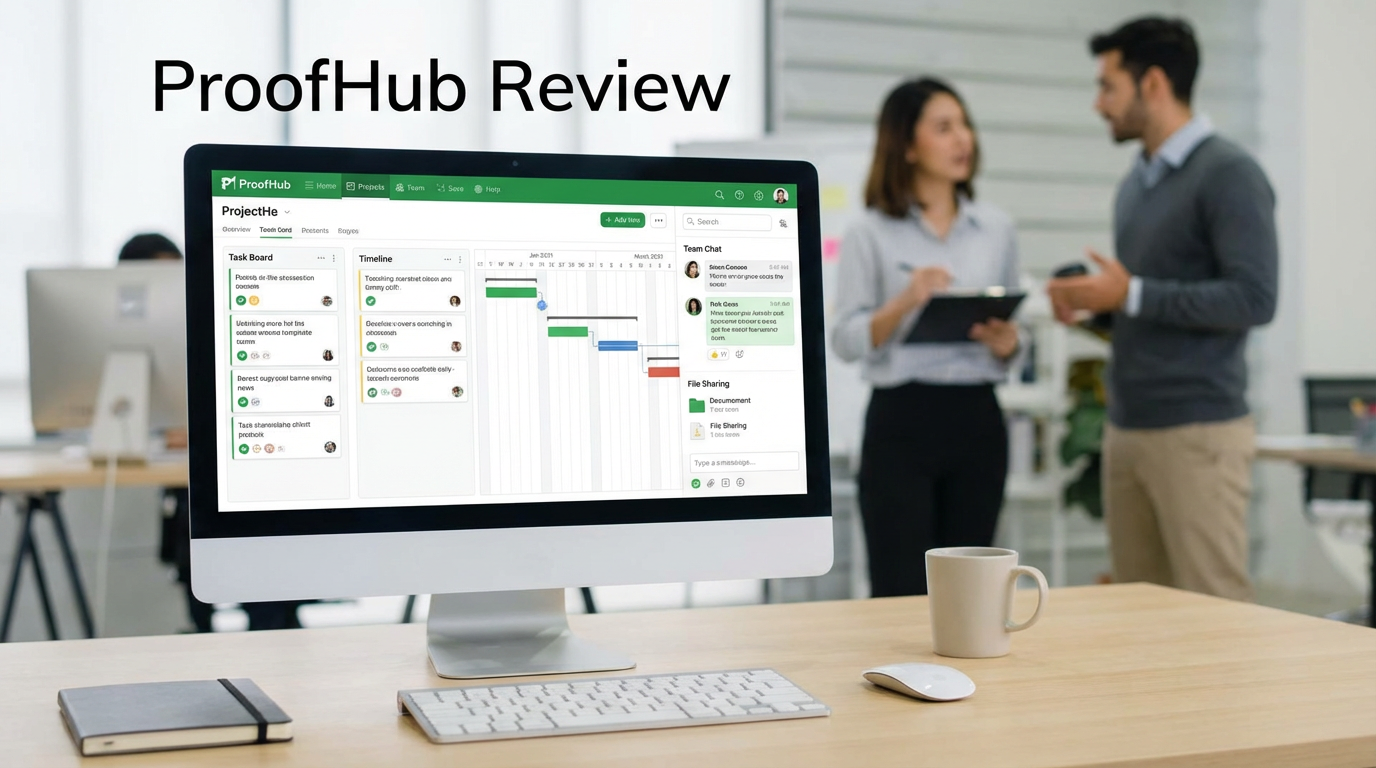
In the ever-expanding universe of productivity software, the search for the perfect project management tool can feel like an endless odyssey. Teams are constantly juggling tasks, deadlines, and communication across a fragmented landscape of apps, leading to information silos and a decline in operational efficiency. The dream is a single, unified digital workspace where all aspects of a project—from initial planning to final delivery—can be managed seamlessly. This need for a centralized SaaS solution is what drives the market for powerful, intuitive team collaboration software.
Enter ProofHub, a compelling contender that has carved out a unique niche in the crowded project management space. Recently crowned the Best Project Management Tool of 2025 by multiple industry platforms, ProofHub challenges the status quo with a bold proposition: a feature-rich, all-in-one project management platform with a simple, flat-rate pricing model. No per-user fees. Unlimited users. This disruptive approach makes it a powerful magnet for growing teams and organizations tired of unpredictable software costs. It’s not just a tool; it’s a philosophy centered on providing comprehensive features without penalizing growth.
This 4000-word review will dissect the ProofHub platform from every angle. We will explore its core functionalities, from its versatile task management and robust Gantt charts to its standout online proofing tools. We will place it head-to-head with giants like Asana, Basecamp, and Monday.com, analyze its game-changing pricing structure, and offer a balanced perspective on its strengths and weaknesses. Is ProofHub’s all-inclusive, budget-friendly model the key to unlocking true team productivity and simplifying stakeholder communication, or do its limitations in areas like automation and integration hold it back? Let’s find out if ProofHub is the best project management tool for your team in 2025.
What is ProofHub? The All-in-One, Flat-Fee Contender
At its heart, ProofHub is a cloud-based platform designed to be the single source of truth for your team’s work. It consolidates the essential tools needed for effective project planning, execution, and collaboration into one intuitive interface. The platform’s core philosophy is to eliminate the need for multiple, disparate applications—no more switching between a chat app, a file storage service, a task manager, and a review tool. This focus on creating a unified digital workspace is central to its mission of improving business collaboration and driving project delivery.
What truly sets ProofHub apart is its unwavering commitment to a flat-rate pricing model. While most competitors charge on a per-user, per-month basis, ProofHub offers unlimited users on all its plans. This makes it an incredibly scalable and cost-effective solution for small to medium-sized businesses, marketing agencies, and any organization experiencing rapid growth. It’s a SaaS solution that grows with you, not against you, making it a powerful tool for remote work tools and cross-functional teams.
A Deep Dive into ProofHub’s Core Features
ProofHub’s strength lies in its comprehensive suite of integrated tools. It’s not just a task manager; it’s a complete ecosystem for work. Here’s a closer look at the key features that make it a top-rated team collaboration software.
Task Management & Multiple Project Views
Flexibility is key to modern workflow management, and ProofHub delivers with multiple ways to visualize and organize work. This ensures that every team member, from project managers to individual contributors, can work in the way that suits them best, a cornerstone of effective Agile project management.
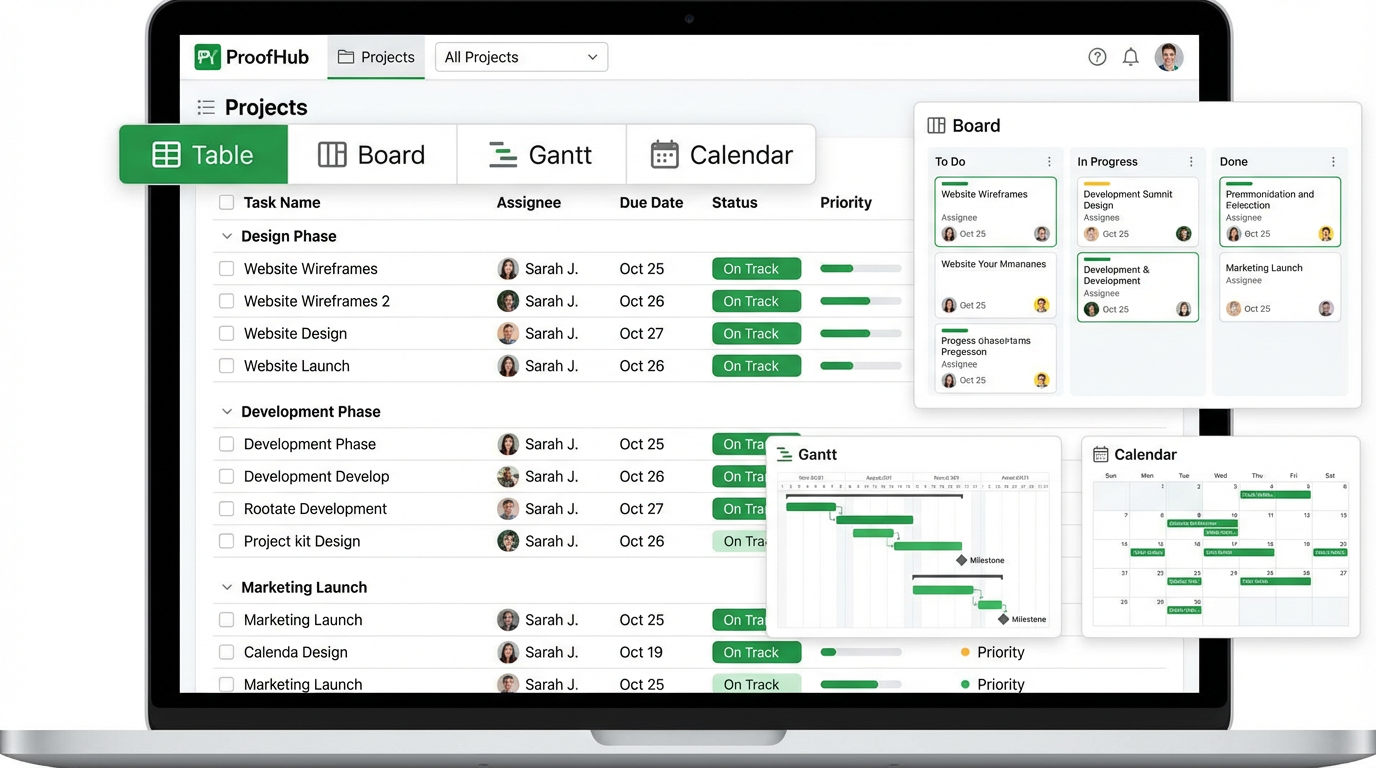
Caption: ProofHub provides multiple project views, including Table, Board (Kanban), Gantt, and Calendar, allowing teams to switch perspectives instantly.
Key views include:
•Table View: A traditional, spreadsheet-like list of tasks, perfect for a clear, organized overview.
•Board View: A visual Kanban board where tasks move through custom stages, ideal for managing workflows.
•Gantt Chart View: An interactive timeline for planning complex projects, setting task dependencies, and tracking progress against milestones.
•Calendar View: A comprehensive calendar for tracking project timelines, deadlines, and events.
This multi-view functionality, combined with features like custom fields, task assignments, and subtasks, provides a robust framework for any project planning and execution strategy.
Online Proofing: A Game-Changer for Creative Teams
This is arguably ProofHub’s killer feature, especially for marketing agencies, design studios, and content teams. The built-in online proofing tools eliminate the chaotic back-and-forth of email feedback, consolidating all comments and approvals directly on the creative asset. This is a massive boost for operational efficiency.
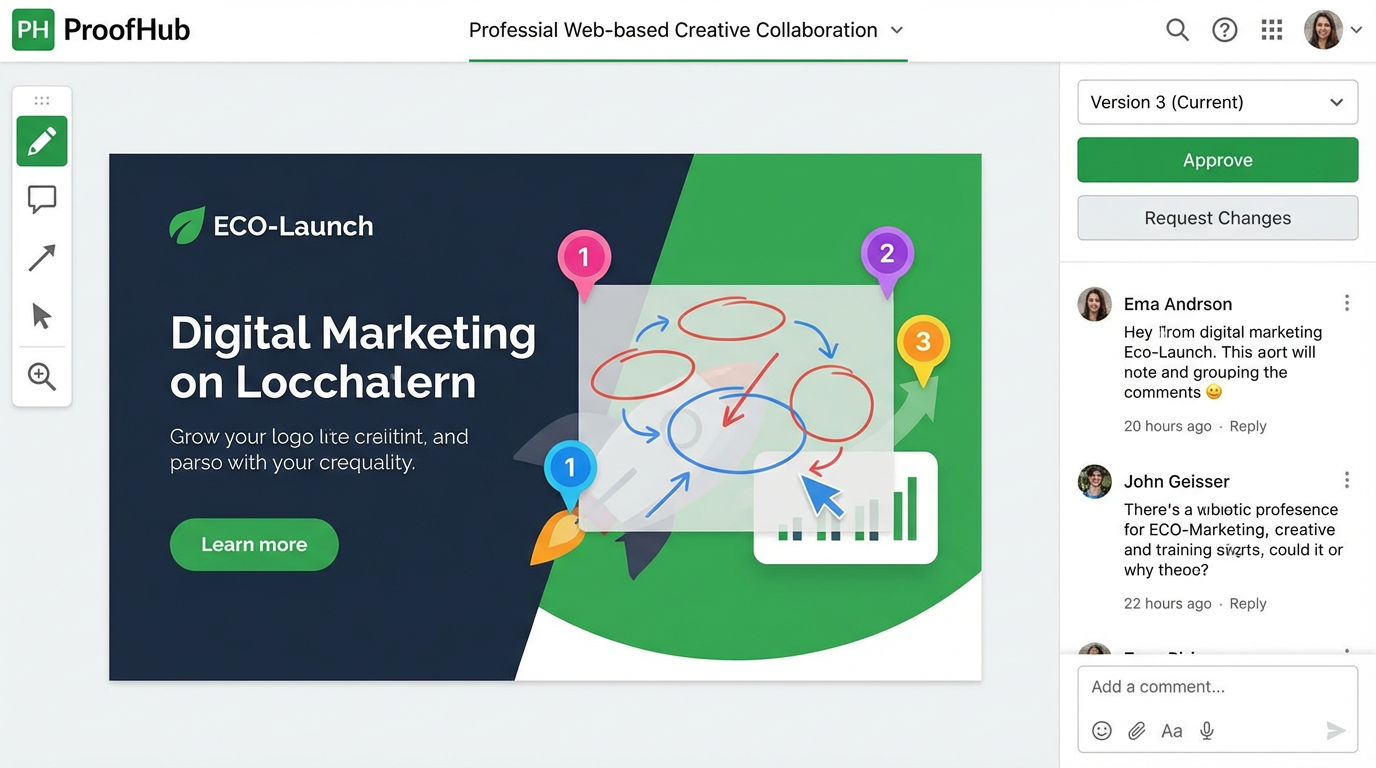
Caption: ProofHub’s online proofing tool allows for visual markup, threaded comments, and clear approval workflows directly on images, videos, and documents.
Key features include:
•Visual Markup: Add comments and annotations directly onto images, videos, PDFs, and other file types.
•Threaded Comments: Keep feedback organized and contextual.
•Approval Workflows: Assign reviewers and get clear sign-offs with a single click.
•Version Control: Easily compare different versions of a file side-by-side.
For any team that relies on creative review cycles, this feature alone can justify the switch to ProofHub, making it a top-tier productivity software for creative industries.
Integrated Team Collaboration
ProofHub excels at bringing team collaboration into the heart of the project. Instead of relying on external chat apps, all communication is centralized within the platform, providing context and reducing the risk of miscommunication. This is essential for effective stakeholder communication and managing remote work tools.
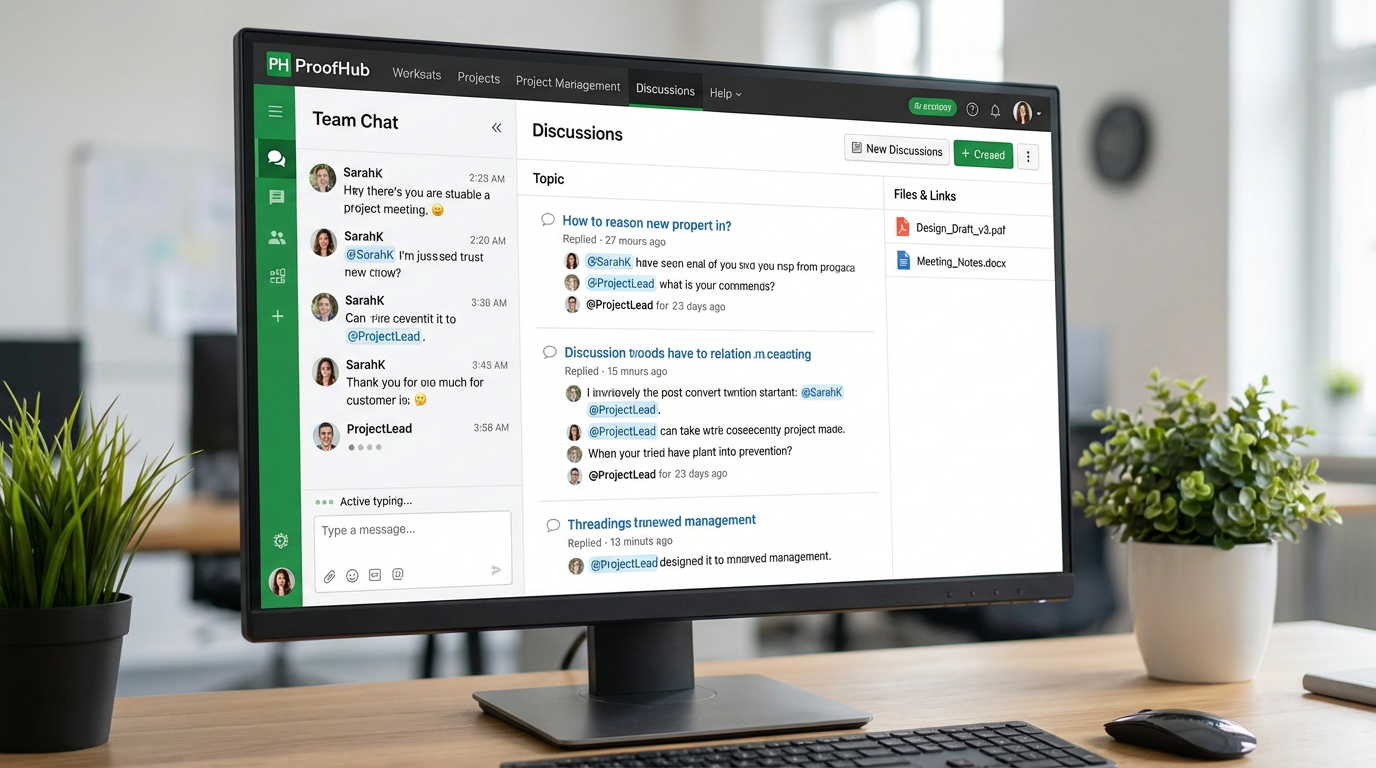
Caption: ProofHub’s collaboration suite includes real-time chat, organized discussion boards, @mentions, and centralized file sharing.
Key features include:
•Built-in Chat: A real-time messaging tool for quick conversations.
•Discussions: Threaded discussion boards for more in-depth topics and decisions.
•@mentions: Tag team members to get their attention and keep them in the loop.
•File Sharing: A central repository for all project files and documents.
This integrated approach ensures that all project-related communication is documented and easily accessible, a critical component of successful change management.
Time Tracking and Reporting
Understanding where time is spent is crucial for resource management and profitability. ProofHub’s native time tracking tools provide the data needed to monitor project health, manage budgets, and improve team productivity.
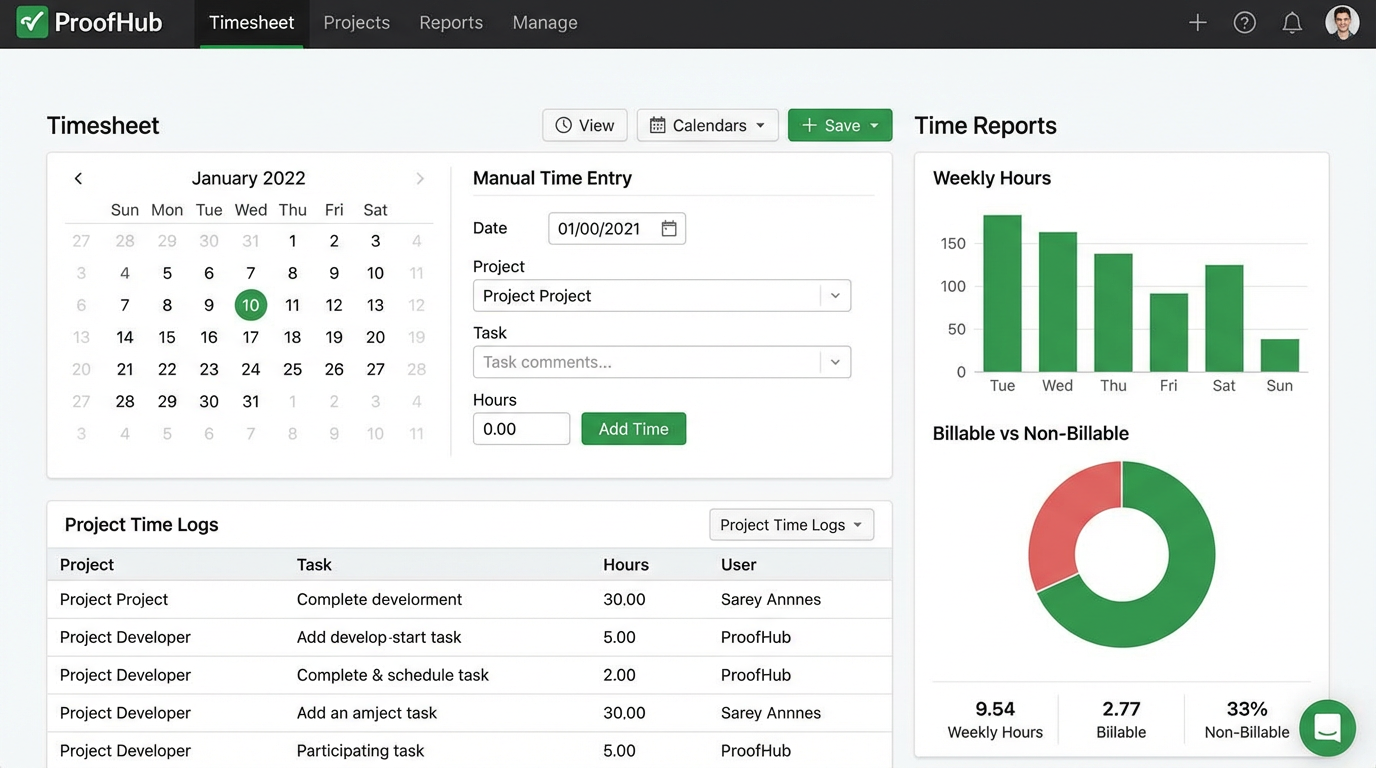
Caption: ProofHub’s time tracking features include manual time entry, timesheets, and detailed reports that break down billable vs. non-billable hours.
Key features include:
•Manual Time Entry: Easily log time against specific tasks and projects.
•Timesheets: A centralized view of all time entries for a given period.
•Time Reports: Generate detailed reports to analyze time spent by project, person, or task.
•Billable vs. Non-Billable Hours: Track time for accurate client billing and internal cost analysis.
This robust time tracking functionality makes ProofHub a strong choice for agencies, consultants, and any business that bills by the hour.
ProofHub Pricing in 2025: Simple, Predictable, and Powerful
ProofHub’s pricing is its most talked-about feature, and for good reason. It’s a breath of fresh air in a market dominated by complex, per-user pricing tiers.
•Essential Plan ($45/month, billed annually): This plan includes unlimited users, 40 projects, 15 GB of storage, and all the core features needed for effective project management and team collaboration.
•Ultimate Control Plan ($89/month, billed annually): This plan also includes unlimited users but adds unlimited projects, 100 GB of storage, custom roles, white labeling, and priority support. This is the ideal choice for agencies and larger organizations needing more control and branding options.
There is no free plan, but a 14-day free trial is available. The value proposition is clear: for the cost of just a few user licenses on a competing platform, you can get an entire team on ProofHub. This makes it an incredibly compelling SaaS solution for budget-conscious businesses.
Pros and Cons: A Balanced Perspective
No tool is perfect. Here’s an honest look at where ProofHub excels and where it falls short.
Pros:
•Unbeatable Value: The flat-rate, unlimited-user pricing is a game-changer.
•All-in-One Solution: Reduces tool sprawl and centralizes work.
•Excellent Proofing Tools: A must-have for creative and marketing teams.
•Easy to Use: The interface is clean and intuitive, with a minimal learning curve.
•Strong Collaboration Features: Built-in chat and discussions keep teams connected.
•White Labeling: A great feature for agencies and consultants.
Cons:
•Limited Integrations: The library of native integrations is smaller than its main competitors.
•Basic Automation: The automation capabilities are not as advanced as those found in Asana or Monday.com.
•Storage and Project Limits: The limits on the Essential plan may be restrictive for some teams.
•No Free Plan: While the trial is generous, there is no permanent free tier for very small teams.
Final Verdict: Is ProofHub the Right Choice for Your Team in 2025?
After an exhaustive review, ProofHub emerges as a powerful and highly attractive project management tool, particularly for a specific segment of the market. Its unique combination of comprehensive features and a disruptive pricing model makes it a standout choice.
You should choose ProofHub if:
•You are a small to medium-sized business, marketing agency, or creative team.
•You are experiencing rapid growth and want to avoid escalating per-user software costs.
•Your workflow involves frequent review and approval of creative assets.
•You value an all-in-one solution that combines project management, communication, and proofing.
•You prefer a simple, easy-to-use interface over complex, highly customizable platforms.
You might look elsewhere if:
•You require deep, complex workflow automation (consider Asana or Monday.com).
•You need a vast library of third-party integrations (consider Zapier-dependent tools).
•You are a very small team or individual who can get by with a free plan (consider Trello or Asana’s free tier).
In 2025, ProofHub is the undisputed champion of value. It delivers a robust, all-in-one work management platform at a price that is simply unmatched for teams of 10 or more. While it may not have the bells and whistles of its more expensive competitors, it provides all the essential tools needed for effective project delivery and team collaboration in a simple, elegant package. For the right team, ProofHub isn’t just a good choice; it’s the smartest choice on the market.
Frequently Asked Questions (FAQ)
1. What is ProofHub’s biggest advantage? Its biggest advantage is the flat-rate pricing model, which allows for unlimited users. This provides incredible value and predictable costs for growing teams.
2. Is ProofHub good for beginners? Yes, ProofHub is known for its intuitive interface and minimal learning curve, making it an excellent choice for teams new to project management software.
3. Can ProofHub replace Slack? For many teams, yes. With its built-in real-time chat and discussion boards, ProofHub can centralize communication and reduce the need for a separate chat application like Slack.
4. How does the online proofing work? It allows you to upload a file (like an image, PDF, or video) and have team members add comments and markup directly on the file. This consolidates all feedback in one place and streamlines the approval process.
5. What are the limitations of the Essential plan? The main limitations are the cap of 40 projects and 15 GB of storage. If you manage a large number of projects or work with large files, you may need to upgrade to the Ultimate Control plan.
6. Does ProofHub have a mobile app? Yes, ProofHub has fully-featured mobile apps for both iOS and Android, allowing you to manage projects and collaborate with your team on the go.
7. What kind of integrations does ProofHub offer? ProofHub integrates with popular tools like Google Drive, Dropbox, OneDrive, and Outlook. However, its library of native integrations is smaller than competitors like Asana and Monday.com.
8. Is ProofHub secure? Yes, ProofHub uses the latest security measures, including data encryption, to keep your information safe. The Ultimate Control plan also offers advanced security features like custom roles and IP restrictions.
9. What is white labeling in ProofHub? White labeling, available on the Ultimate Control plan, allows you to customize the look and feel of your ProofHub account with your own branding, including your logo and a custom domain.
10. How does ProofHub compare to Basecamp? ProofHub offers a more comprehensive set of project management features than Basecamp, including Gantt charts, Kanban boards, and time tracking. Basecamp is simpler and more focused on communication and collaboration.