Stable Diffusion vs Fooocus: The Battle for Open-Source AI Image Generation
Stable Diffusion vs Fooocus: The Battle for Open-Source AI Image Generation
The open-source AI image generation community is a vibrant ecosystem defined by constant innovation and a fundamental tension between control and accessibility. At the core of this debate are two dominant forces: the raw, unbridled power of the Stable Diffusion ecosystem (often represented by the Automatic1111 WebUI) and the streamlined, user-friendly experience of Fooocus.
While both tools ultimately rely on the same underlying Stable Diffusion models, their approach to the user experience is radically different. Stable Diffusion, in its traditional form, is a complex, multi-faceted control panel for experts. Fooocus is a minimalist, one-click solution designed to democratize high-quality image generation.
For anyone entering the world of open-source AI art, the choice between Stable Diffusion vs Fooocus is the first and most critical decision. This 2500-word guide will provide a deep, technical, and practical comparison to help you choose the right tool for your creative journey.
1. Core Philosophy: Unfettered Control vs. Effortless Simplicity
The defining difference between these two platforms is their design philosophy, which dictates everything from installation to final output.
Stable Diffusion (Automatic1111/ComfyUI): The Expert's Toolkit
The traditional Stable Diffusion ecosystem, particularly the Automatic1111 WebUI, is built on the principle of maximum control. It exposes virtually every parameter of the underlying diffusion model to the user.
- The Control Panel: Automatic1111 is a sprawling interface featuring dozens of tabs, hundreds of sliders, and countless settings for sampling methods, CFG scales, seeds, upscalers, and more. This complexity is its strength, allowing for hyper-specific, repeatable results.
- The Ecosystem: It is a platform designed to host a massive ecosystem of extensions, custom scripts, and community-developed features like ControlNet, regional prompting, and custom training tools.
- Target User: The power user, the tinkerer, the developer, and the artist who needs absolute, granular control over every aspect of the image generation process.
Fooocus: The Curated Experience
Fooocus was created with a single goal: to simplify the process of generating high-quality images without sacrificing the core quality of the Stable Diffusion models.
- The Minimalist Interface: Fooocus strips away the complexity, offering a clean interface with essentially one input box for the prompt. It automatically handles the complex settings (like optimal sampling methods, resolution, and aspect ratios) in the background.
- The Quality Guarantee: By curating the settings, Fooocus ensures that even a beginner can achieve professional-looking results with minimal effort. It is a "just works" solution.
- Target User: The beginner, the casual user, the artist who prioritizes speed and simplicity, and anyone who finds the traditional Stable Diffusion interfaces overwhelming.
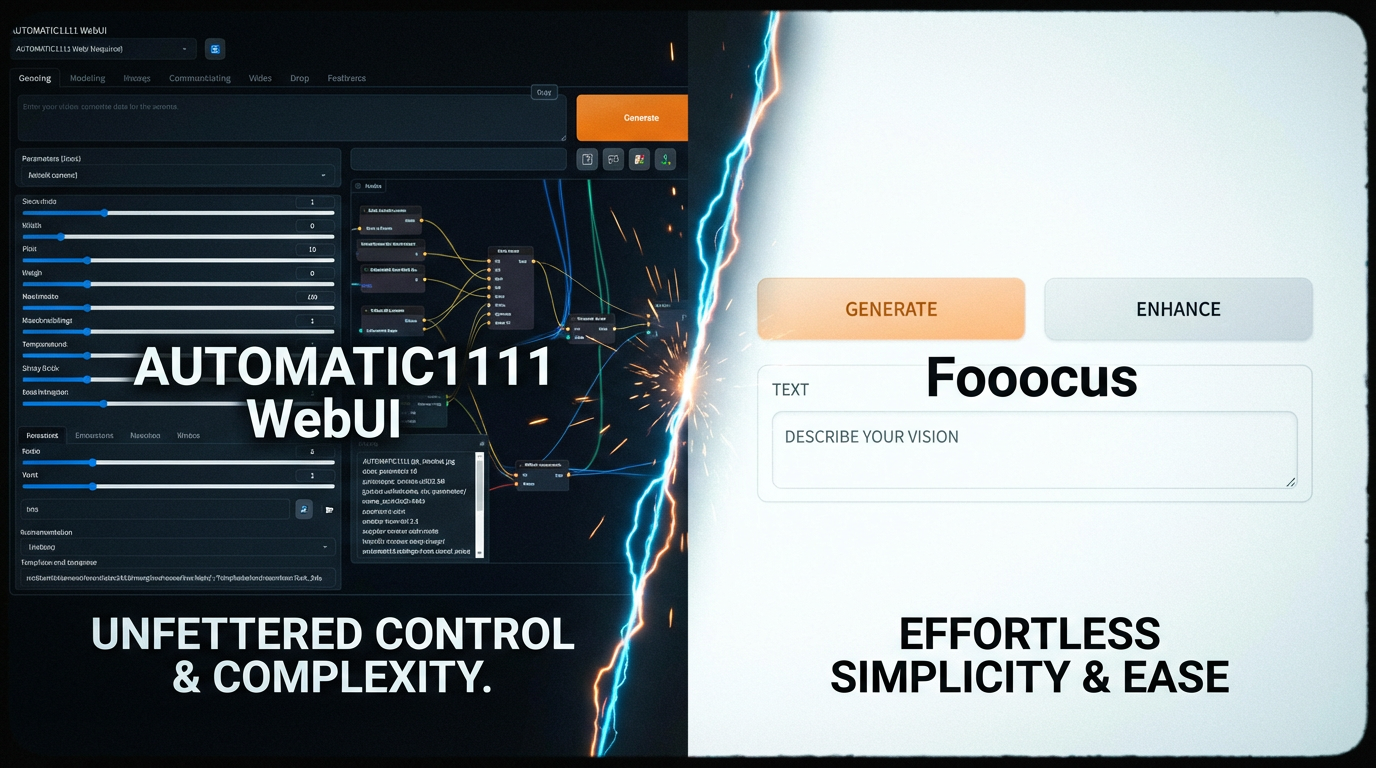
The feature image below perfectly illustrates this fundamental contrast.
.png)
A side-by-side comparison of two computer screens. The left screen displays a dense, complex user interface with many tabs, sliders, and advanced settings (representing Automatic1111). The right screen displays a clean, minimalist interface with only a prompt box and a few simple options (representing Fooocus). The image should clearly contrast 'complexity' with 'simplicity'.
2. Installation and Setup: Steep Climb vs. One-Click Launch
The initial hurdle of getting started is often the first point of comparison between Stable Diffusion vs Fooocus.
Stable Diffusion: The Technical Gauntlet
Setting up a traditional Stable Diffusion WebUI like Automatic1111 or ComfyUI can be a significant challenge for non-technical users.
- Dependency Management: The process typically involves installing Python, Git, managing environment variables, and troubleshooting dependency conflicts. This often requires a working knowledge of the command line interface.
- Model Management: Users must manually download and place models, VAEs, LoRAs, and ControlNet files into specific folders, which can be confusing and prone to error.
- Hardware Requirements: While both require a dedicated GPU, the initial setup of the traditional UIs often feels like a technical project in itself 1.
Fooocus: The Seamless Onboarding
Fooocus is designed to be a true "one-click" installer, abstracting away the technical complexity.
- Self-Contained Package: The installer typically includes all necessary dependencies, allowing the user to simply download a single file and run it. It handles the initial setup and configuration automatically.
- Simplified Model Handling: Fooocus manages the core models internally, often downloading them on first use without requiring the user to manually browse model repositories.
- Ease of Use: This focus on a seamless installation process is a major reason why many beginners choose Fooocus as their entry point into the world of open-source AI art.
The image below visually represents the difference in the setup process.
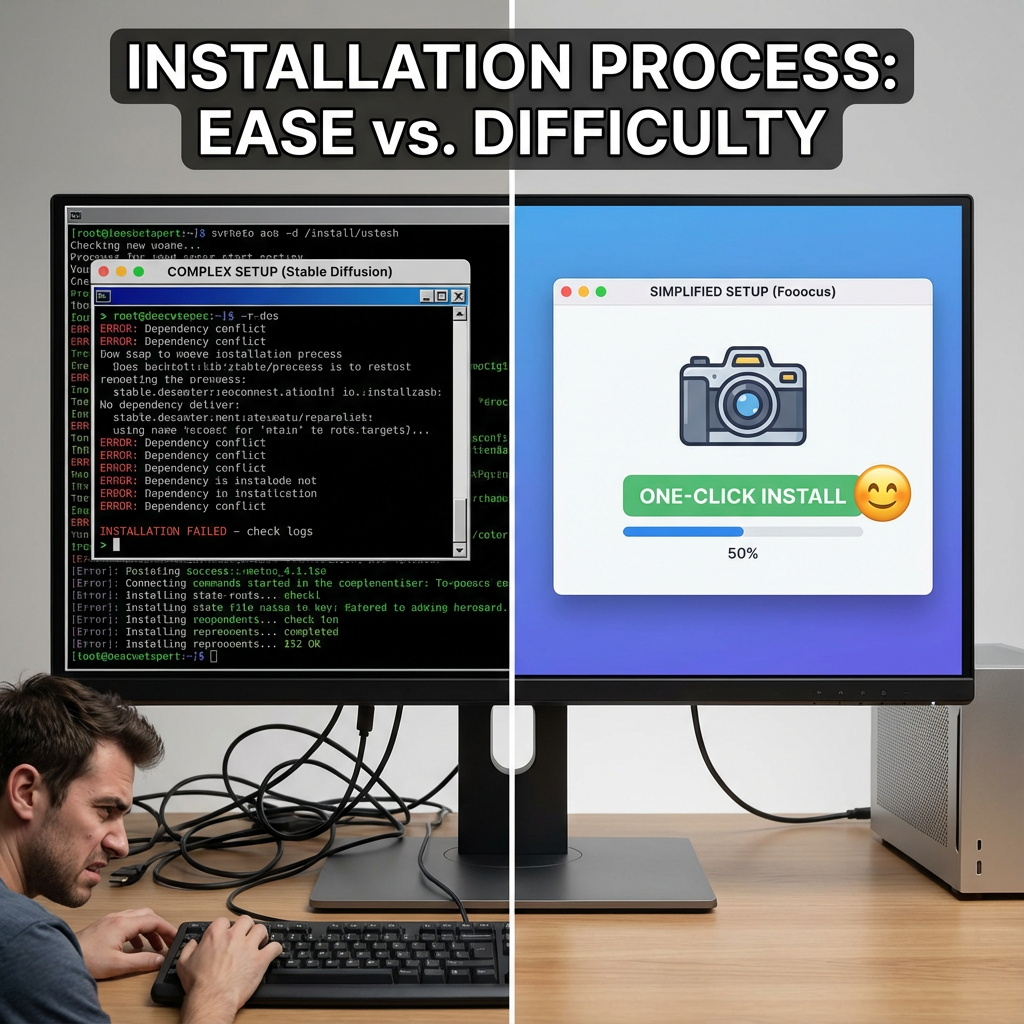
A visual comparison of two installation processes. The left side shows a dark command-line interface with scrolling text and error messages (representing complex Stable Diffusion setup). The right side shows a simple, graphical installer with a large 'Install' button and a progress bar (representing Fooocus's simplified setup). The image should convey ease vs. difficulty.
3. Image Quality and Artistic Control: Precision vs. Curation
While both use the same underlying technology, the resulting images can differ significantly due to the way each platform handles the generation parameters.
Stable Diffusion: The Pursuit of Perfection
With the traditional Stable Diffusion UIs, the user has the power to achieve near-perfect artistic control.
- Hyper-Specific Prompts: Users can fine-tune every aspect of the image, from the camera lens and lighting to the specific texture of a material, using complex prompt structures and negative prompts.
- ControlNet Integration: The ability to use ControlNet is a game-changer, allowing users to guide the generation process with external inputs like depth maps, poses, and line art. This is essential for professional work that requires precise composition.
- Repeatability: By saving all the generation parameters (the "PNG Info"), users can perfectly recreate an image, a necessity for commercial and iterative artistic projects.
Fooocus: High-Quality by Default
Fooocus achieves its high-quality output by automatically applying a set of "best practice" settings and hidden prompts.
- Automatic Enhancement: Fooocus automatically adds artistic keywords and optimal technical parameters to the user's simple prompt, ensuring a high-quality, aesthetically pleasing result without the user needing to be an expert in prompt engineering.
- Simplified Control: While it lacks the granular control of Automatic1111, Fooocus offers a few key toggles for style, aspect ratio, and quality, allowing for a degree of customization without overwhelming the user.
- The Trade-Off: The trade-off for this simplicity is a loss of absolute control. It is harder to achieve a hyper-specific, repeatable result, as the model is constantly making intelligent, but hidden, decisions about the final image.
The image below highlights the difference in the level of artistic control.
.png)
A side-by-side comparison of two generated images of a futuristic city. The left image is highly detailed, with perfect composition and specific artistic controls evident (representing Stable Diffusion's controlled output). The right image is also beautiful and high-quality, but with a slightly more 'natural' or less controlled composition (representing Fooocus's simplified, high-quality output). The focus is on subtle differences in artistic control.
4. Community and Ecosystem: Vast Library vs. Curated Tools
The open-source nature of the Stable Diffusion community means that both platforms benefit from shared models, but their approach to extensions and features is vastly different.
Stable Diffusion: The Infinite Library
The traditional Stable Diffusion ecosystem is defined by its massive, community-driven library of extensions and models.
- Extension Ecosystem: Automatic1111, in particular, has thousands of extensions that add new features, from advanced upscaling algorithms to custom user interfaces and specialized tools. If a feature exists in the AI art world, there is likely an Automatic1111 extension for it.
- Model Variety: Users can easily load and switch between any model, LoRA, or checkpoint available on platforms like Civitai or Hugging Face, offering an unparalleled range of artistic styles.
- Community Support: The sheer size of the community means that virtually any problem or question has already been solved and documented in forums like the Reddit thread we analyzed 2.
Fooocus: The Essential Toolkit
Fooocus deliberately limits the number of features and extensions to maintain its core philosophy of simplicity.
- Curated Features: Instead of relying on external extensions, Fooocus integrates a select few, high-quality features directly into its core, such as a simplified inpainting/outpainting tool and a robust upscaling method.
- Focus on Core Models: While it can use custom models, Fooocus is optimized for a smaller, curated set of models, ensuring stability and predictable results.
- The Trade-Off: While this curation prevents the user from getting lost in a sea of options, it means that advanced, niche features (like complex ControlNet setups or specialized training) are simply not available within the Fooocus interface.
The image below provides a visual metaphor for the difference in their ecosystems.
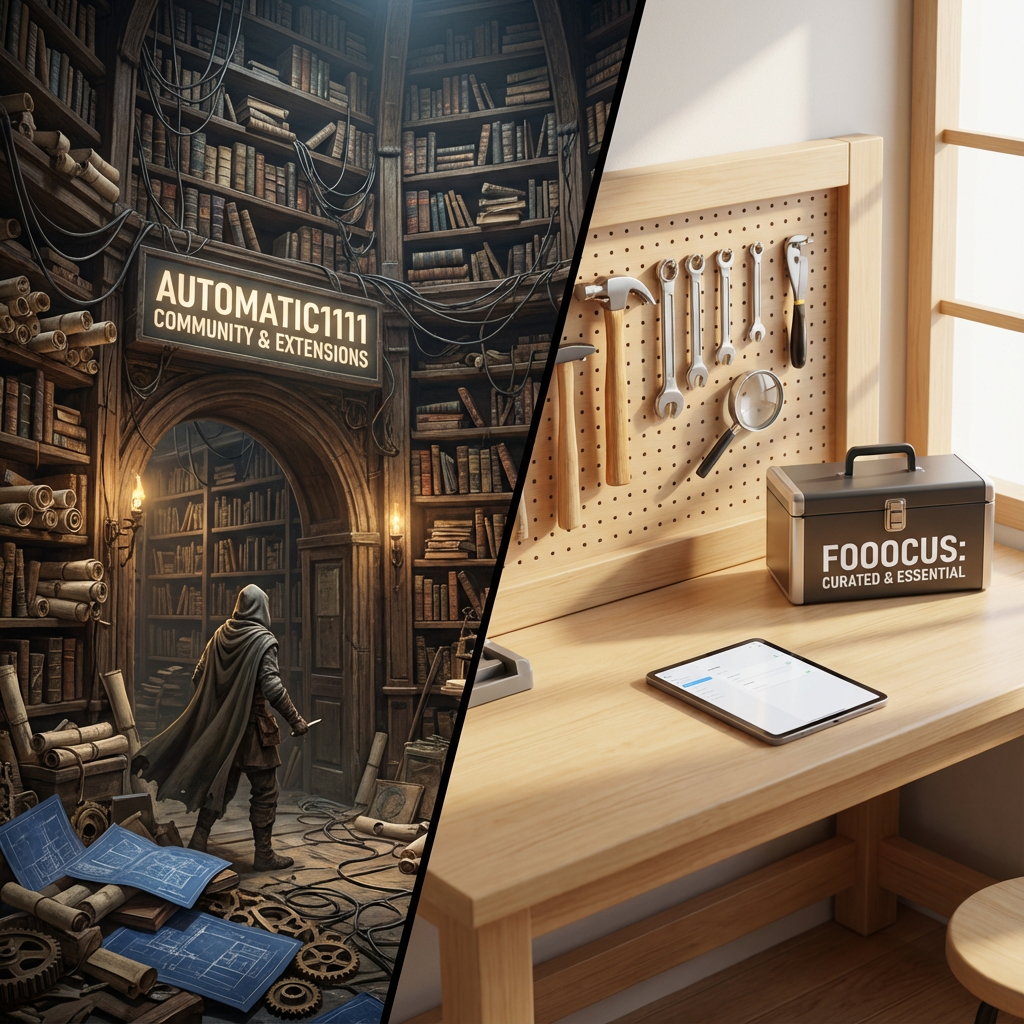
A visual metaphor for community and extensions. The left side shows a massive, sprawling library with countless books and scrolls extending into the distance (representing the vast extension ecosystem of Automatic1111). The right side shows a small, focused, and perfectly organized tool bench with only the essential, high-quality tools (representing Fooocus's curated feature set).
5. Performance and Resource Management: Efficiency vs. Flexibility
The efficiency of image generation is a key factor, especially for users with less powerful hardware.
Stable Diffusion: Flexibility at a Cost
The traditional Stable Diffusion UIs are highly flexible but can be resource-intensive, especially when running multiple extensions or complex workflows.
- VRAM Consumption: Running a full Automatic1111 setup with multiple extensions and large models can quickly consume VRAM, leading to slower generation times or out-of-memory errors on mid-range GPUs.
- Optimization: While there are optimized versions (like Forge), the base UIs often prioritize feature compatibility over raw speed and efficiency.
- Customization for Speed: Experts can manually tweak settings to optimize for speed, but this requires a deep understanding of the underlying parameters.
Fooocus: Optimized for Speed and Quality
Fooocus is highly optimized for speed and efficiency, often outperforming the base Automatic1111 WebUI on the same hardware.
- Built-in Optimization: Fooocus uses highly efficient sampling methods and memory management techniques to minimize VRAM usage and maximize generation speed. This means users with 8GB or even 6GB of VRAM can achieve high-resolution results more reliably.
- Simplified Workflow: By removing the overhead of managing countless extensions and complex settings, Fooocus reduces the computational load, allowing the GPU to focus solely on the generation process.
- The Speed Advantage: For users who need to generate a large volume of high-quality images quickly, the performance advantage of Fooocus is often a deciding factor.
Conclusion: Choosing Your Open-Source Path
The decision between Stable Diffusion vs Fooocus is not a matter of which is "better," but which is "better for you." Both are incredible, free, open-source tools that represent the pinnacle of AI image generation, but they cater to different user needs.
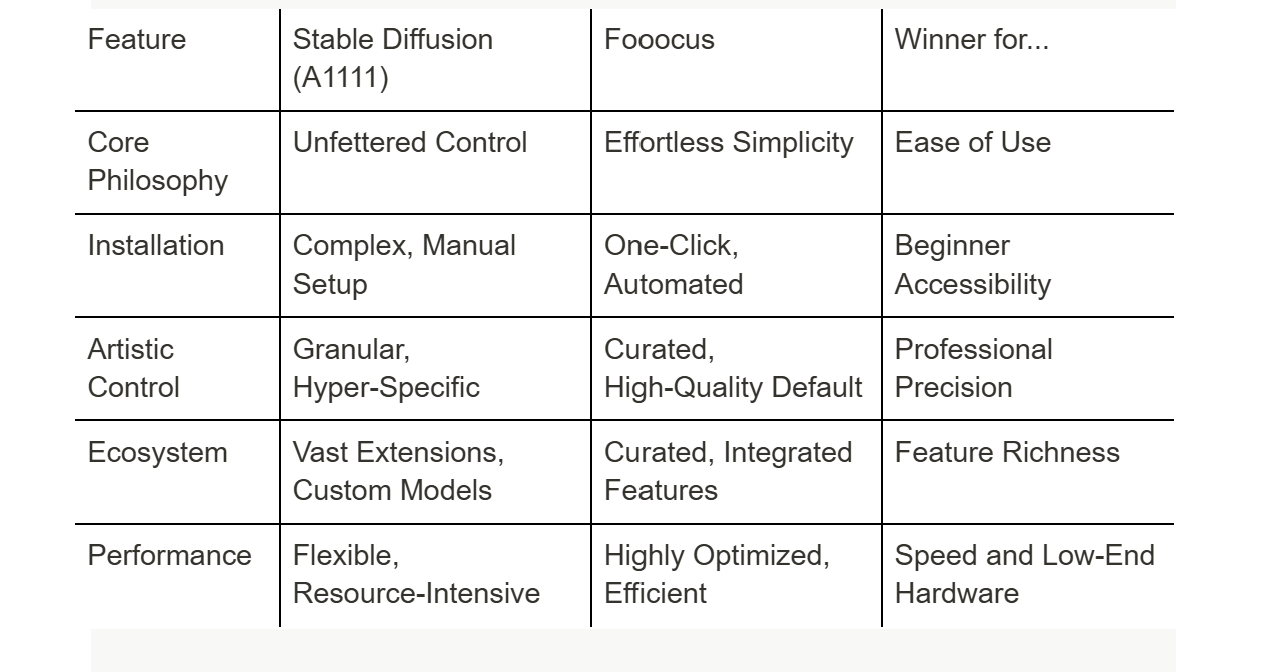
If you are a beginner, a casual user, or an artist who prioritizes speed and simplicity, Fooocus is the clear choice. It is the best entry point into the world of open-source AI art, offering professional-grade results without the steep learning curve.
If you are a power user, a developer, or a professional artist who requires absolute, granular control over every pixel, Stable Diffusion (via Automatic1111 or ComfyUI) is the necessary tool. Its vast ecosystem and endless customization options are essential for pushing the boundaries of the technology.
The competition between Stable Diffusion vs Fooocus is a healthy one, ensuring that the open-source community offers a solution for every level of user, from the novice to the expert.
6. Technical Deep Dive: Models, Prompt Engineering, and Advanced Features
A closer look at the technical implementation reveals why the user experience is so different between Stable Diffusion vs Fooocus.
The Model Layer: Shared Core, Different Defaults
Both platforms can run the same core Stable Diffusion models (like SDXL, SD 1.5, etc.). However, their default configurations are key.
- Stable Diffusion (A1111): The user is responsible for selecting the base model, the VAE (Variational Autoencoder), and any LoRAs (Low-Rank Adaptation) or Textual Inversions. This flexibility is powerful but requires knowledge of which models work best together.
- Fooocus: Fooocus is heavily optimized for SDXL and often comes pre-configured with a highly effective set of default models and VAEs. It also automatically loads a set of internal LoRAs and style prompts to enhance the image quality, which is part of its "magic." This means the user gets excellent results without ever having to manage a model file.
Prompt Engineering: Explicit vs. Implicit
The way prompts are handled is perhaps the most significant technical difference.
- Stable Diffusion (A1111): Prompt engineering is an explicit process. The user must meticulously craft the positive prompt, the negative prompt, and often use advanced syntax (like prompt weights (word:1.2)) to guide the model. This is a skill that takes time to master.
- Fooocus: Prompt engineering is largely implicit. The user provides a simple, natural language prompt. Fooocus then internally rewrites and expands this prompt, adding the necessary technical and artistic keywords (often referred to as "hidden prompts") to ensure a high-quality result. This is why a simple prompt in Fooocus can yield results that would require a complex, multi-line prompt in A1111.
Advanced Features: Inpainting and Outpainting
Inpainting (editing a part of an image) and Outpainting (extending an image beyond its borders) are crucial for professional workflows.
- Stable Diffusion (A1111): Offers highly advanced, multi-step inpainting and outpainting tools. These often require masking, selecting specific models, and running multiple generations to achieve a seamless result. The control is absolute, but the process is manual and time-consuming.
- Fooocus: Integrates a simplified, highly effective inpainting/outpainting feature. It is designed to be fast and intuitive, often yielding excellent results with minimal user input. While it lacks the absolute control of A1111's dedicated tools, its speed and ease of use make it a powerful alternative for quick edits.
7. The Final Verdict: The Right Tool for the Right Job
The competition between Stable Diffusion vs Fooocus is a perfect example of how open-source technology can evolve to serve different user segments.
For the Professional and Enthusiast, the traditional Stable Diffusion UIs (like Automatic1111 or ComfyUI) remain the gold standard. They are the equivalent of a fully-featured digital audio workstation (DAW) or a professional video editor—complex, but capable of anything.
For the Beginner and Casual Creator, Fooocus is the revolution. It is the equivalent of a high-quality mobile photo editor—simple, fast, and capable of delivering stunning results without the need for a manual. It is the tool that has lowered the barrier to entry for millions, proving that high-quality AI art does not require a Ph.D. in prompt engineering.