Stable Diffusion vs Krea AI: The Ultimate AI Image Generation Showdown
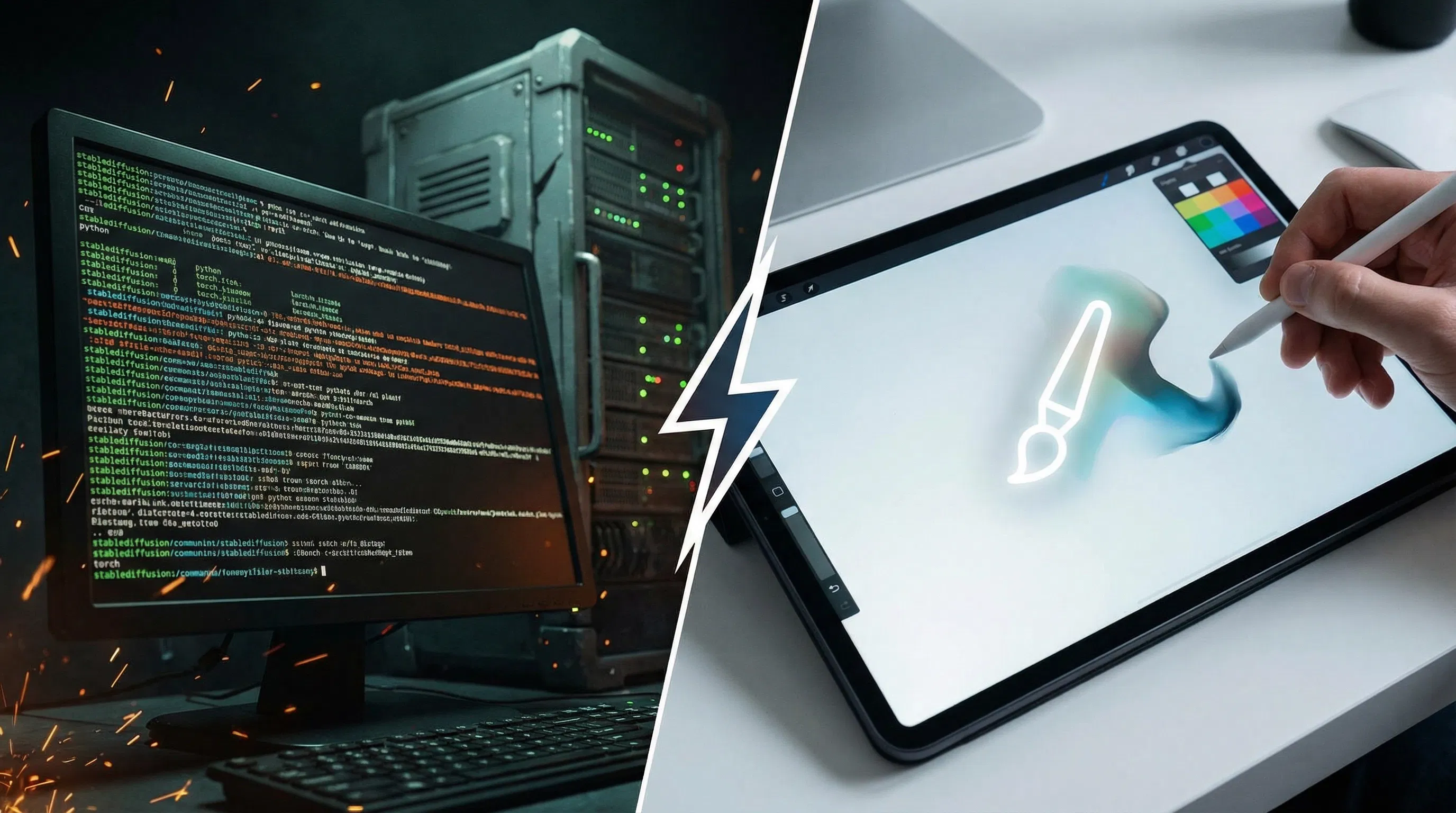
The landscape of AI image generation is broadly divided into two philosophies: the open-source, community-driven powerhouse, and the proprietary, polished, user-centric platform. In this ultimate showdown, we pit Stable Diffusion vs Krea AI, two of the most influential tools, against each other.
Stable Diffusion, backed by Stability AI, represents the pinnacle of open-source flexibility. It is a foundational model that has spawned an entire ecosystem of custom models, interfaces, and control mechanisms. Conversely, Krea AI has rapidly gained traction by focusing on real-time generation and a highly streamlined, intuitive user experience, positioning itself as the go-to tool for designers and artists who prioritize speed and simplicity.
For creators, the choice between Stable Diffusion vs Krea AI is a choice between infinite control and instant gratification. This 2500-word analysis will dive deep into the core differences, comparing their underlying technology, user experience, control features, and commercial viability to help you determine which platform is the best fit for your creative workflow in 2025.
1. Core Philosophy: Open-Source Freedom vs. Proprietary Polish
The fundamental difference between these two platforms is their core development philosophy, which dictates everything from their features to their pricing.
Stable Diffusion: The Open-Source Ecosystem
Stable Diffusion is not a single product but a foundational model released under a permissive license. This open-source nature has led to an explosion of innovation and customization.
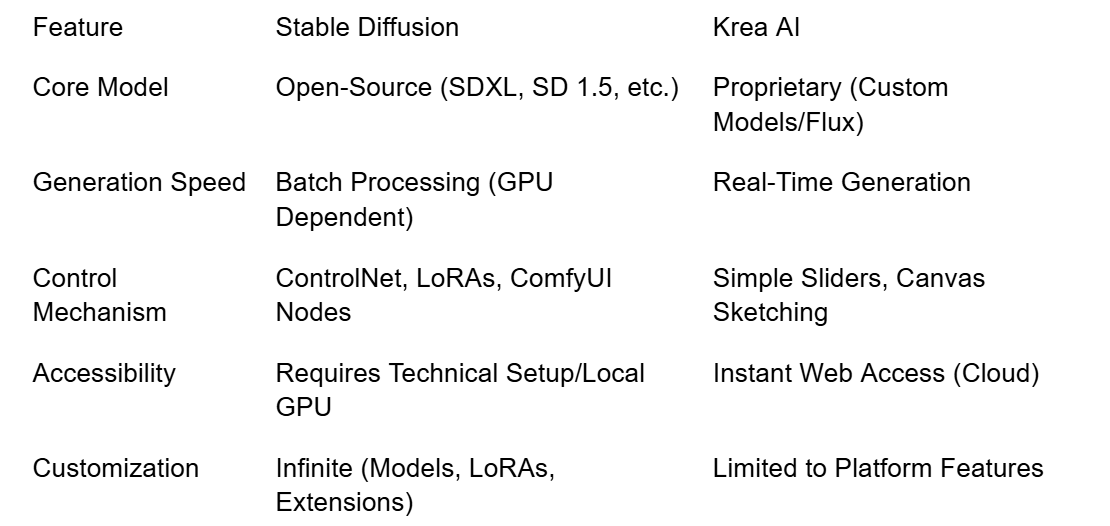
•Community-Driven: The model is constantly being refined, forked, and expanded by a global community of developers. This results in thousands of custom models (e.g., SDXL, SD 1.5, various fine-tuned checkpoints) and user interfaces (e.g., Automatic1111, ComfyUI).
•Transparency and Control: Users have complete access to the underlying code, allowing for unparalleled transparency and the ability to run the model locally on their own hardware.
•Infinite Customization: The ecosystem supports LoRAs, Textual Inversion, ControlNet, and other extensions that allow users to train the model on their own data for hyper-specific results.
Krea AI: The Proprietary, Real-Time Platform
Krea AI is a proprietary, cloud-based platform that wraps powerful generative models (including, at times, custom versions of Stable Diffusion models) in a highly polished, user-friendly interface.
•Real-Time Focus: Krea’s signature feature is its Real-Time Generation, allowing users to see the image evolve instantly as they type a prompt or sketch on a canvas. This dramatically accelerates the iteration loop.
•Streamlined Experience: The platform is designed for simplicity, abstracting away the complex parameters and settings that define the Stable Diffusion ecosystem.
•Cloud-Based: Krea is entirely cloud-based, meaning users do not need powerful local hardware to achieve high-quality results.
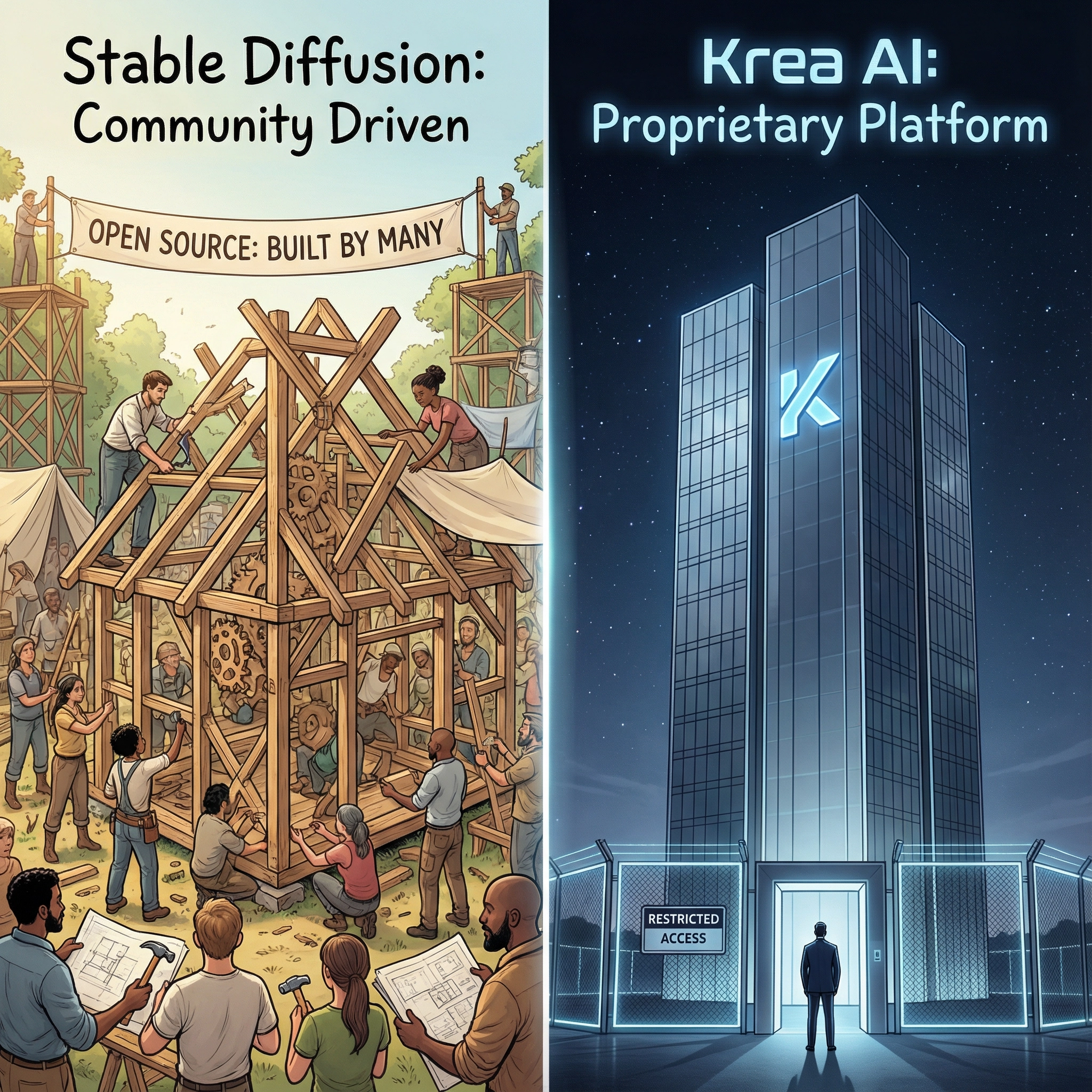
A visual metaphor for open-source vs. proprietary. On the left, a large, collaborative community building a structure with many hands (Stable Diffusion). On the right, a sleek, modern, closed-off building with a single, glowing logo (Krea AI). Label the sections 'Stable Diffusion: Community Driven' and 'Krea AI: Proprietary Platform'.
2. User Experience and Workflow: Node-Based Complexity vs. Canvas Simplicity
The day-to-day experience of using these tools could not be more different, catering to two distinct types of creators.
Stable Diffusion’s Workflow: The Power User’s Toolkit
Stable Diffusion’s workflow is often non-linear and highly technical. While simple web UIs exist, the true power is unlocked through advanced interfaces like ComfyUI, which uses a node-based system.
•Node-Based Workflow: ComfyUI allows users to connect different components (prompts, models, samplers, ControlNets) like a visual programming language. This offers maximum control but has a steep learning curve.
•Batch Processing: Generation is typically a batch process. The user sets parameters, hits generate, and waits for the final image(s) to be rendered. This is less iterative than Krea’s approach.
•Hardware Dependency: Running the latest, most powerful models (like SDXL) locally requires a high-end GPU, which is a significant barrier to entry for many users.
Krea AI’s Workflow: The Instant Canvas
Krea AI’s workflow is designed to mimic traditional digital art software, focusing on a single, intuitive canvas.
•Real-Time Iteration: The core feature is the ability to sketch, draw, or type a prompt and see the AI-generated image update instantly. This allows for rapid experimentation and ideation, making it feel more like a collaborative partner than a rendering engine.
•Canvas-Based Tools: Krea offers tools like Image-to-Image and Upscaling directly within the clean web interface, eliminating the need to switch between different applications or complex settings.
•Zero Setup: As a cloud service, there is no installation, setup, or hardware requirement beyond a modern web browser.
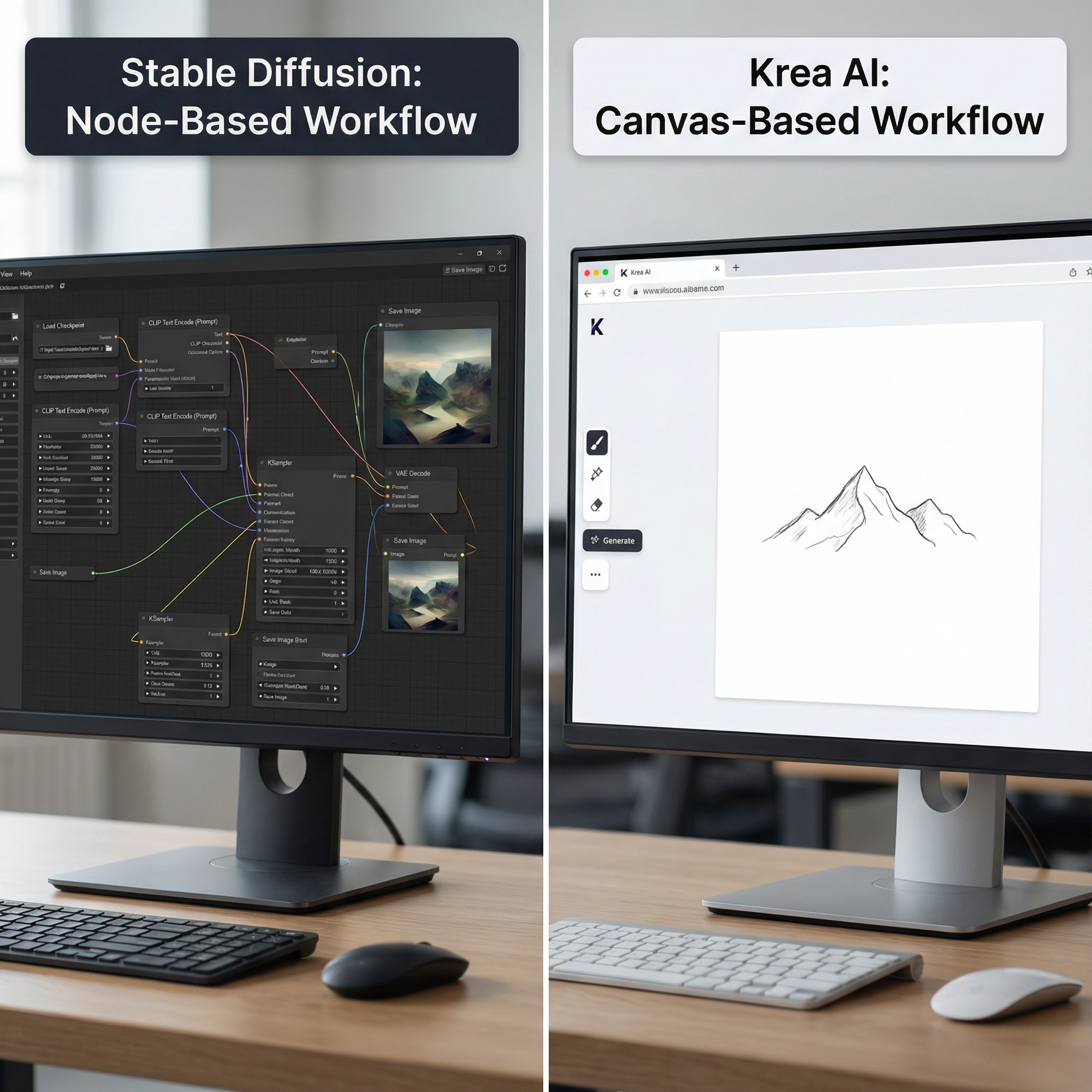
A side-by-side comparison of the workflow. On the left, a complex node-based interface (ComfyUI/Stable Diffusion). On the right, a simple, clean web interface with a single canvas (Krea AI). Label the sections 'Stable Diffusion: Node-Based Workflow' and 'Krea AI: Canvas-Based Workflow'.
3. Control and Customization: Infinite Depth vs. Curated Focus
The depth of control is where the difference between Stable Diffusion vs Krea AI is most pronounced. This section delves into the specific mechanisms each platform offers to guide the creative process.
Stable Diffusion: The Control King
Stable Diffusion offers a level of control that is unmatched by any proprietary platform. This is primarily achieved through its modular architecture and the community-developed extensions that plug into it.
•ControlNet: The Precision Tool: ControlNet is arguably the most significant innovation in the Stable Diffusion ecosystem. It allows users to guide the generation process using external inputs like depth maps, poses (OpenPose), sketches, and edge detection. For a professional, this is the gold standard for achieving precise composition, maintaining character consistency across multiple images, and translating a rough sketch into a polished final piece. The ability to lock down the structure while iterating on the style is a powerful, non-destructive workflow.
•LoRAs and Custom Models: Stable Diffusion's power is amplified by Low-Rank Adaptation (LoRAs) and custom checkpoints. LoRAs are small files that fine-tune the model to a specific style, character, or object. Users can download, train, and share these, creating an almost infinite library of aesthetic possibilities. This level of model blending and customization gives the user complete ownership over the final look, a feature no proprietary platform can truly match.
•Advanced Prompting: Beyond simple text, Stable Diffusion supports complex prompting syntax, including prompt weighting, wildcards, and conditional prompting, essential for fine-tuning the output and achieving highly specific, nuanced results.
Krea AI: Simplified, Effective Control
Krea AI provides a curated set of controls that are highly effective for most common use cases without overwhelming the user. The focus is on making powerful tools accessible with minimal friction.
•Real-Time Parameters: Users can adjust parameters like Creativity and Prompt Strength via simple sliders, instantly seeing the effect on the canvas. This instant feedback loop is Krea's greatest strength, allowing for rapid, intuitive exploration of the prompt space.
•Image-to-Image and Variations: Krea’s Image-to-Image feature is exceptionally fast, allowing users to upload a reference image and use the real-time canvas to quickly iterate on variations. The platform's internal models are highly optimized for generating aesthetically pleasing variations from a base image.
•Style Presets: Krea offers a library of high-quality, proprietary style presets that can be applied with a single click. These presets are carefully engineered to produce professional results, catering to users who want a polished look without the deep technical knowledge required to manage Stable Diffusion's vast library of custom models. The trade-off is less ultimate control for greater immediate usability.
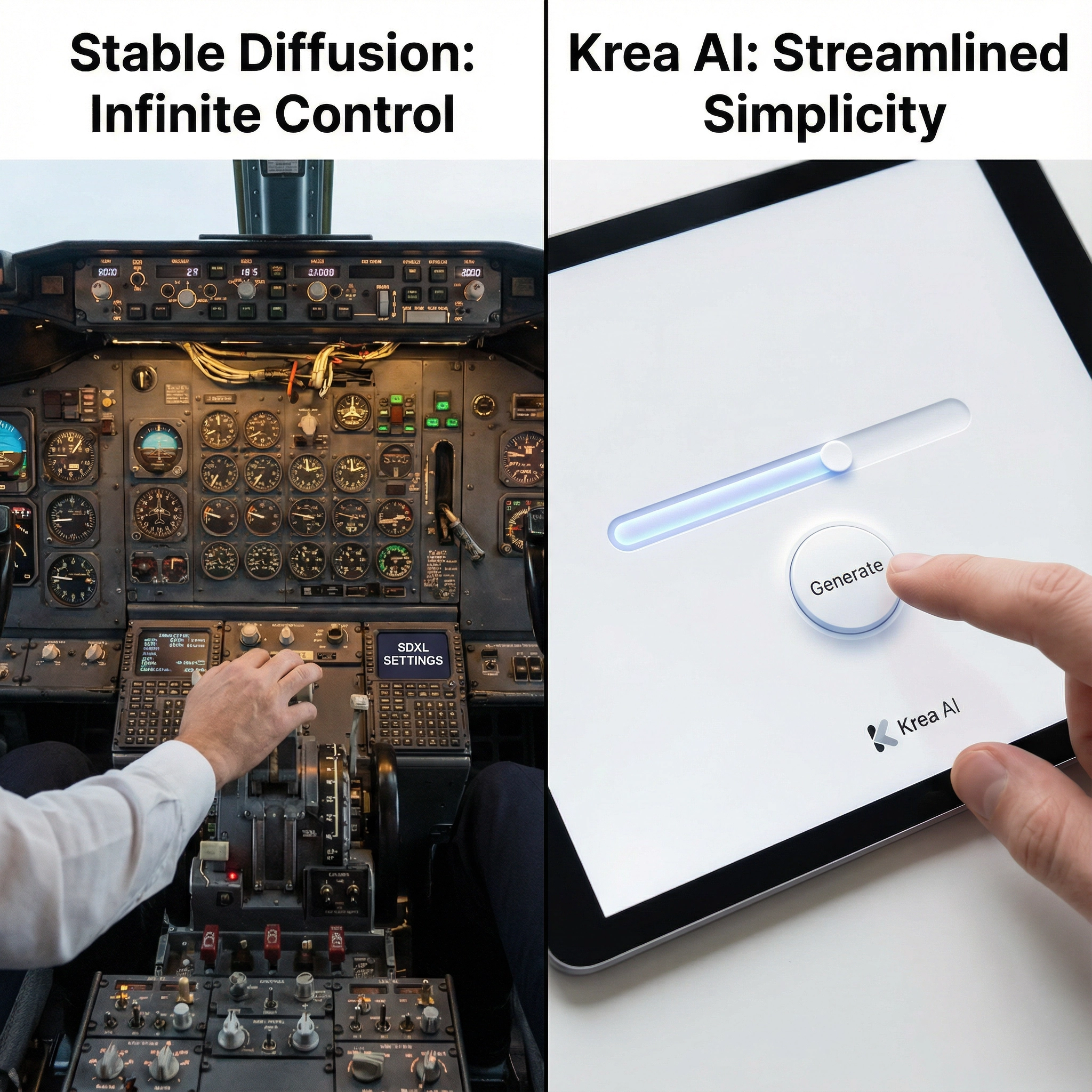
A visual metaphor for control vs. simplicity. On the left, a complex cockpit with hundreds of dials and switches (Stable Diffusion). On the right, a single, elegant slider with a clear 'Generate' button (Krea AI). Label the sections 'Stable Diffusion: Infinite Control' and 'Krea AI: Streamlined Simplicity'.
4. Aesthetic Output and Quality: Raw Potential vs. Consistent Polish
The final image quality from both platforms is high, but the path to achieving it and the resulting aesthetic differ significantly based on their underlying technology and design philosophy.
Stable Diffusion’s Aesthetic: The Power of the Model
The aesthetic of Stable Diffusion is entirely dependent on the model and ControlNet used, giving it a chameleon-like ability to adapt to any style.
•Raw Potential and SDXL: The introduction of Stable Diffusion XL (SDXL) marked a massive leap in quality, offering higher native resolution (1024x1024) and a much-improved ability to handle complex prompts and render details like hands and faces. When paired with the right model (e.g., a fine-tuned SDXL checkpoint) and advanced techniques (e.g., ControlNet), Stable Diffusion can produce images that rival or surpass any other generator in photorealism and artistic detail.
•The Inconsistency Paradox: The sheer number of models and parameters means that the quality can be highly inconsistent. A beginner may struggle to achieve the same results as an expert, leading to a steep learning curve for high-quality output. The user is responsible for curating their own aesthetic by selecting and managing models.
•Unrivaled Artistic Range: Due to its open-source nature and the vast community of model trainers, Stable Diffusion has the widest artistic range, capable of generating everything from hyper-realistic photography to niche anime styles, abstract art, and specific historical aesthetics, provided the corresponding model exists.
Krea AI’s Aesthetic: Curated and Consistent
Krea AI’s aesthetic is more curated, focusing on a clean, high-quality, and modern look, largely driven by its proprietary models like Krea 1 and its real-time engine.
•Consistent Polish: Krea’s proprietary models are optimized for a consistent, professional aesthetic, making it easier for new users to achieve good results immediately. The real-time engine prioritizes visual harmony and speed, often resulting in a clean, slightly stylized output that is immediately usable for design work.
•Real-Time Quality and Flux: Krea's real-time generation is powered by highly efficient models (often based on the Flux architecture) that are optimized for speed over ultimate detail in the initial sketch phase. However, the final high-resolution renders are competitive with other top-tier models. The key is the instant feedback loop, which allows the user to correct aesthetic flaws before the final render, leading to a higher success rate per generation.
•Focus on Design: Krea’s tools are heavily geared towards graphic design, concept art, and rapid prototyping, where speed and a clean aesthetic are paramount. While it may not have the niche model depth of Stable Diffusion, its core models are excellent for general-purpose, commercial-grade imagery.
Krea AI’s aesthetic is more curated, focusing on a clean, high-quality, and modern look.
•Consistent Polish: Krea’s proprietary models are optimized for a consistent, professional aesthetic, making it easier for new users to achieve good results immediately.
•Real-Time Quality: The real-time generation is surprisingly high-quality, allowing users to lock in a composition before committing to a final, high-resolution render.
•Focus on Design: Krea’s tools are heavily geared towards graphic design, concept art, and rapid prototyping, where speed and a clean aesthetic are paramount.
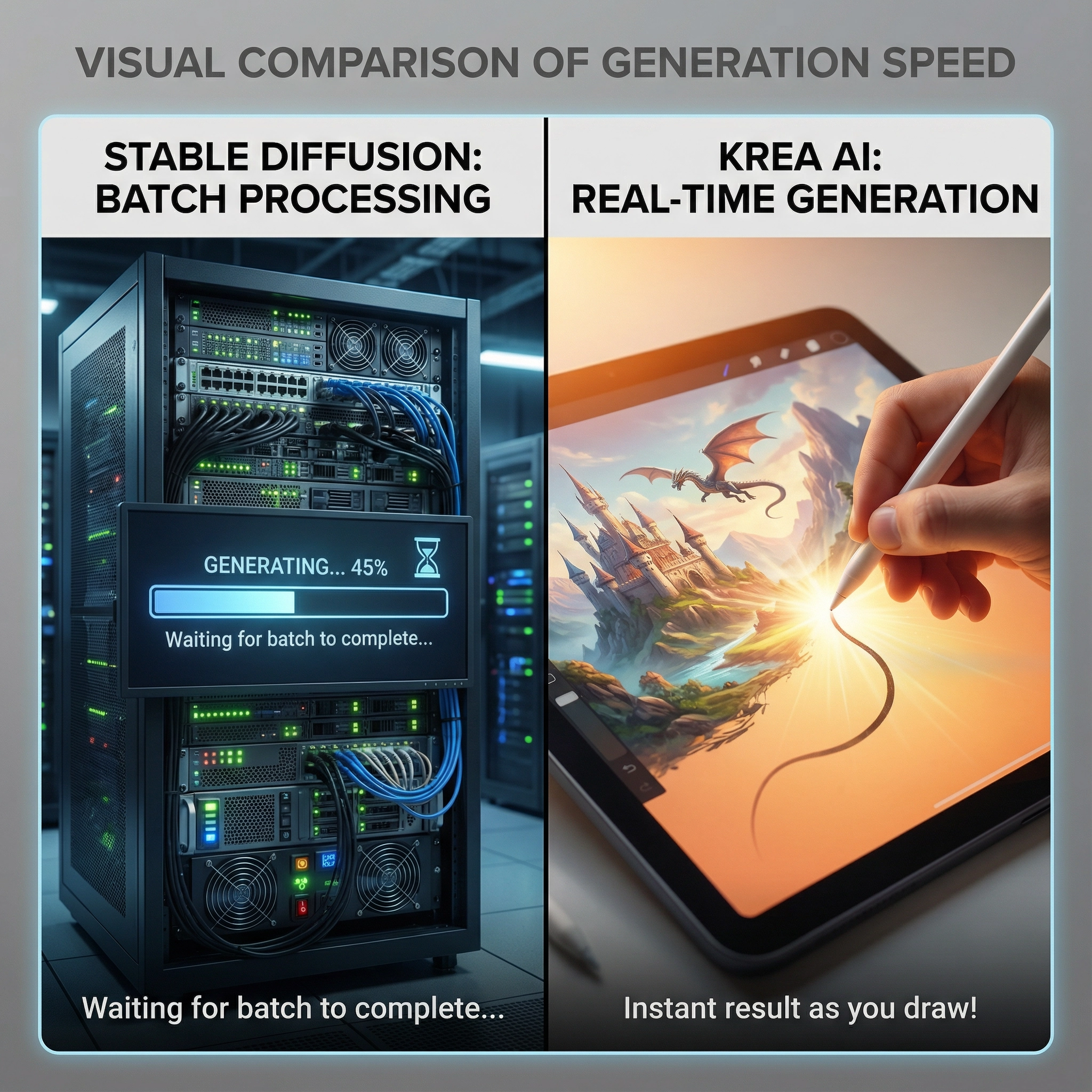
A side-by-side visual comparison of generation speed. On the left, a complex server rack with a loading bar (Stable Diffusion). On the right, a hand drawing a line on a tablet with the image instantly appearing (Krea AI Real-Time). Label the sections 'Stable Diffusion: Batch Processing' and 'Krea AI: Real-Time Generation'.
5. Cost and Commercial Viability: Hardware vs. Subscription
The cost structure is a major differentiator in the Stable Diffusion vs Krea AI comparison.
Stable Diffusion’s Cost: The Hardware Investment
The cost of using Stable Diffusion is primarily an upfront investment in hardware and the cost of electricity.
•Hardware Cost: Running the model locally requires a powerful GPU (e.g., NVIDIA RTX 4080 or better) with significant VRAM. This can be a cost of $1,000 to $2,000 or more.
•Free Generation: Once the hardware is purchased, the generation itself is essentially free, with no per-image or subscription costs.
•Commercial Use: The commercial license for the base Stable Diffusion models is generally permissive, but users must be mindful of the licenses of any custom models (LoRAs, checkpoints) they use, as these can vary widely.
Krea AI’s Cost: The Subscription Model
Krea AI operates on a tiered subscription model, typical of a cloud-based SaaS product.
•Free Tier: Krea offers a free tier with daily limits, allowing users to test the real-time features.
•Subscription Tiers: Paid plans range from a Basic tier (around $10/month) to Pro and Max tiers (up to $60/month), offering increased generation speed, higher limits, and commercial licensing 1.
•No Hardware Required: The subscription cost replaces the need for expensive local hardware, making it a more accessible option for users without a powerful PC.
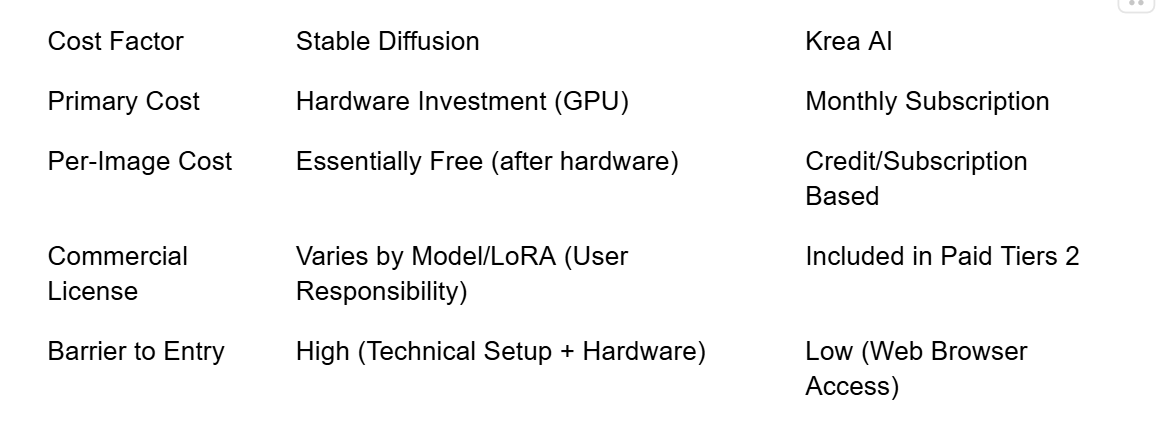
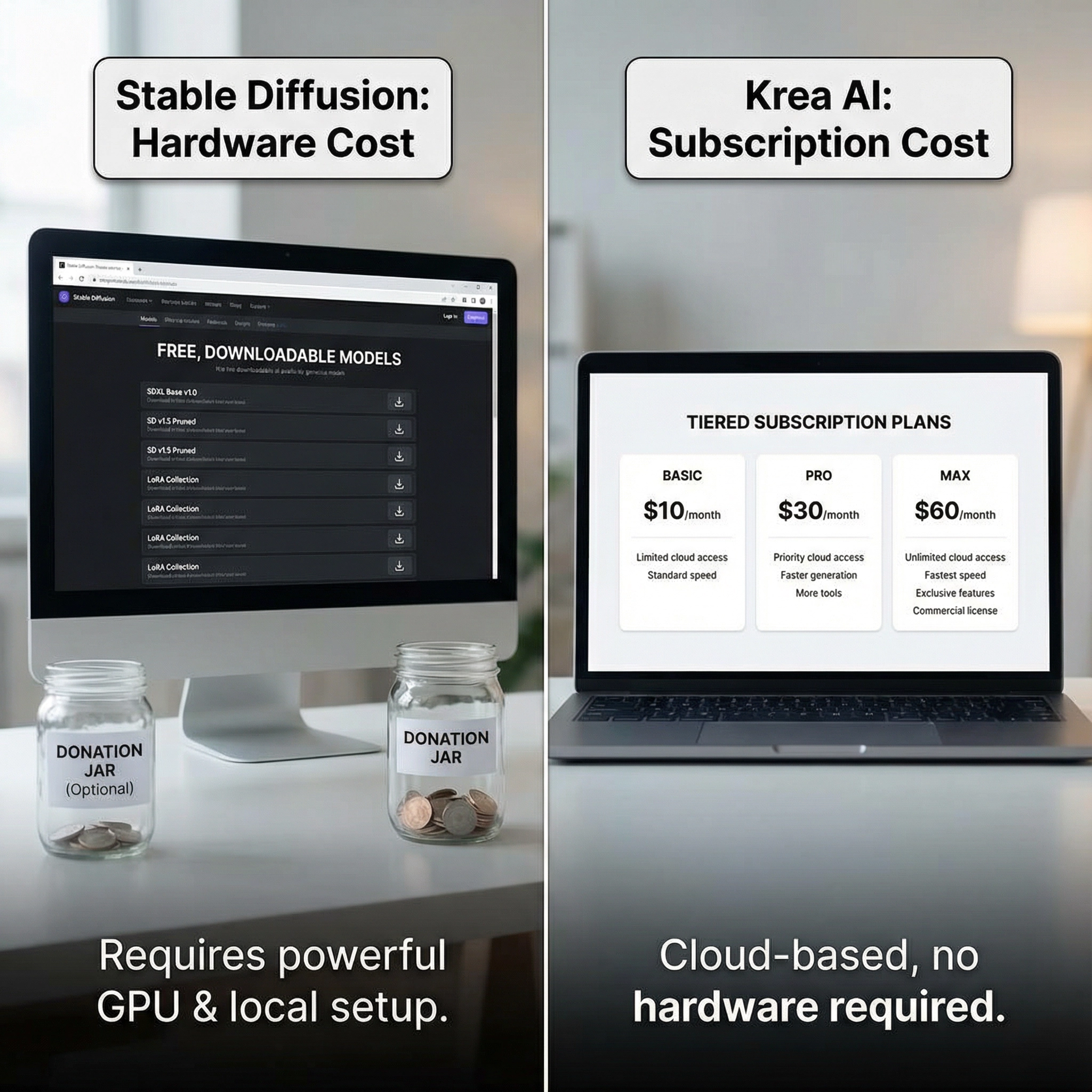
A side-by-side comparison of pricing models. On the left, a computer screen showing a list of free, downloadable models and a small donation jar (Stable Diffusion). On the right, a clear, tiered subscription plan with 'Basic', 'Pro', and 'Max' labels (Krea AI). Label the sections 'Stable Diffusion: Hardware Cost' and 'Krea AI: Subscription Cost'.
6. Final Verdict: Which AI Image Generator is Right for You?
The choice between Stable Diffusion vs Krea AI is a decision between two excellent, yet fundamentally different, tools. Neither is objectively "better"—they simply serve different user needs.
Choose Stable Diffusion if:
•You are a power user, developer, or enthusiast who demands infinite control over every aspect of the generation process (ControlNet, custom models).
•You have a high-end GPU and prefer to run the software locally for privacy and free, unlimited generation.
•Your workflow is technical and you are comfortable with node-based interfaces like ComfyUI.
Choose Krea AI if:
•You are a designer, artist, or content creator who prioritizes speed, simplicity, and real-time iteration.
•You need a clean, cloud-based solution with zero setup and no need for expensive local hardware.
•You value a curated, consistent aesthetic and a streamlined, canvas-based workflow.
Ultimately, the true winner in the Stable Diffusion vs Krea AI debate is the creator who understands the strengths of each tool and uses them strategically. Stable Diffusion is the ultimate laboratory for experimentation and deep customization, while Krea AI is the ultimate tool for rapid, professional ideation and design.