Wrike Review: Effective Project Management in 2025?
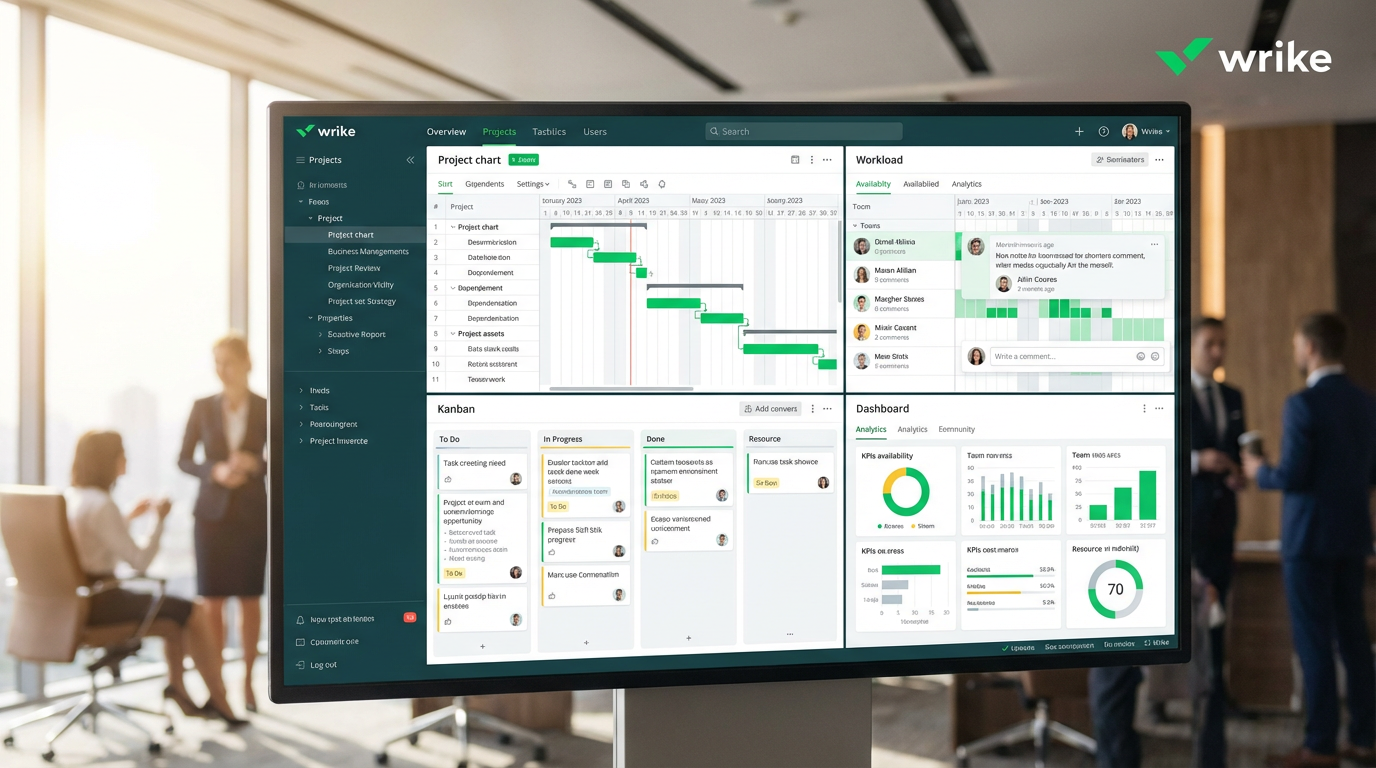
In the high-stakes world of enterprise software, the quest for a single source of truth for work is relentless. Large organizations grapple with complex projects, distributed teams, and a constant need for operational efficiency. The challenge isn’t just managing tasks; it’s orchestrating a symphony of cross-functional collaboration, resource allocation, and strategic alignment. This is where generic productivity software often falls short, unable to provide the robust governance, security, and scalability that modern enterprises demand. The need for a powerful, centralized work management platform has never been more critical for achieving successful digital transformation.
Enter Wrike, a powerhouse in the collaborative work management space, specifically engineered for the complexities of large-scale organizations. For the third consecutive year, Wrike has been named a Leader in the Gartner® Magic Quadrant™ for Collaborative Work Management, a testament to its strength as a premier SaaS solution. It’s not just another project management tool; it’s a sophisticated cloud-based platform designed to bring clarity, control, and workflow automation to the most demanding business environments. With a client roster that includes giants like Siemens, T-Mobile, and Schneider Electric, Wrike has proven its mettle in the world of enterprise project management.
This 4000-word review will provide an in-depth analysis of the Wrike platform. We will explore its core functionalities, from its best-in-class resource management and powerful dashboard reporting to its cutting-edge Wrike Copilot AI. We will compare it directly with other industry leaders, dissect its pricing structure, and provide a balanced view of its advantages and disadvantages. Is Wrike’s enterprise-first approach the key to unlocking true portfolio management and stakeholder management, or is its complexity a barrier for some? Let’s determine if Wrike is the most effective project management software for your team in 2025.
What is Wrike? The Enterprise Work Management Leader
At its core, Wrike is a work management platform built with the enterprise in mind. Its architecture is designed to handle the intricate hierarchies and security requirements of large organizations, making it a go-to solution for enterprise software deployment. Wrike’s philosophy centers on providing a single, unified workspace where teams can plan projects, manage resources, collaborate on tasks, and report on progress with 360-degree visibility. This focus on cross-functional collaboration and process automation makes it a powerful engine for driving operational efficiency.
Unlike platforms that prioritize simplicity or extreme customization, Wrike focuses on control, governance, and scalability. It provides a structured environment for project planning and execution, with features like custom workflows, advanced Gantt charts, and sophisticated time tracking. This makes it an ideal choice for organizations that need to manage complex dependencies, adhere to strict compliance standards, and maintain a clear audit trail. It is a mature and robust collaboration platform designed for serious business.
A Deep Dive into Wrike’s Core Features
Wrike’s reputation is built on a foundation of powerful, enterprise-grade features. Here’s a closer look at the key components that make it a leader in the work management space.
Multiple Project Views: Tailored for Every Role
Wrike understands that different roles require different perspectives. The platform offers a variety of project views, allowing users to switch between them seamlessly to get the information they need in the format they prefer. This flexibility is crucial for effective team collaboration and project portfolio management.

Wrike offers multiple ways to visualize work, including List, Board, Gantt, and Table views, ensuring every team member has the right perspective.
Key views include:
•List View: A traditional, straightforward view for managing tasks and subtasks.
•Board View: A Kanban-style board for visualizing workflows and managing agile projects.
•Gantt Chart View: An interactive timeline for planning complex projects, managing dependencies, and tracking the critical path.
•Table View: A spreadsheet-like interface for bulk editing and managing large datasets.
This multi-view approach ensures that from the executive level down to the individual contributor, everyone has a clear line of sight into project progress and priorities, a key aspect of successful change management.
Resource Management & Workload Planning
This is where Wrike truly shines and sets itself apart from many competitors. Its resource management capabilities are among the best in the industry, providing managers with the tools they need for precise capacity planning and workload balancing. This is essential for preventing burnout and ensuring optimal team productivity.

Caption: Wrike’s Workload view provides a clear, color-coded chart of team capacity, helping managers prevent overallocation and balance assignments effectively.
Key features include:
•Workload View: A visual representation of each team member’s capacity, highlighting who is available, at capacity, or overallocated.
•Resource Allocation: Easily assign resources to projects and tasks and see the impact on their workload in real-time.
•Time Tracking: Native time tracking and timesheets provide accurate data for billing and project costing.
•Utilization Reports: Track billable vs. non-billable hours and monitor team productivity.
For professional services firms, marketing agencies, and any organization where resource optimization is critical, Wrike’s resource management suite is a powerful tool for budget management and profitability.
Wrike Copilot: AI-Powered Work Intelligence
In 2025, AI is a critical component of any modern work management platform. Wrike has invested heavily in its AI capabilities with Wrike Copilot, an intelligent assistant designed to automate tasks, provide insights, and accelerate workflows. This is a key driver of workflow automation and process automation.
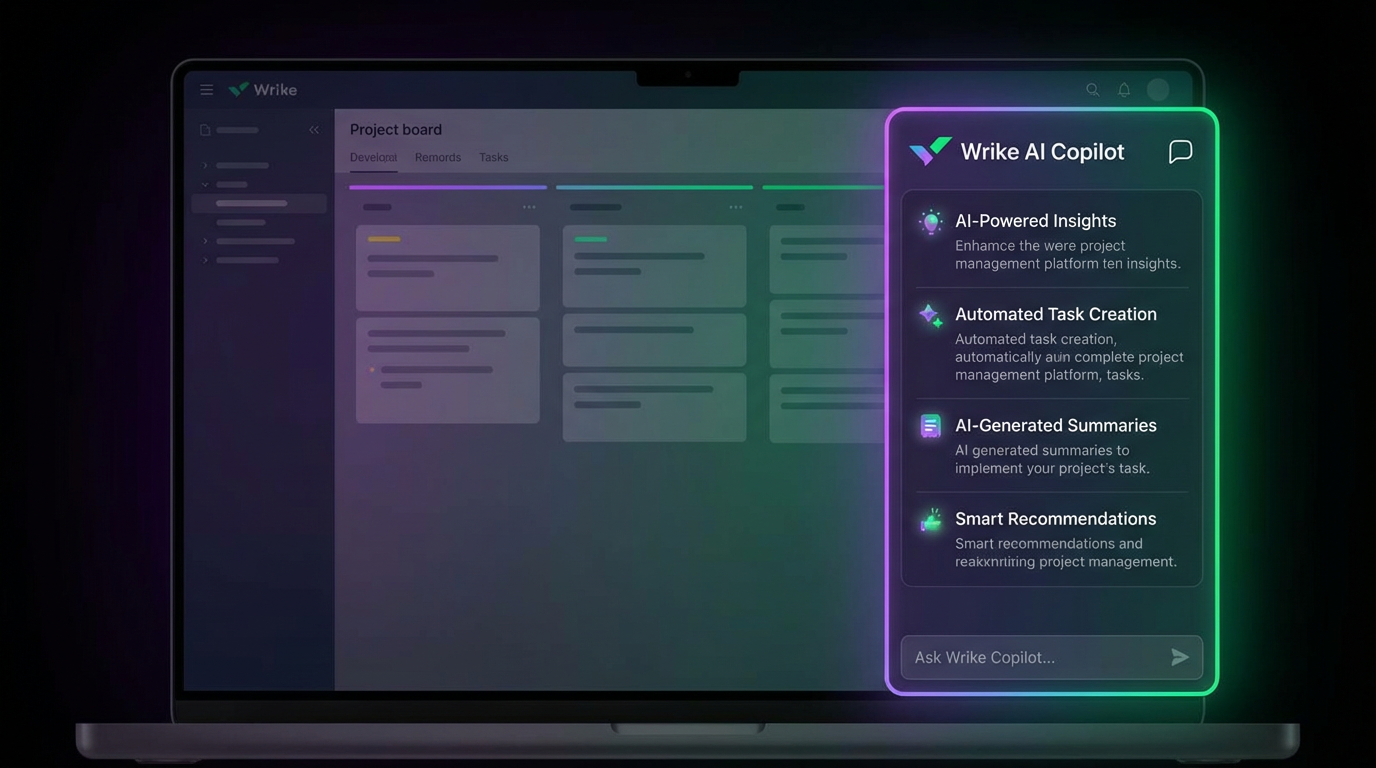
Caption: Wrike Copilot offers AI-powered insights, automated task creation, and smart recommendations to enhance productivity and streamline workflows. Source:
Key AI features include:
•AI-Powered Insights: Proactively identifies risks, suggests improvements, and provides project summaries.
•Automated Task Creation: Generates tasks and subtasks based on project briefs or meeting notes.
•Smart Recommendations: Suggests relevant files, collaborators, and next steps.
•AI Agents: Automate complex, multi-step processes and connect different systems.
Wrike’s AI is not just a feature; it’s a core part of the platform’s strategy to enhance business intelligence and drive a new level of operational efficiency.
Customizable Dashboards & Reporting
Wrike’s dashboard reporting capabilities are designed to provide stakeholders at all levels with the real-time data they need to make informed decisions. The dashboards are highly customizable, allowing you to create a command center for your projects, portfolios, and teams. This is essential for effective stakeholder management.

Caption: Wrike’s customizable dashboards provide a real-time, high-level overview of project status, team performance, and key business metrics. Source: Image generated by Manus AI.
With a drag-and-drop interface, you can build reports that track:
•Project health and progress.
•Team performance and utilization.
•Budget vs. actuals.
•Portfolio-level KPIs.
This powerful data analytics capability transforms raw project data into actionable business intelligence, providing unparalleled visibility and control.
Wrike Pricing in 2025: An Investment in Control
Wrike’s pricing reflects its position as an enterprise software solution. It is more expensive than many competitors, but it provides a level of control and security that justifies the cost for its target audience.
•Free Plan: For small teams getting started. Limited to 5 users and basic features.
•Team Plan ($9.80/user/month): For growing teams. Adds Gantt charts, dashboards, and automations.
•Business Plan ($24.80/user/month): The most popular plan. Unlocks resource management, time tracking, and advanced integrations.
•Enterprise Plan (Custom Pricing): For large organizations needing advanced security, admin controls, and dedicated support.
•Pinnacle Plan (Custom Pricing): For organizations with the most complex needs, adding advanced analytics, budgeting, and performance reporting.
While not the cheapest option, Wrike’s pricing is competitive for the enterprise work management market, offering a scalable solution that can grow with your organization.
Pros and Cons: A Balanced Perspective
Wrike’s enterprise focus is a double-edged sword. Here’s a balanced look at its strengths and weaknesses.
Pros:
•Enterprise-Grade Security and Governance: Best-in-class for large organizations.
•Powerful Resource Management: Industry-leading tools for capacity planning.
•Advanced Reporting and Analytics: Provides deep insights into project and portfolio performance.
•Highly Scalable: Can support teams of any size, from 20 to 20,000.
•Excellent for Creative Teams: Built-in proofing and approval tools are a major plus.
Cons:
•Steep Learning Curve: The interface is complex and can be overwhelming for new users.
•Expensive: Pricing is on the higher end of the market.
•Overkill for Small Teams: The feature set is too robust for simple project management needs.
•Limited Free Plan: The free offering is not as generous as some competitors.
Final Verdict: Is Wrike the Right Choice for Your Team in 2025?
After a thorough review, Wrike solidifies its position as a top-tier enterprise work management platform. It is an exceptionally powerful and secure solution designed for organizations that require a high degree of control, visibility, and scalability.
You should choose Wrike if:
•You are a large team or enterprise with complex projects and portfolios.
•You need robust resource management and capacity planning tools.
•Advanced security, governance, and compliance are top priorities.
•You are a marketing or creative team that needs powerful proofing and approval workflows.
You might look elsewhere if:
•You are a small team or startup that needs a simple, easy-to-use tool (consider Asana or Trello).
•Your primary need is for extreme customization and an all-in-one feature set at a low price (consider ClickUp).
•You prefer a more visual and intuitive interface for your workflows (consider Monday.com).
In 2025, Wrike is the undisputed choice for enterprises that need a mature, stable, and secure platform to manage their most critical work. While its complexity and price point make it unsuitable for smaller teams, for those who need its power, Wrike is an investment that pays dividends in operational efficiency, risk management, and successful project delivery.
Frequently Asked Questions (FAQ)
1. Is Wrike better than Asana? Wrike is better for large enterprises needing advanced resource management and security. Asana is better for small to medium-sized teams that prioritize ease of use.
2. How does Wrike’s AI work? Wrike Copilot uses AI to automate tasks, provide project insights, generate reports, and offer smart recommendations. It’s designed to act as an intelligent assistant within your workspace, enhancing team productivity.
3. Is Wrike difficult to learn? Wrike has a steeper learning curve than simpler tools due to its extensive feature set and customization options. However, its onboarding and support resources are excellent, especially for enterprise clients.
4. Can Wrike be used for Agile project management? Yes, Wrike supports Agile methodology with features like Kanban boards, custom workflows, and integrations with development tools. It also supports hybrid methodologies, combining Agile and Waterfall project management.
5. What is Wrike’s best feature? Its standout feature is its resource management and workload planning capability, which is more advanced and comprehensive than most other project management platforms.
6. How does Wrike handle integrations? Wrike offers over 400 native integrations with popular tools like Salesforce, Microsoft Teams, and Adobe Creative Cloud. Its Wrike Integrate add-on allows for the creation of custom integrations and complex workflow automation.
7. Is Wrike good for marketing teams? Yes, Wrike is excellent for marketing teams. It offers specialized templates, proofing tools for creative assets, and robust campaign management features, making it a top choice for marketing process automation.
8. What kind of support does Wrike offer? Wrike offers a range of support options, from a comprehensive knowledge base and community forum to 24/7 email and chat support. Enterprise clients receive a dedicated customer success manager for personalized onboarding and support.
9. How does Wrike ensure data security? Wrike provides enterprise-grade security features, including single sign-on (SSO), two-factor authentication (2FA), user access controls, and compliance with standards like SOC 2 and ISO 27001.
10. Can you manage budgets in Wrike? Yes, on its higher-tier plans (Business, Enterprise, and Pinnacle), Wrike offers features for budget management, allowing you to track project costs, monitor budget vs. actuals, and manage financial performance. This provides a complete financial picture of your projects and portfolios.